11
When registering the collar, APN commands will be sent to the collar and the background tracking will be
started. It takes about 1-5 minutes until the collar comes online and, depending on availability of satellites,
starts to send the positions. If the collar is not online after 5 minutes run a test tracking: Go to the Map and
choose Targets > (Name of the dog) > or All > (Name of the dog) > Tracking and Alarms > Start tracking
>Background > Start BGT. Wait a moment, and you will receive notification of receipt of the location infor-
mation. You will also see that the time of the location information is refreshed every 60 seconds (by default).
The owner password gives you the right for setting tracking commands, commands related to alarms,
changing settings, and making configuration settings. We do not recommend giving out the owner password
or setting equal viewer and owner password.
Through viewer password and share name of the targets you can search for these targets. Viewers can
view the dog on their mobile phone but they cannot set commands, call the collar, or make changes in their
settings. This way you do not need to give your dog collar’s phone number to everyone who wants to see
the dog’s motion.
Search from Tracker Live
If the collar has already been registered to Tracker Live™ or you want to add a friend, you can just request
it from Tracker Live™ server.
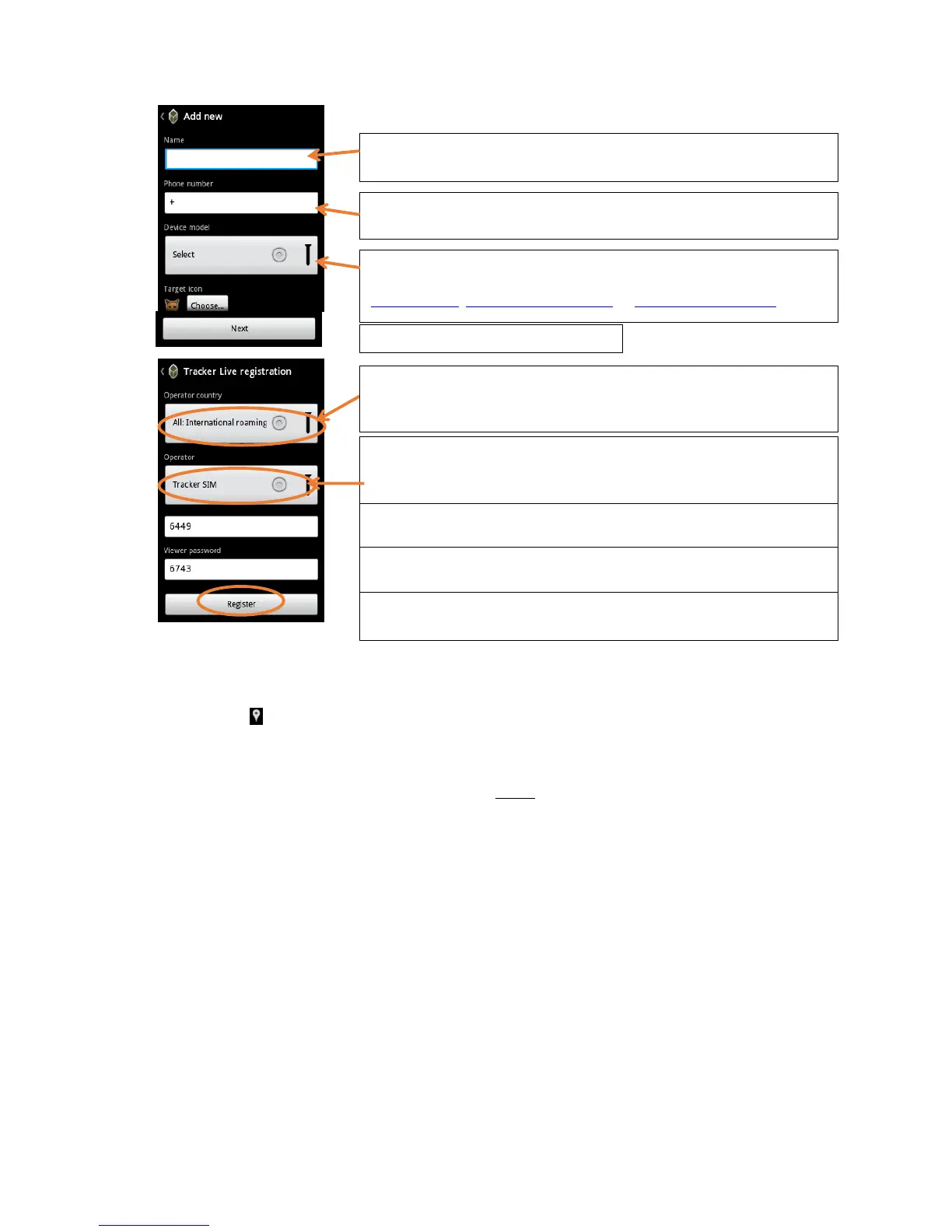
Choose the correct model for your target.
If you are not sure about the model, please visit our homepage:
www.tracker.fi; www.trackerhunter.com or www.trackerboazu.com
Select the country of the provider of the SIM card you use for the target.
If you use our Tracker SIM, the country is automatically set to: All: Interna-
tional.


 To Next Page
 Loading...