16
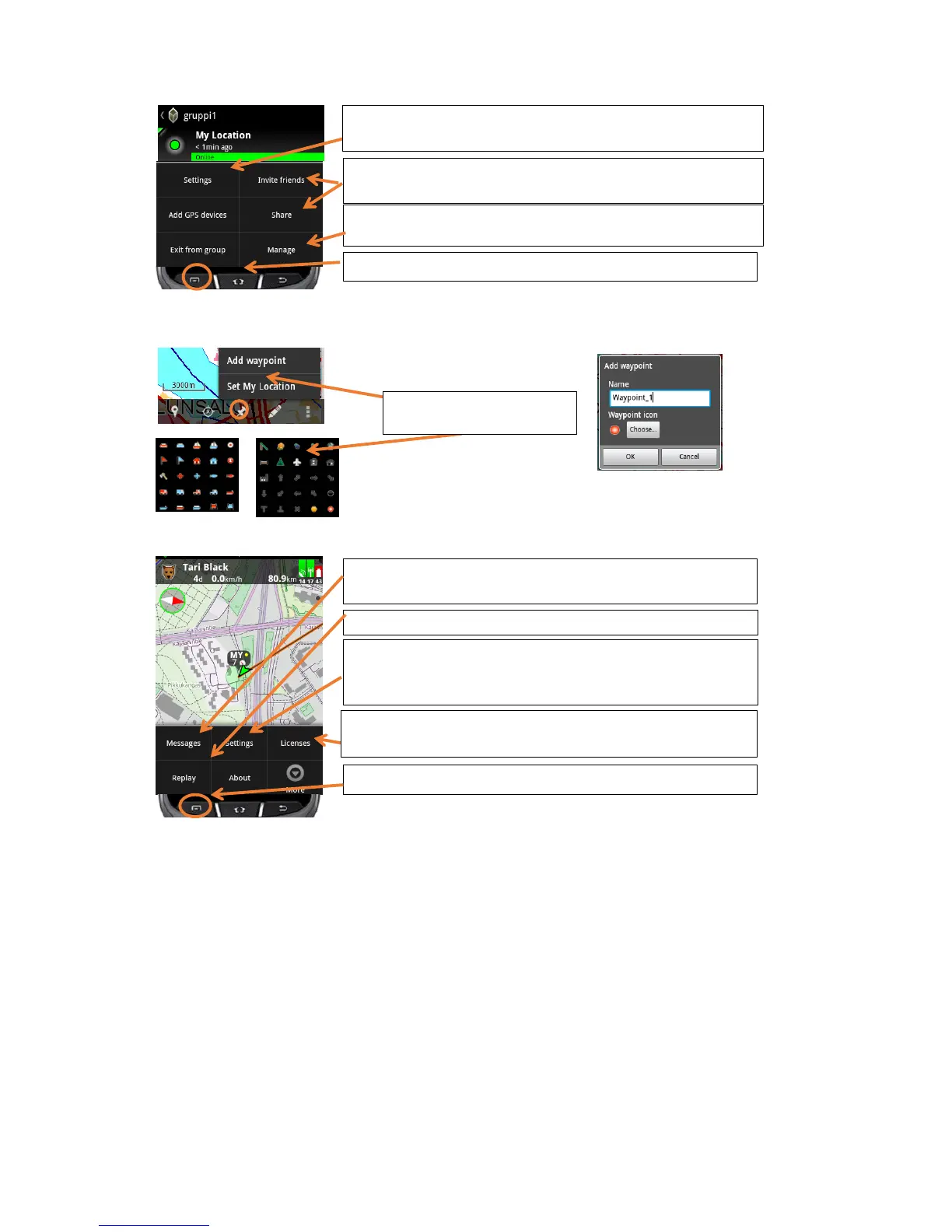
Smart menu – Add a waypoint
Main menu
You can read instant messages and them to your friends and to
groups with Tracker for Android™ or Tracker Hunter®.
Settings for GPS modus, Length of the track, set Tracker Live
online/offline, Tracker SIM Balance alert limit and further useful
adjustments.
Menu. For Android 4.x please use the menu button of the phone.
Menu button for the group or press the Android menu button
You can also invite friends and add your local targets to the group or
exit the group
If you have admin rights, you can manage the group – give and take
admin rights, block or delete members from the group.
Insert the name of the way-
point and select an icon.
Activate or buy a license code, unregister the app from the phone
or view the license details.
Here you can change the name and password of the group if you
have admin rights, and your subscription


 To Next Page
 Loading...