18
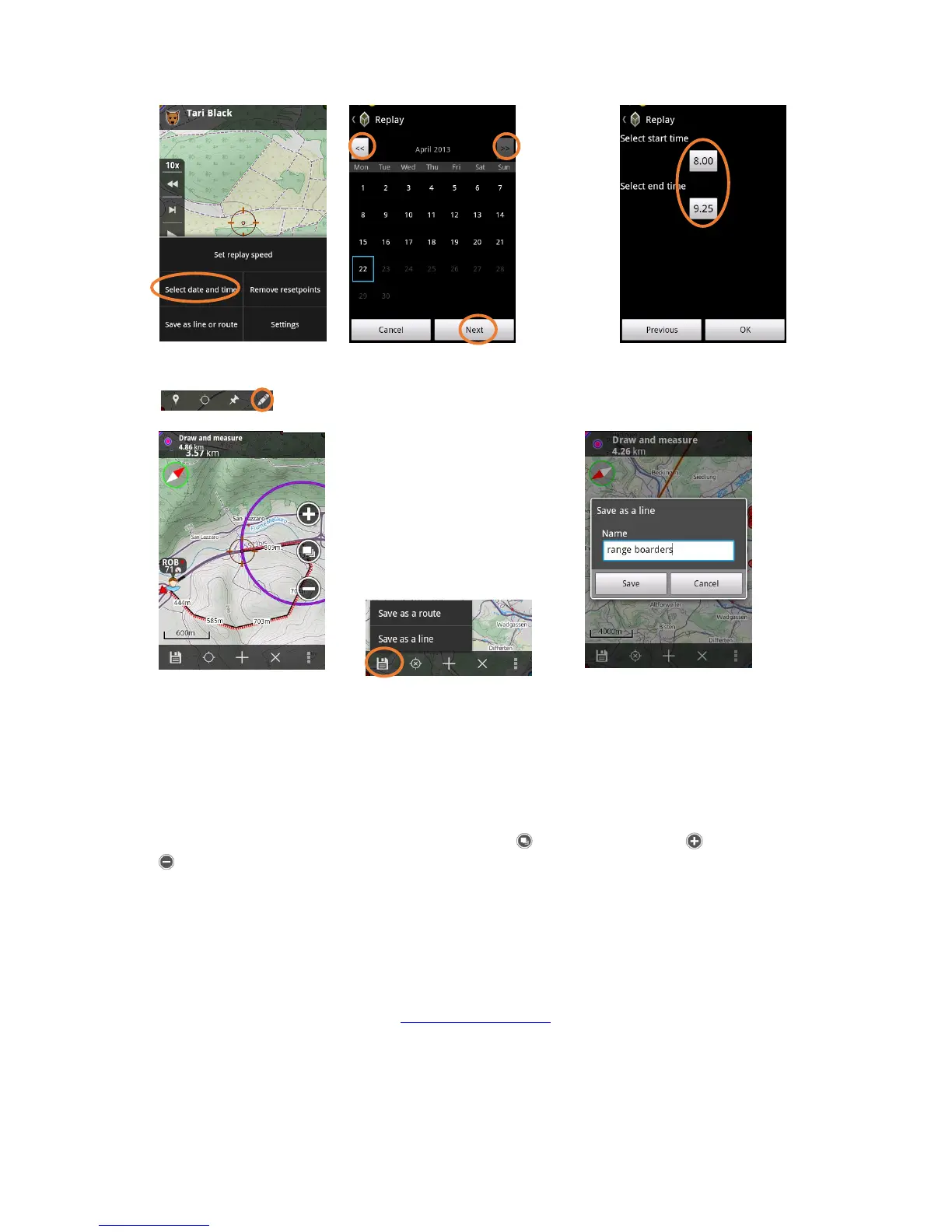
Draw and measure
Draw your hunting area borders and share with your friends.
1. Save as a Line or Route
2. Add a point
3. Delete last point or all points
4. Settings for style of the line
Other functions
Maps and map levels
You can change between different map layers by clicking on and different zoom levels for zoom in and
for zoom out. If you wish to zoom deeper on the same level, you can use the standard zooming process
like in android phone by stretching the picture on the screen with your fingers
Changing the application to another phone
You can freely change the app to another phone without loosing your targets, waypoints or any other tar-
gets.
1. ”menu > licenses > write down the ”registration code”
2. Menu > licenses > unregister
3. Download the application from www.tracker.fi/download
4. Do NOT activate a ”Try & Buy” license, but press ”No” and continue with the registration
5. Insert the registration code


 To Next Page