24
Operation
5. Operation
After installation, it’s time to start printing with your 3D printer. This chapter provides information about the web
interface, LCD touchscreen, cleaning the bed, starting a print, removing the print and support material.
5.1 Web interface
With our web interface you can control the 3D printer remotely. In this chapter we will explain the main web
interface buttons and actions takes or NOT to be taken while printing.
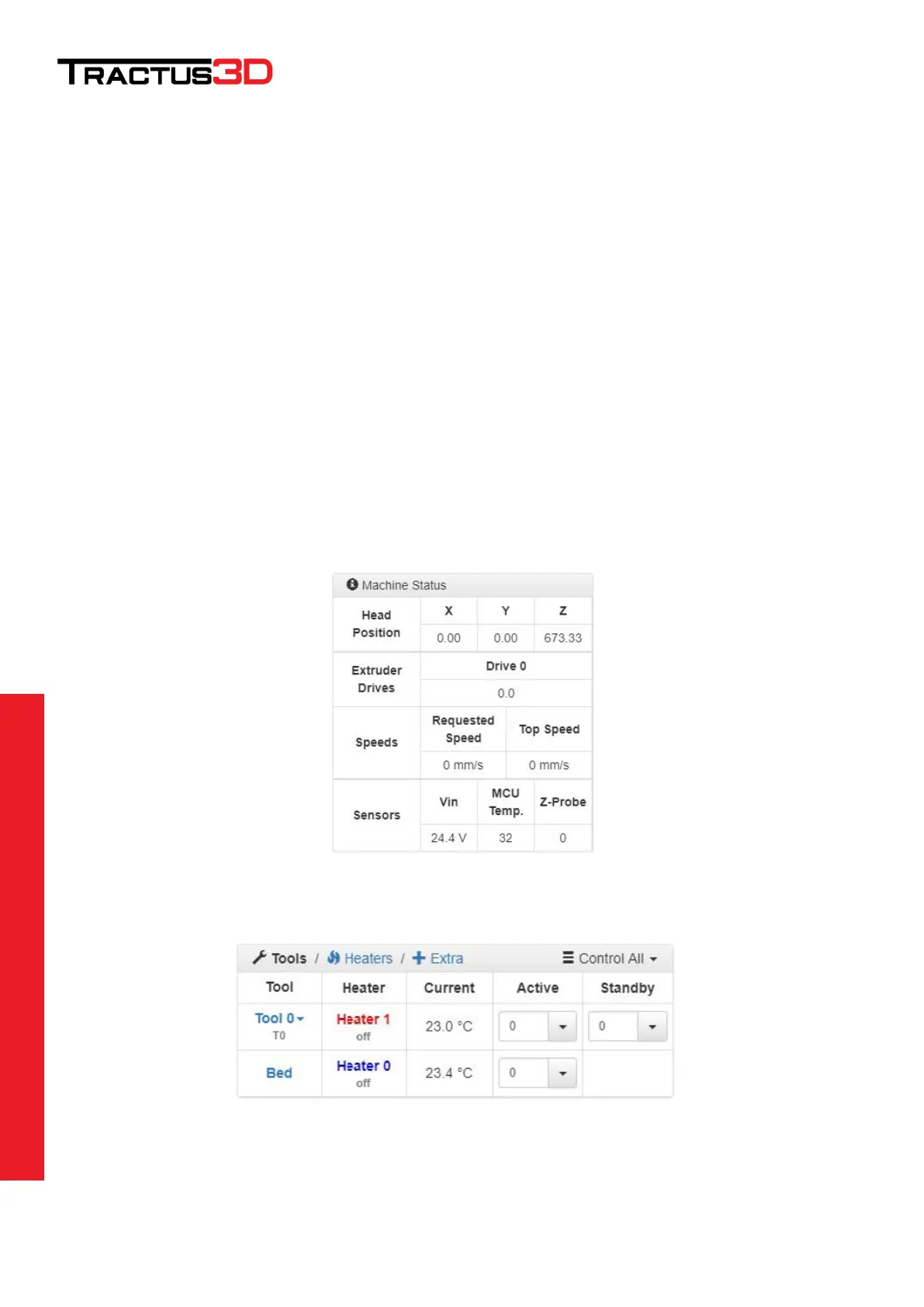
Machine Control
The web interface contains a lot of technical information which gives you heads up about your printer and
status.
Basic information about the position of the printhead, speeds achieved and hardware monitoring such as input
voltage and mainboard temperature.
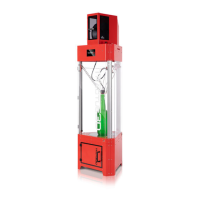
Here you can see the actual temperature of your bed and nozzle (Tool 0). You can also set a new active
temperature.
When you set a Tool temperature the tool isn’t switched on default, you’ll have to click the Heater 1 to enable the
heater.


 To Next Page