ARTC-SVX013A-EN
25
Data Displays
Main Menu
The following table shows the standard set of main menu
HMI screens.
Table 8. HMI main menu screens
Screen User Interface Function Access
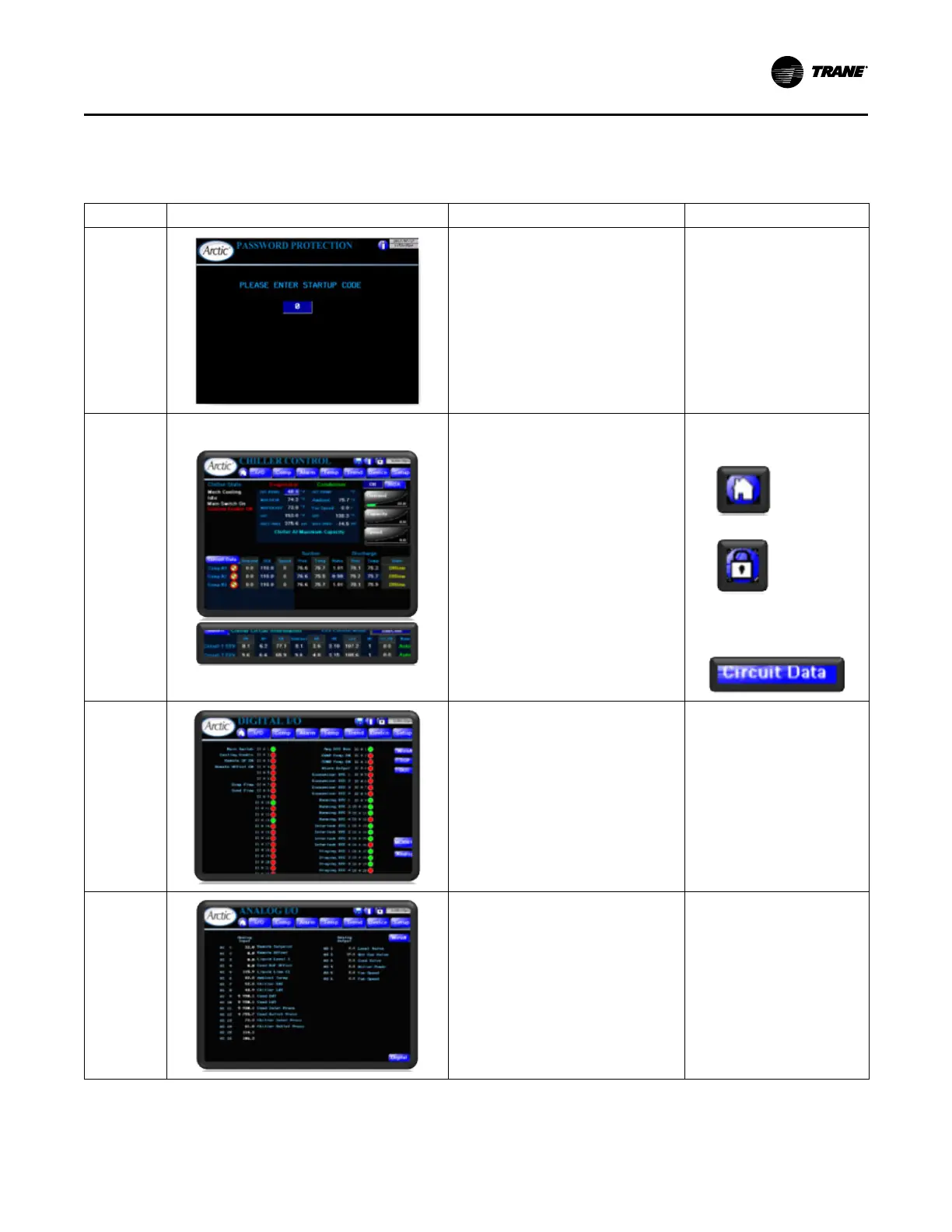
Password
Protection
• Appears only after program
has been loaded in HMI first
time.
• If correct code has been
entered, it will never appear
again and HMI proceeds to
Main screen upon power-up.
Main
Primary Display
• Displays All KPIs for the chiller.
– Compressor and Chiller State and
compressors key refrigeration
indicators.
– Evaporator and Condenser
Specifics.
– Hand/Off/Auto (HOA) Control (see
“Special Functions,” p. 35).
– Demand, Capacity and Speed (see
“Tonnage and Power
Calculations,” p. 42).
• Provides access to viewing and control of
primary setpoint.
• Screen is first displayed on
power-up and from the button
on any other screen.
• Has security access:
• Clicking Circuit Data button
displays pop-up of refrigerant
circuit details. Click Return to
dispose the pop-up.
Digital I/O
Displays current status of all hardwired digital
inputs and outputs.
• Provides access to Analog I/O.
• Provides access to Companion I/O.
Main Menu > I/O
Analog I/O
Displays current value of all hardwired analog
inputs and outputs. Provides access to Digital
I/O.
Main Menu > I/O > Analog
Operating Procedures


 To Next Page