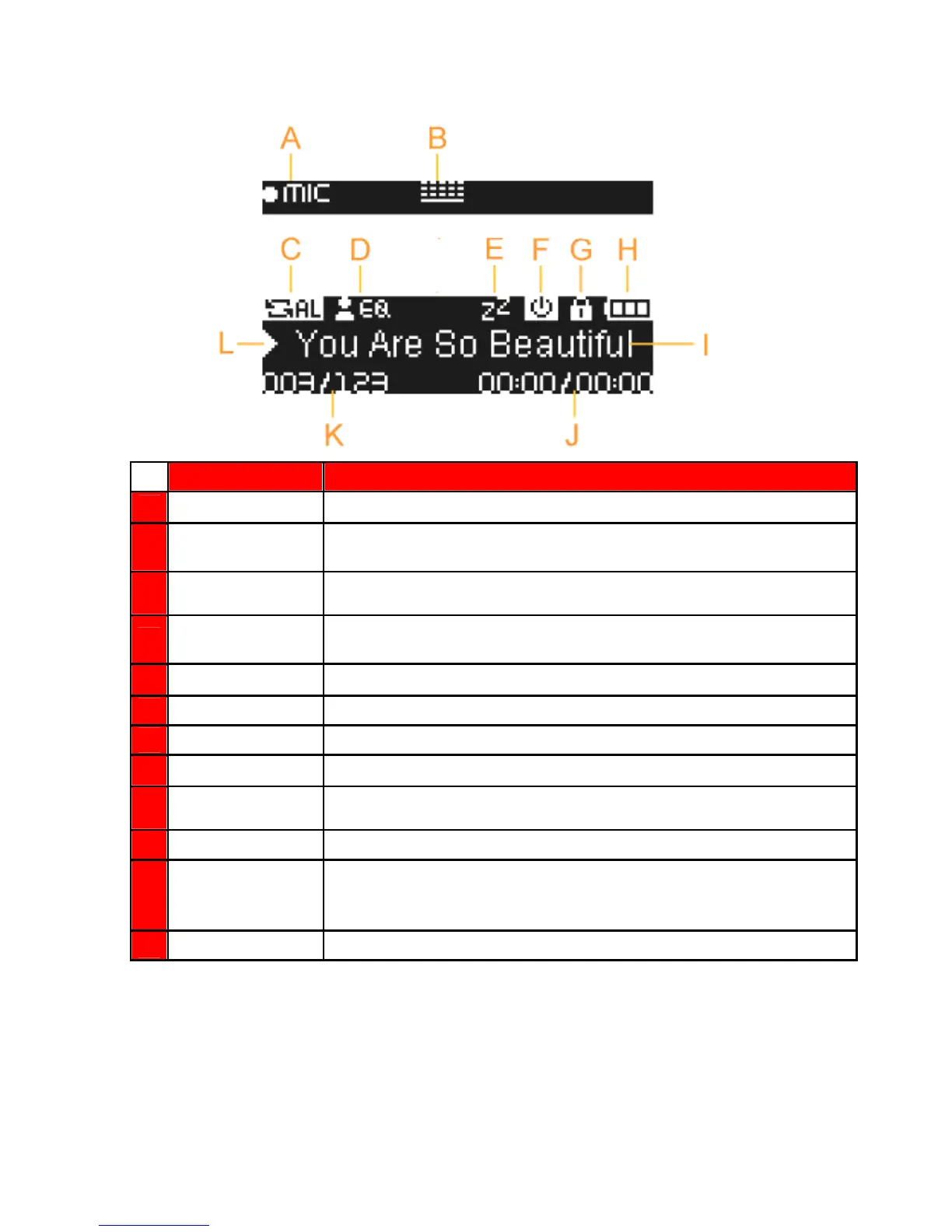
Music Playback Screen︱
︱︱
︱
ICON INDICATION
A
Record Source
Built-in Microphone or FM Radio
B
Record Quality
Indicates the Record Quality, Low Quality, Medium Quality, High Quality
C
Repeat Mode
Normal, Random, Repeat One, Repeat All, Repeat Folder, Folder, and
A-B Repeat
D
EQ Mode
Normal, Bass, Jazz, Soft, Classical, Pop, Rock, User EQ
E
Sleep
Sleep Timer is enabled
F
Auto Power Off
Auto Power Off function is enabled
G
Displays album title, artist name, song title, file name, or lyrics
J
Track Time
The total length (play time) of the file
K
Track Number
Current track number and total number of tracks available
L
Play Status
Play, Pause, Fast Forward, Rewind, Stop, or Record status















 To Next Page