o
Press to save the new User EQ settings.
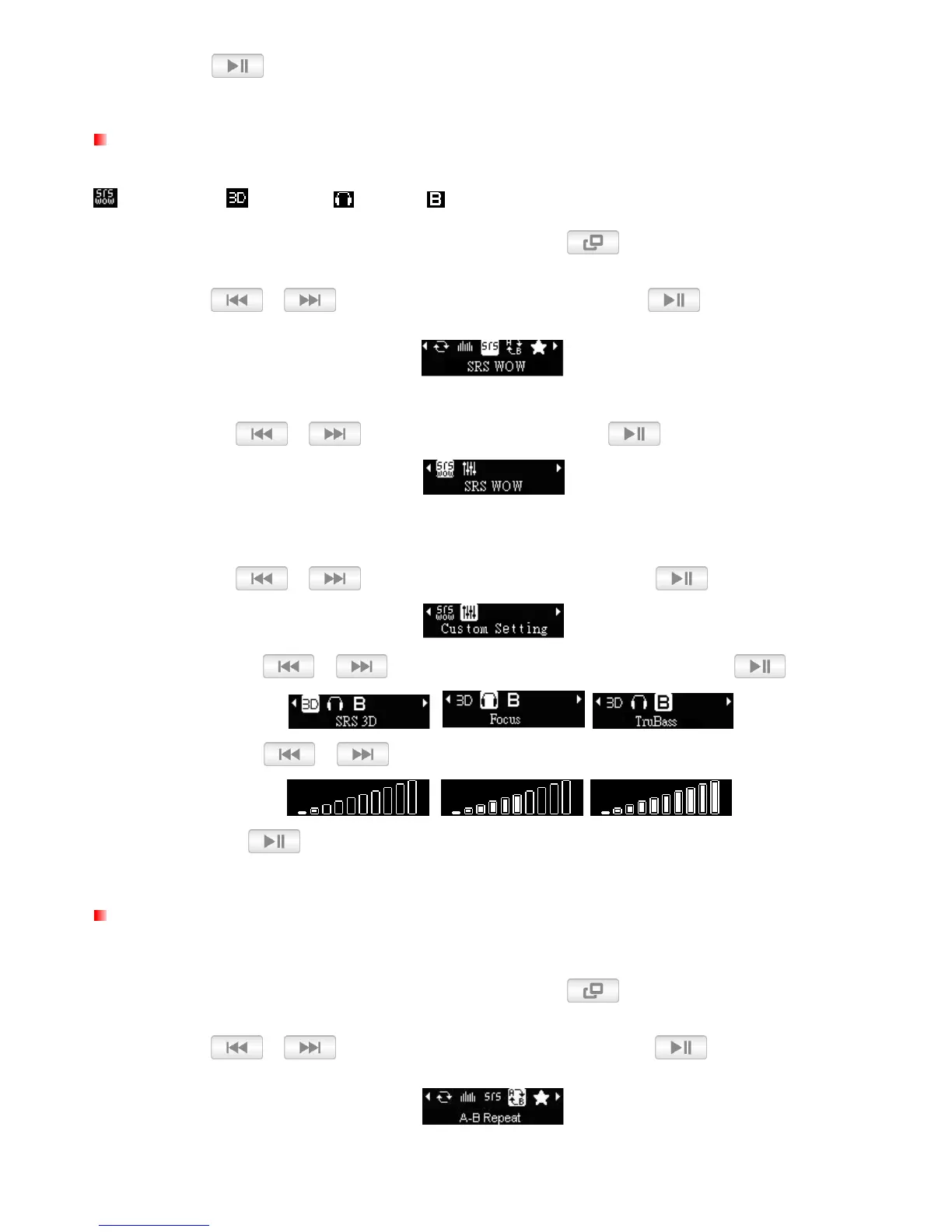
SRS WOW MODE
There are four equalizer modes to choose from:
SRS WOW, SRS 3D, Focus, TruBass
1. While playing a song in MUSIC mode, press and hold the
button to open the Options menu.
2. Use the / buttons to select “
SRS WOW
”
and press
.
o
SRS WOW:There is only one equalizer mode available.
•
Use / to select “SRS WOW” and press
.
o
Custom Settings: There are three equalizer modes to choose from that allow you to customize
the “SRS WOW” Equalizer Mode to your personal preference.
•
Use / to select “Custom Settings” and press
.
•
Use the /
buttons to select an equalizer mode and press
.
•
Use the / buttons to adjust range: from 1 to 10.
•
Press to save the new User EQ settings.
A-B Repeat
This function will create bookmarks in order to repeat a certain sequence.
1. While playing a song in MUSIC mode, press and hold the
button to open the Options menu.
2. Use the / buttons to select “
A-B Repeat
”
and press
.















 To Next Page