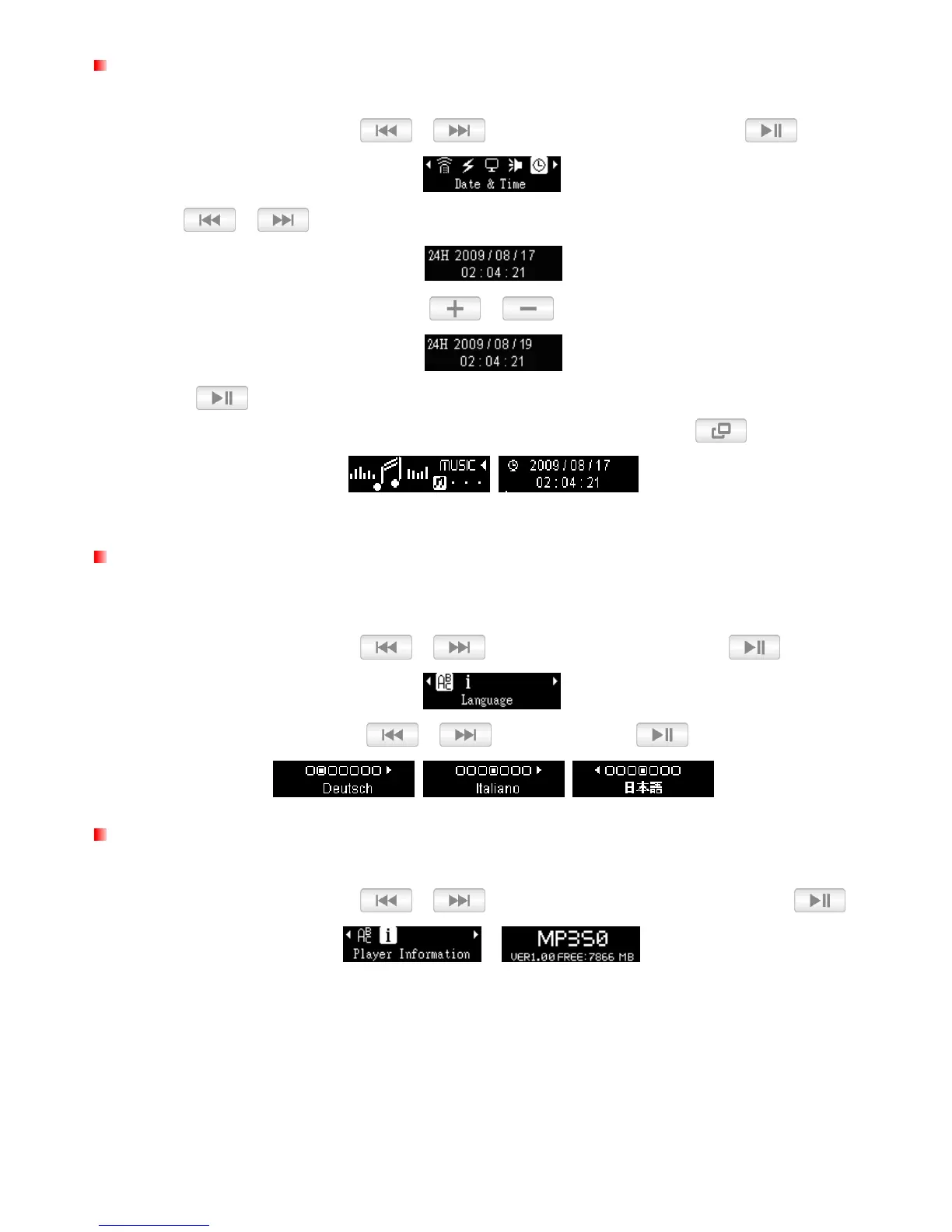
Date / Time Settings
This option lets you adjust the local time and date.
1. In the SETTINGS menu, use / to select “Date & Time”
and press .
2. Use / to move between 12/24Hr, Year, Month, Day, Hour, Minute, and Second.
3. Adjust the values of each field with the /
buttons.
4. Press
to confirm your new time settings.
Tip: You can view a full-screen version of the player’s internal clock by pressing in the Main Menu.
Language
Set the MP350’s display language, including menus, song/album titles, artist names, and lyrics. The player
supports 13 User languages.
1. In the SETTINGS menu, use / to select “Language” and press .
2. Select your language with the /
buttons and press
to confirm.
Player Info
Display the MP350’s firmware version and available memory capacity.
1. In the SETTINGS menu, use / to select “Player Information”
and press .
2. Press any button to return to the SETTINGS menu.















 To Next Page