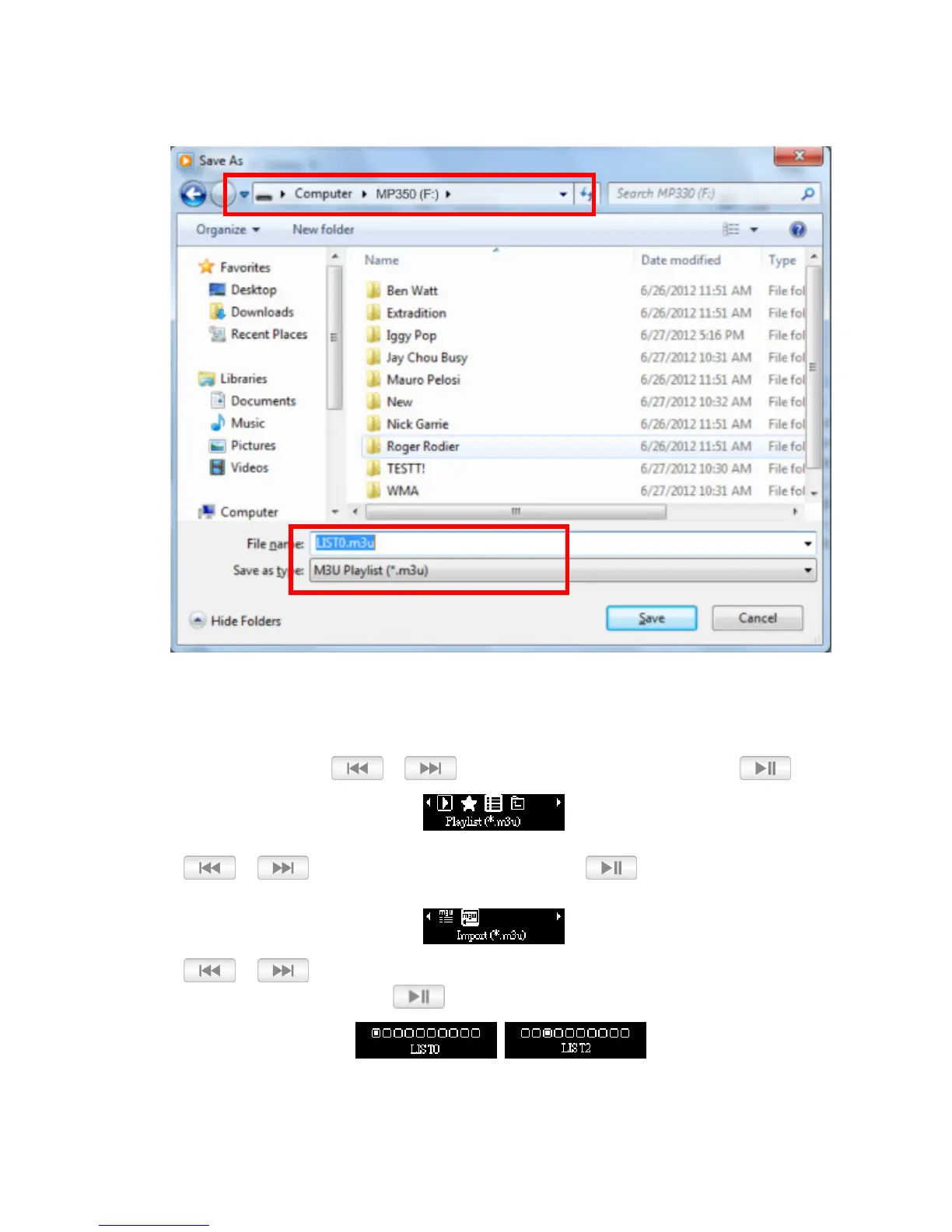
4. The playlist must be saved to the top layer of the MP350 drive. Type the name of the playlist using the
naming convention LIST0.m3u, LIST1.m3u, LIST2.m3u… LIST9.m3u, and save using the m3u file
format.
5. Safely remove the MP350 from the computer using the steps found in the section Disconnecting from
a Computer.
6. In the MUSIC menu, use / to select “Playlist (*.m3u)” and press .
7. Use / to select “Import (*.m3u)” and press
.
8. Use / to select the LIST number corresponding to the same LIST number that the file
was saved as in step 4 and press .















 To Next Page