TREASUREHUNTER3D
Makes underground treasures visible
Instruction manual 26
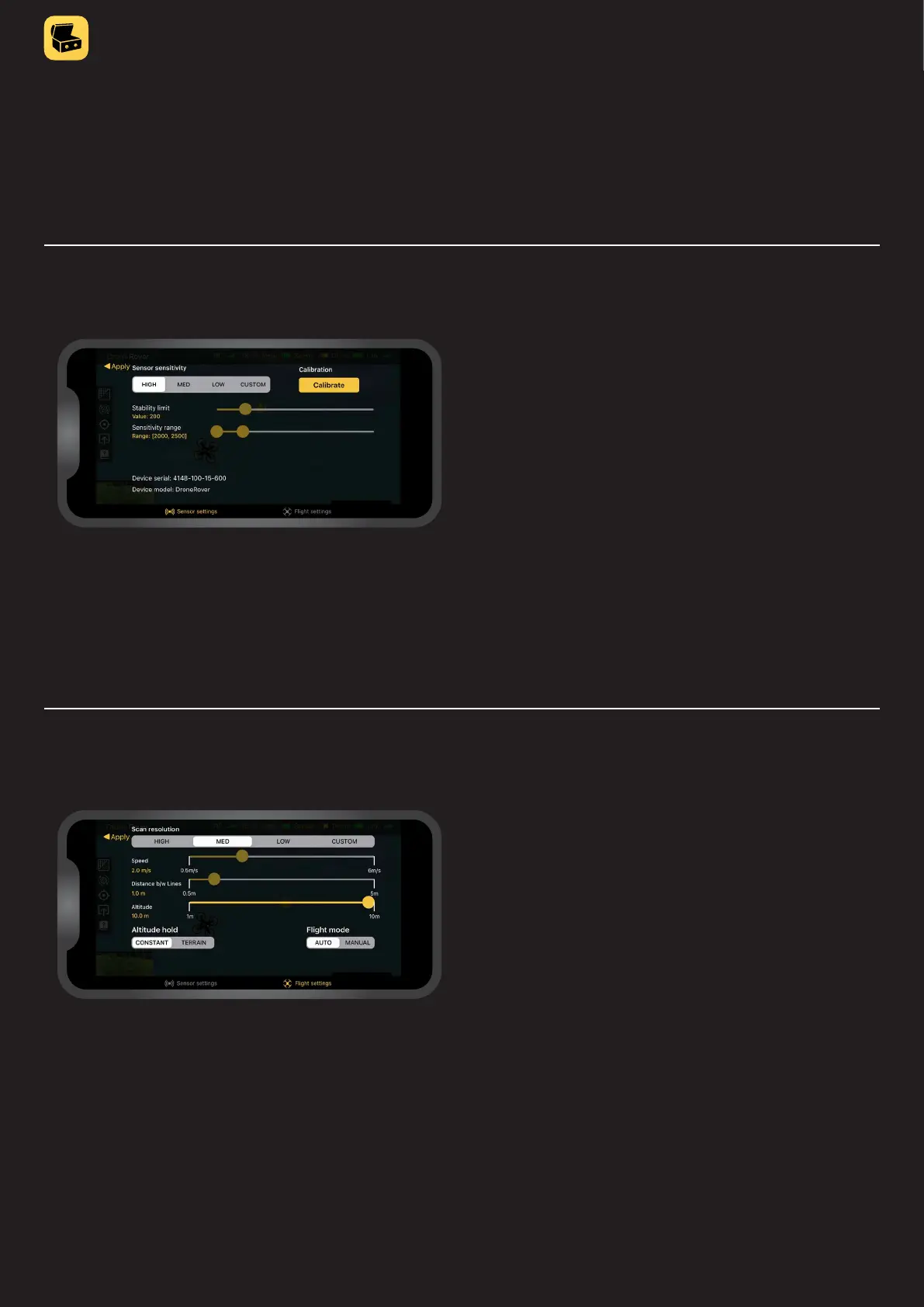
Sensor settings tab
SENSITIVITY
Denes sensitivity of scanning sensor & algorithm.
Best sensitivity is achieved when HIGH sensitivity
is selected and the drone is ying close to the ground.
CALIBRATION
Provides possibility to calibrate sensor once mounted
on the drone�
DEVICE INFORMATION
Device model and serial number for warranty and
customer support�
Settings menu
Settings menu provides two tabs, one for sensors and one for ight settings.
Flight settings tab
FLIGHT MODE
Auto - drone will y automatically over area selected by user
Manual - user will y the drone using drone control unit
SCAN RESOLUTION
Denes how precisely selected area will be scanned.
Best resolution is achieved when the drone speed and
distance between scan lines is lower� Fastest scans can be
done at high speed and a larger distance between scan lines,
in this case resolution will be lower and the drone might not
detect smaller objects�
Custom scan resolution enables users to manually adjust
scanning speed and distance between scan lines�



 To Next Page