TREASUREHUNTER3D
Makes underground treasures visible
Instruction manual 18
Sensor reading / scan interpretation
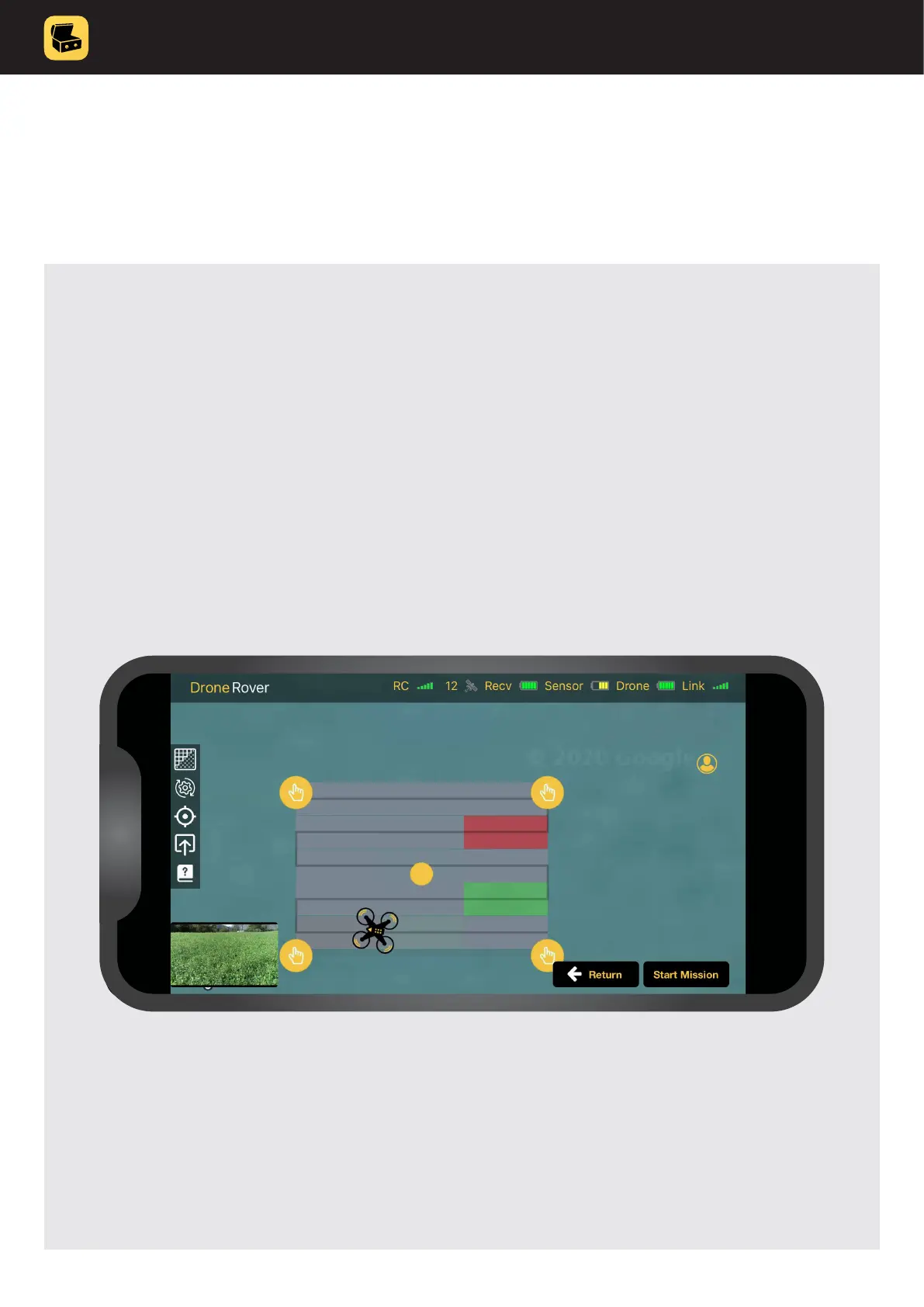
When a drone ys over a selected area, scan results are updated in real-time using
different colours to indicate target probability�
GRAY COLOUR indicates that sensor reading was incorrect due to unstable drone
ight caused by wind or other disturbance.
GREEN COLOUR indicates that there was nothing detected�
YELLOW COLOUR indicates that there is high probability of object�
RED COLOUR indicates that there is highest probability of object�
If the scan was not updated on some locations this means that either signal
from the sensor was lost (bad link between sensor and receiver unit) or drone
has problems receiving proper GPS signal�



 To Next Page