NX-Platform Hardware Installation and Safety 41
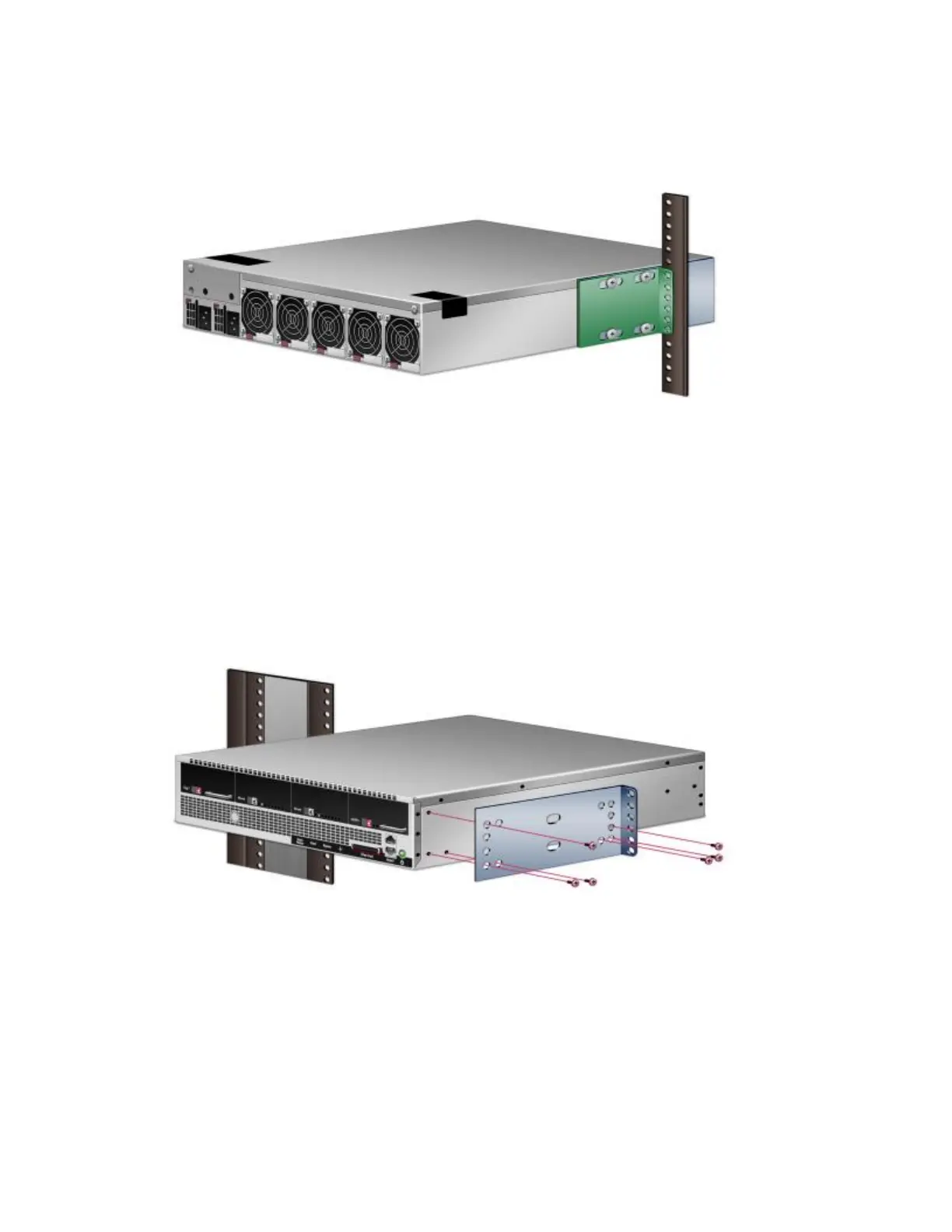
• For mid-mounting, reverse the two rack-mounting ears and secure them to the chassis using the flat-
head screws (six on each side) that came with the kit, as shown in the following figure. Fasten the rack-
mounting ears to the rear rack post with screws (six on each side, not included).
Figure 8. Mid-mounting
Power supply and I/O module connections
After you have bolted the IPS to the rack, attach the power supply AC connections.
Depending on the TOS your device is running, insert your I/O modules as described in the following
section before turning the power on. For devices running TOS V.3.5.x, I/O modules must be added
with your device turned off. For devices running TOS V.3.6.0 or higher, I/O modules can be added with



 To Next Page