NX-Platform Hardware Installation and Safety 49
NX-Platform fans
Describes how to install NX-Platform fans.
The NX-Platform devices include five cooling fans. The fans are redundant and hot-pluggable, and can be
replaced without powering down the device.
The IPS NX-Platform Spare Fan (part number TPNN0084) is a replacement unit and can only be used with
TippingPoint NX-Platform devices.
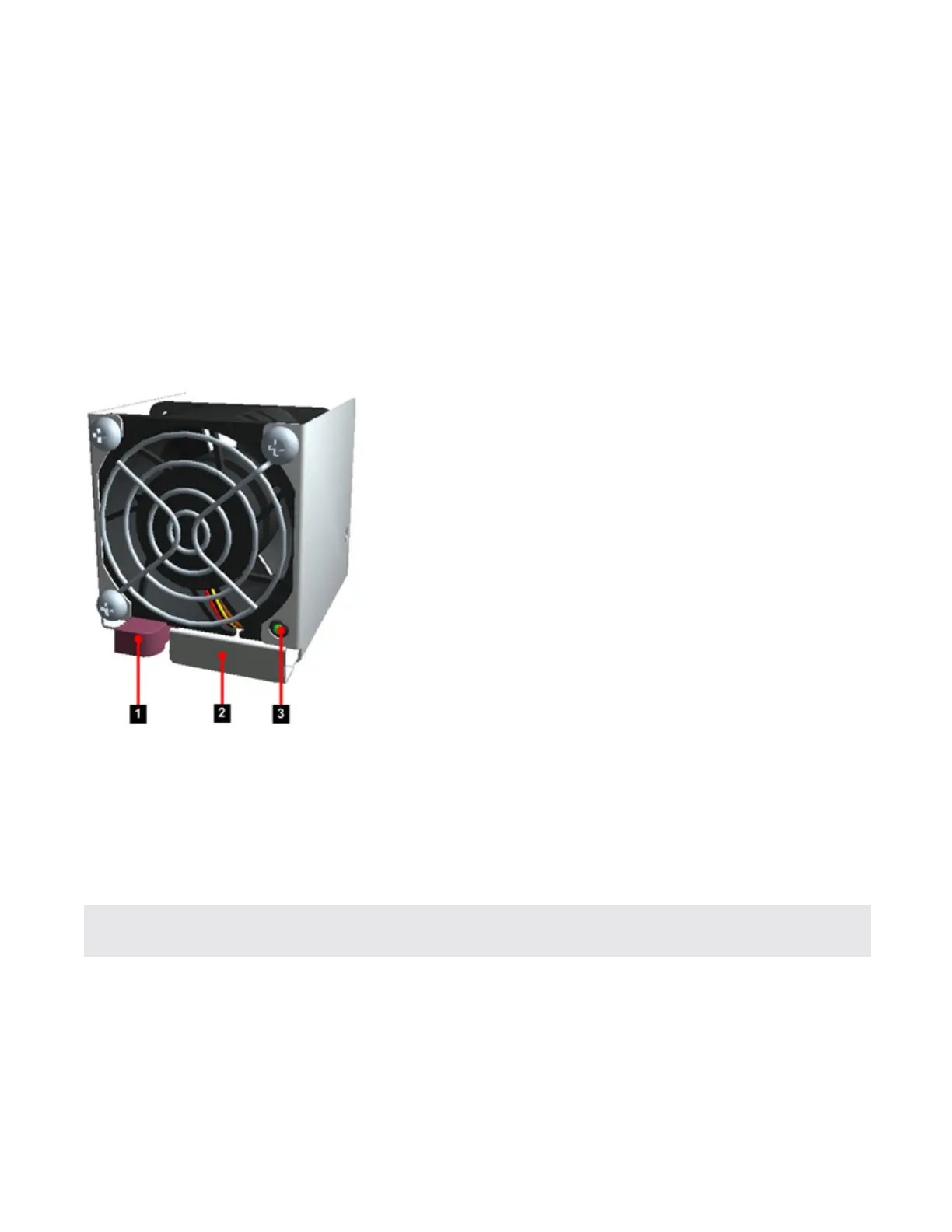
Figure 14. NX Series fan
1. Removal Latch
2. Handle
3. Status LED
• Green: The fan is running normally.
• Off: The fan is faulty.
Note: The fan LED will also be off when the system is booting up and when a fan has just been replaced.
Ensure that the system is fully booted when checking status.
After you have identified the faulty fan assembly, follow this procedure to replace the fan:
1. Remove the fan assembly by sliding the removal latch to the left and pulling out the fan.
2. Set the faulty fan aside.
3. Remove the new fan assembly from the packaging.



 To Next Page