6 IQ4E/.. Installation Instructions - Mounting TG201338 Issue 4, 19-Jan-2016. Applies to v3.33.
IQ4E/.. Installation Instructions - Mounting
10
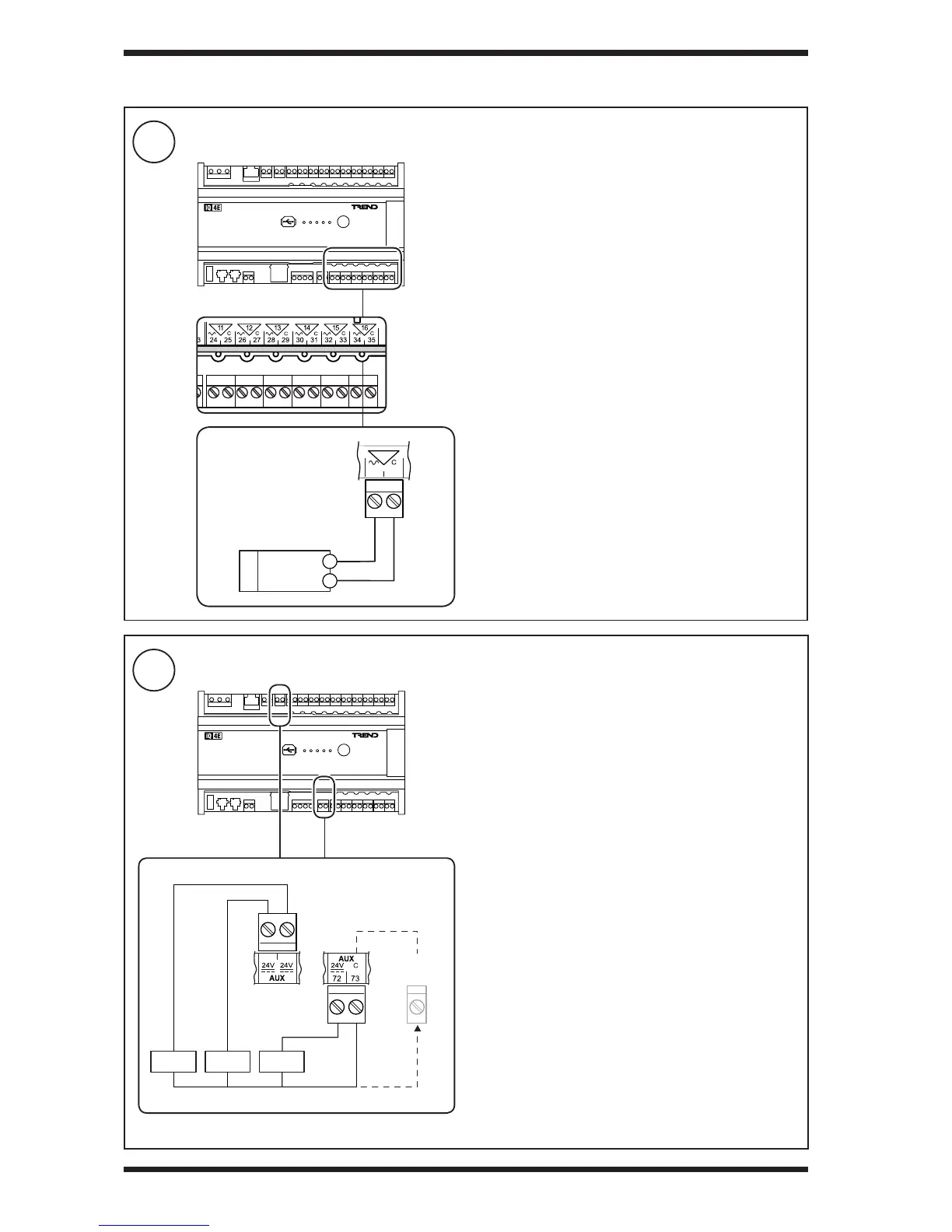
Connect Analogue Outputs OUT11 to OUT16 (if required)
11
Connect Auxiliary Supply Output(s) (if required)
3 INSTALLATION (continued)
Output voltage: 0 to 10 Vdc
Maximum current: 20 mA (source); 3mA (sink)
Output voltage: 24 Vdc ±5%.
Maximum cur rent: Terminals 70 & 71 (Load A+B) = 120 mA
Terminal 72 (Load C) = 120 mA


 To Next Page