Page 12
GettingStarted
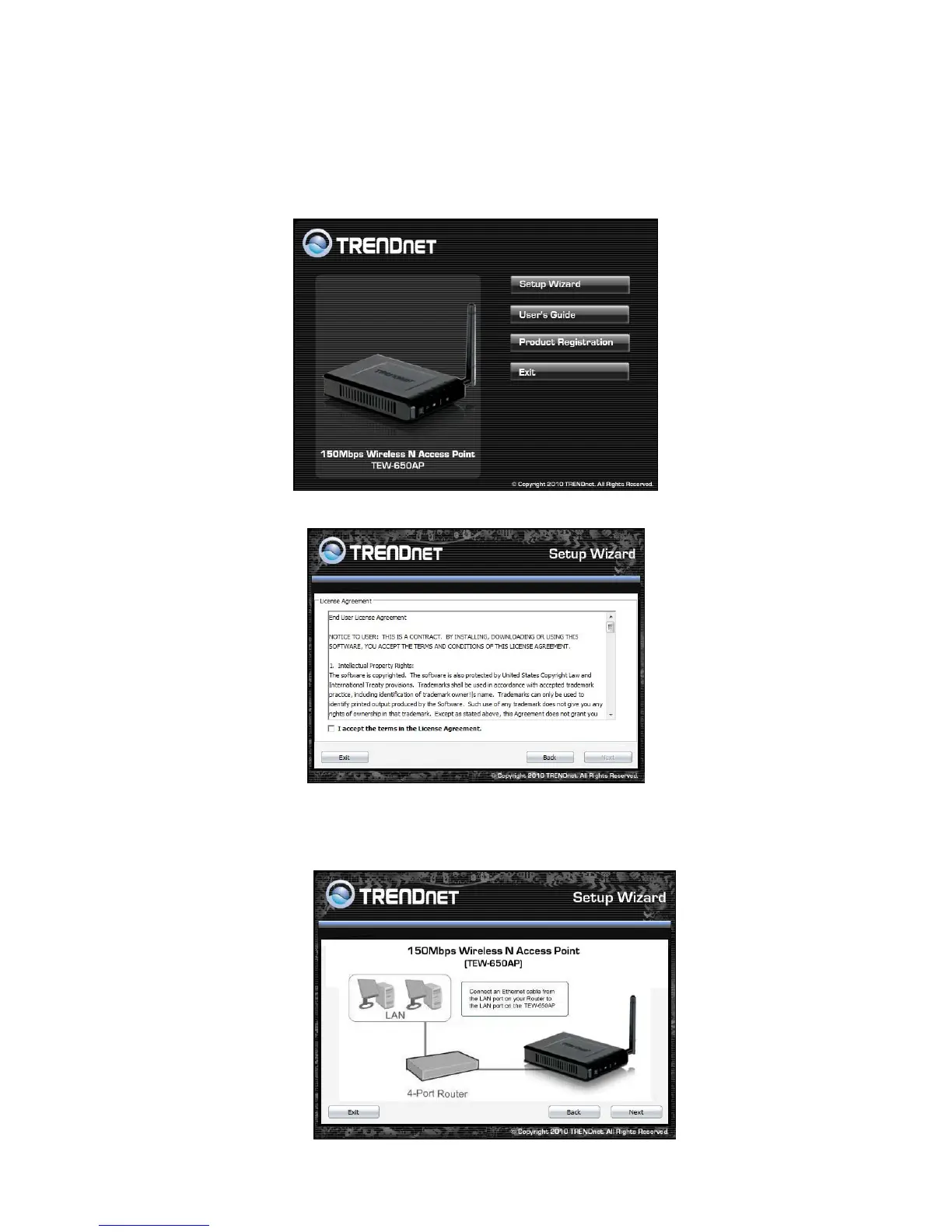
For a typical wireless setup at home or office, please do the following:
1. Insert Setup Wizard CD into your CD-ROM drive.
2. The Welcome screen appears on your monitor. Click Setup Wizard button.
3. Read the License Agreement and click Next to continue the installation.
4. Connect an Ethernet cable from the LAN port on your Router to the LAN port on the TEW-650AP,
click Next button to continue.













 To Next Page