Page 38
WIRELESSBASIC–APCLIENT
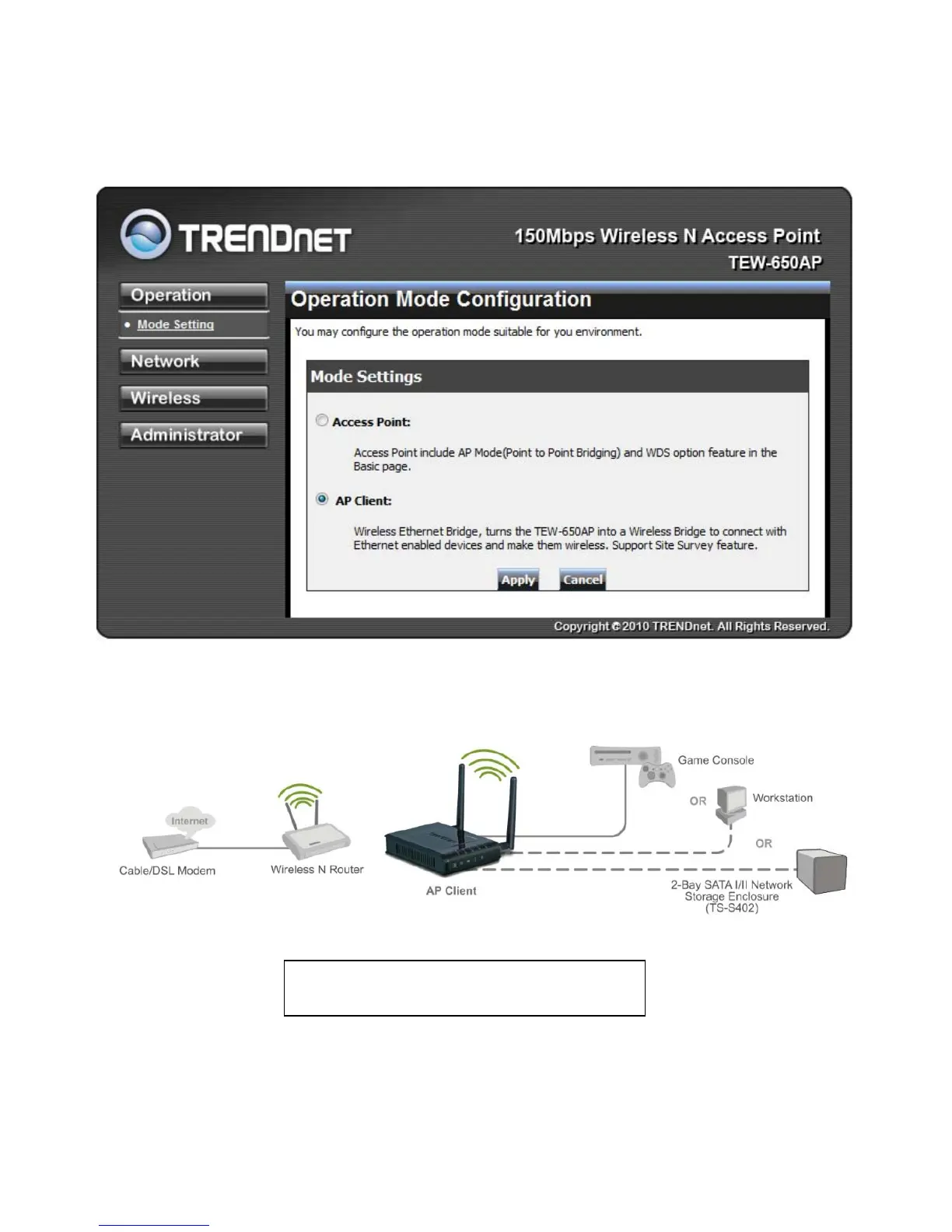
Select the AP Client option to use the TEW-650AP as a wireless network adapter. Use this
feature to connect other Ethernet devices and allow them to become wirelessly enabled. Select
the option AP Client and apply the setting at the bottom of the window.
AP Client allows Ethernet enabled devices
to become wirelessly enabled.













 To Next Page