Page 28
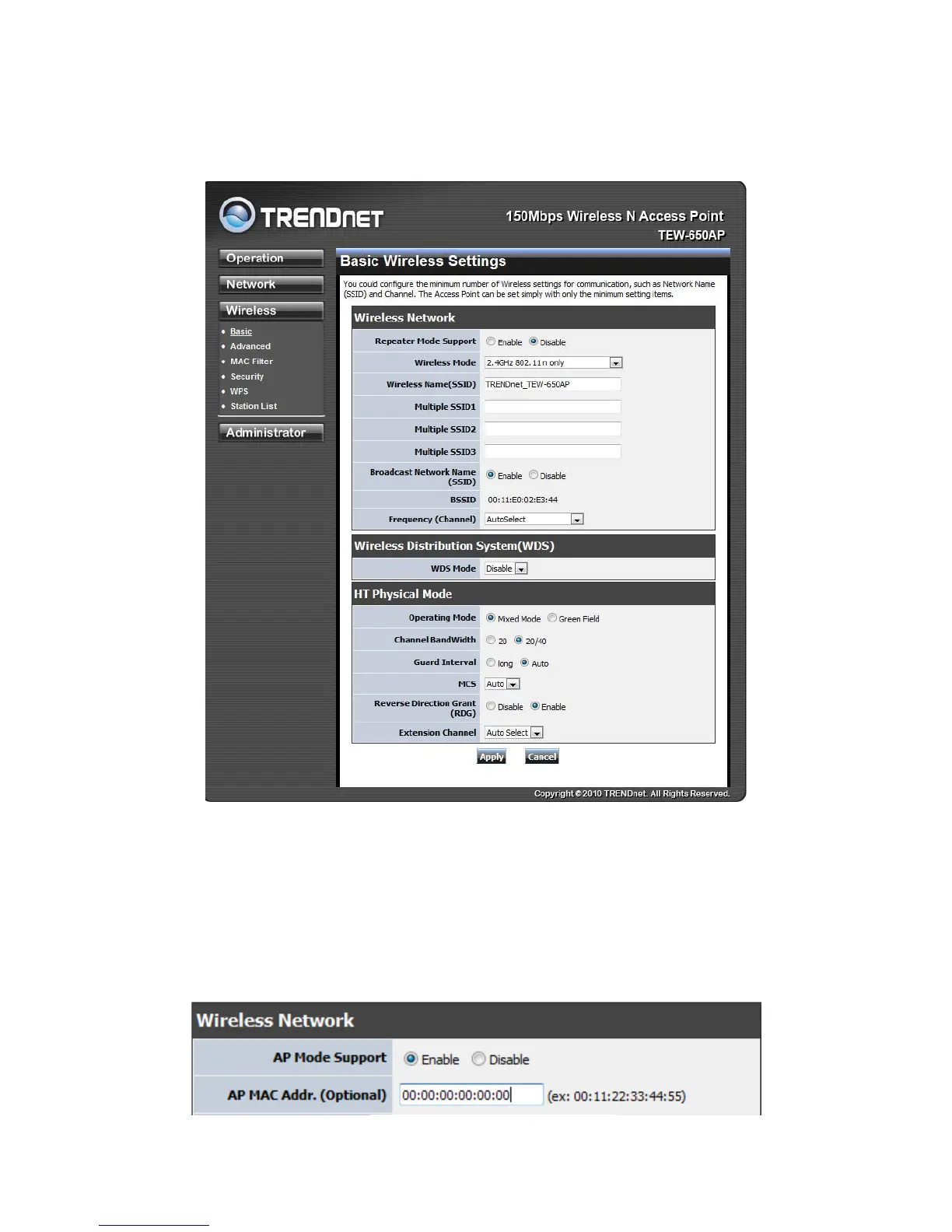
The Wireless tab provides the following configuration options: Basic, Advanced, MAC Filter, Security,
WPS and Station List.
WirelessBasicAccessPoint
AP Mode Support
AP Mode Support allows you to “repeat” a wireless signal from an existing access point.
Select the radio button to enable or disable “AP Mode Support”. When enabled you have the option of
defining the specific access point to repeat off of by entering in the remote access points or wireless
router’s wireless MAC address into the “AP MAC Addr. (Optional)” field. You must also configure the
TEW-638AP with the same SSID, channel and wireless encryption settings of the remote access point.
AP Mode Support enabled














 To Next Page