Page 26
APClient
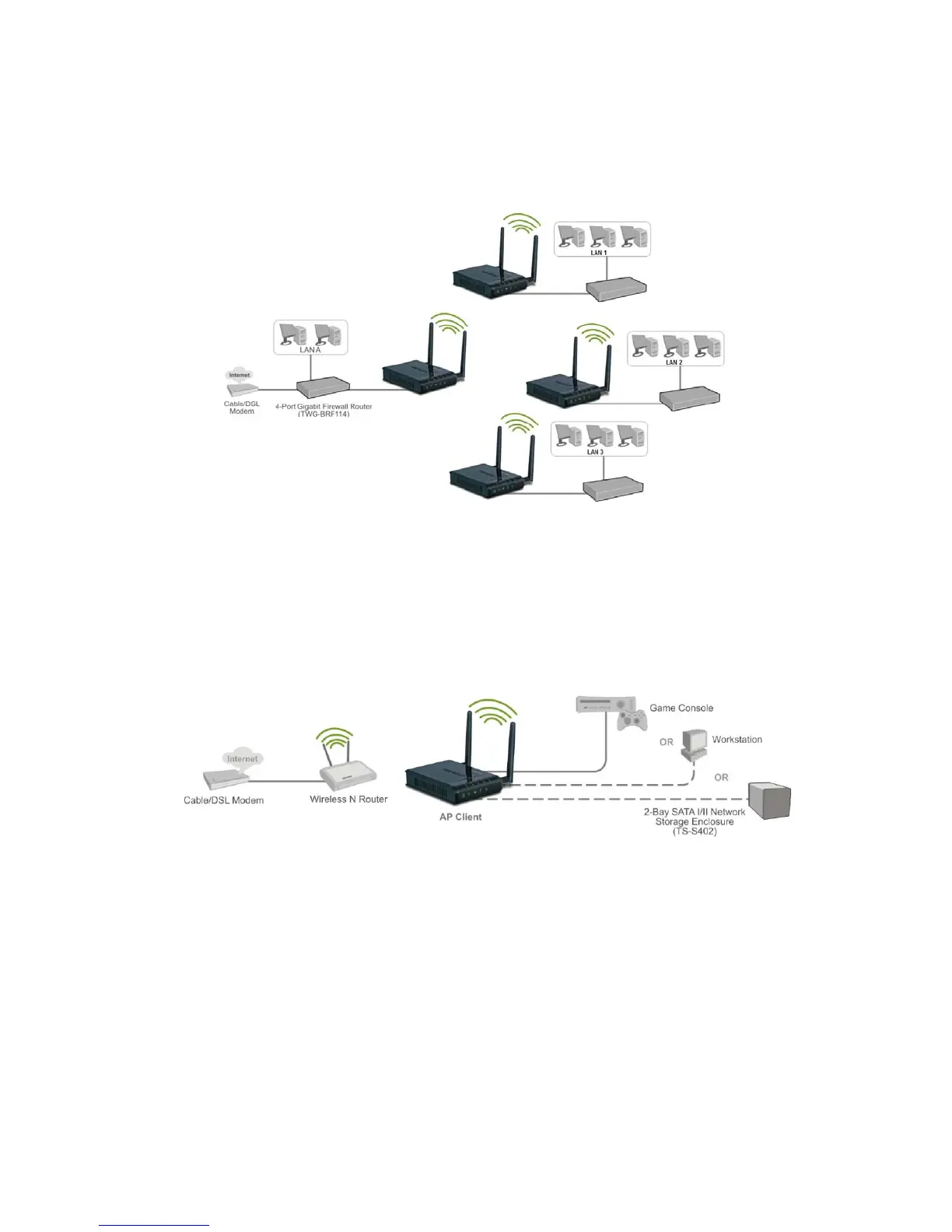
This mode setting allows the TEW-650AP to work just like a wireless adapter. By using AP Client mode,
the TEW-650AP can connect to any device that has an Ethernet port (RJ-45 connector) and support for
TCP/IP protocol. Devices like Network storage, network enable printers, and gaming consoles can now
be wirelessly enable by connect the TEW-650AP in the AP Client mode.
After selecting the operation mode click on Apply to save the setting at the bottom of the window.
AP WDS Mode (Point to Point)
AP WDS Mode (multi point)
AP Client Mode













 To Next Page