Page 17
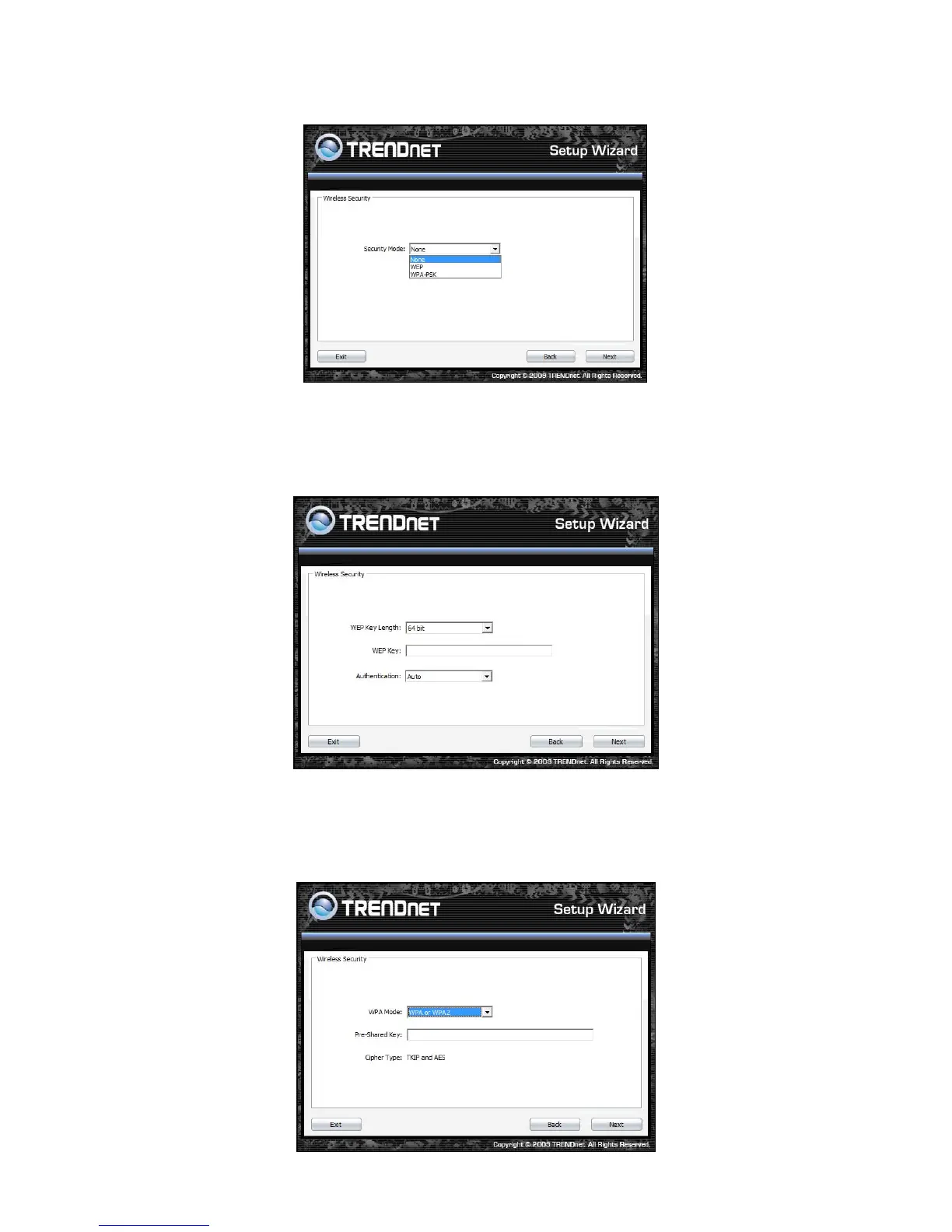
10. To disable Security Mode, select None and click Next button.
11. To use WEP security, select WEP and click Next button. Select 64-bit or 128-bit WEP key length,
and enter your WEP key. For 64-bit encryption, enter 10 hexadecimal characters, For 128-bit
encryption, enter 26 hexadecimal characters. Click Next to continue the setting.
12. To use WPA or WPA2 security, select WPA or WPA2 and click Next button. Select WPA Mode:
WPA Only, WPA2 Only, WPA or WPA2, and set Pre-Shared Key by entering 8 ~ 63 characters.
Click Next to continue the setting.













 To Next Page