TEW-753DAP User’s Guide System Conguration
© Copyright 2013 TRENDnet. All rights reserved.
44
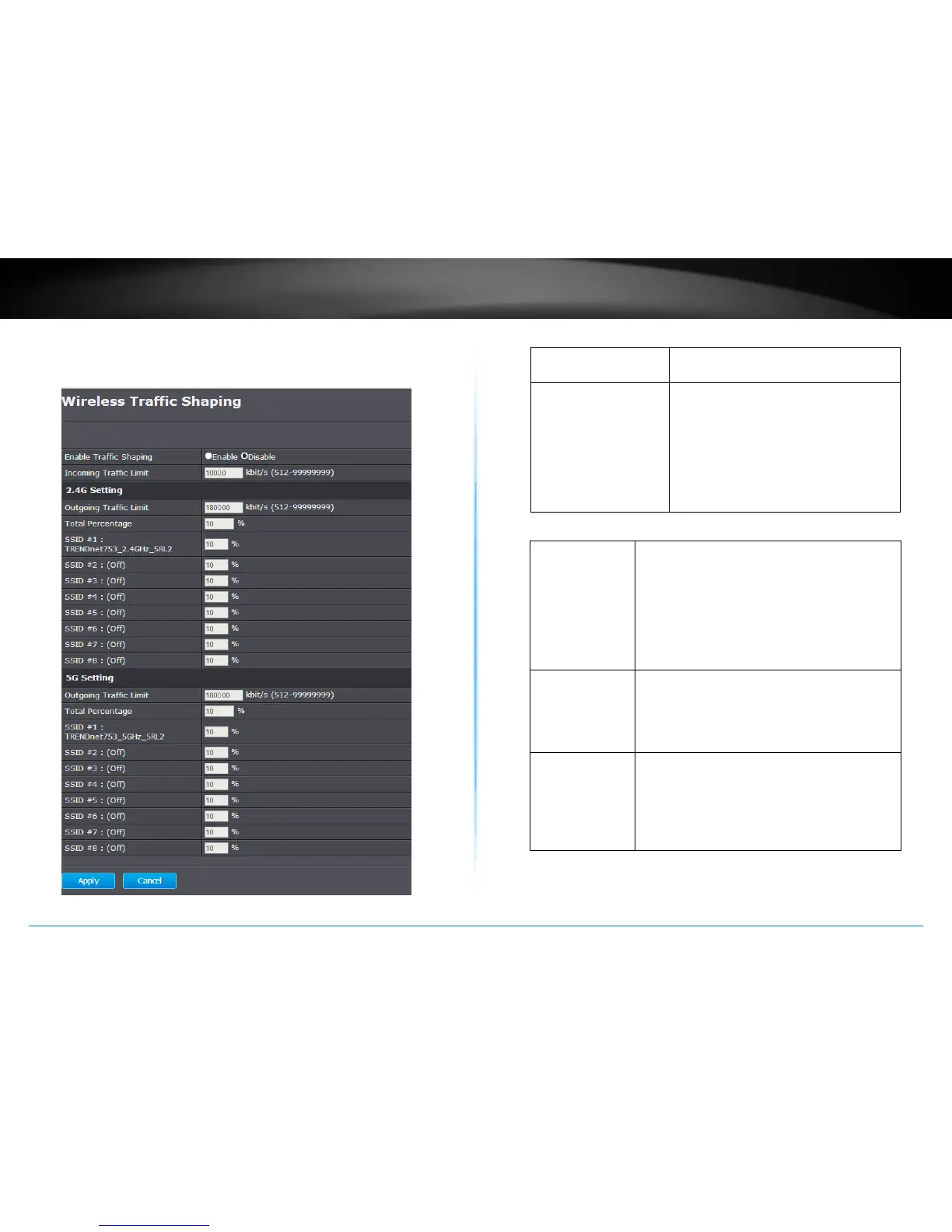
Wireless Trac Shaping
Trac shaping regulates the ow of packets leaving an interface to
deliver improved Quality of Service.
Enable Trac Shaping : Choose to enable or disable the trac
shaping feature
Incoming Trac Limit : Set the trac limitaon going through
Ethernet port. The default value is
10Mbps (10,000). The number can be
set from 512 to 99,999,999. The trac
will be limited by this value and physical
speed whichever is lower. (The TEW-
753DAP Ethernet port is capable of
1Gbps, 1,000,000 kbps.)
2.4GHz / 5GHz Sengs
Outgoing Trac
Limit :
Set the trac limitaon going through the
wireless interface. The default value is 180Mbps
(180,000). The number can be set from 512 to
99,999,999. The trac will be limited by this
value and physical speed whichever is lower.
(The TEW-753DAP wireless interfaces are
capable of 300 Mbps, 300,000 kbps for 2.4GHz
and 5GHz respecvely.)
Total Percentage : This value adds up all numbers in following 8
SSID percentage sengs. This value may exceed
100, up to 800. The trac limit of this wireless
interface is calculated as:
Outgoing Trac Limit * Total Percentage.
SSID (1 - 8) : Set the number you want to shape your
trac for clients connects to specic SSIDs by
increasing or decreasing the value. The default
value is 10 (%). The number can be set from 0 to
100. The trac limit of this SSID is calculated as:
Outgoing Trac Limit * Total Percentage.
Apply :
Click this buon to apply the changes.
(Save/Apply is required to apply changes.)
Cancel :
Click this buon to cancel the change















 To Next Page