TEW-753DAP User’s Guide System Conguration
© Copyright 2013 TRENDnet. All rights reserved.
45
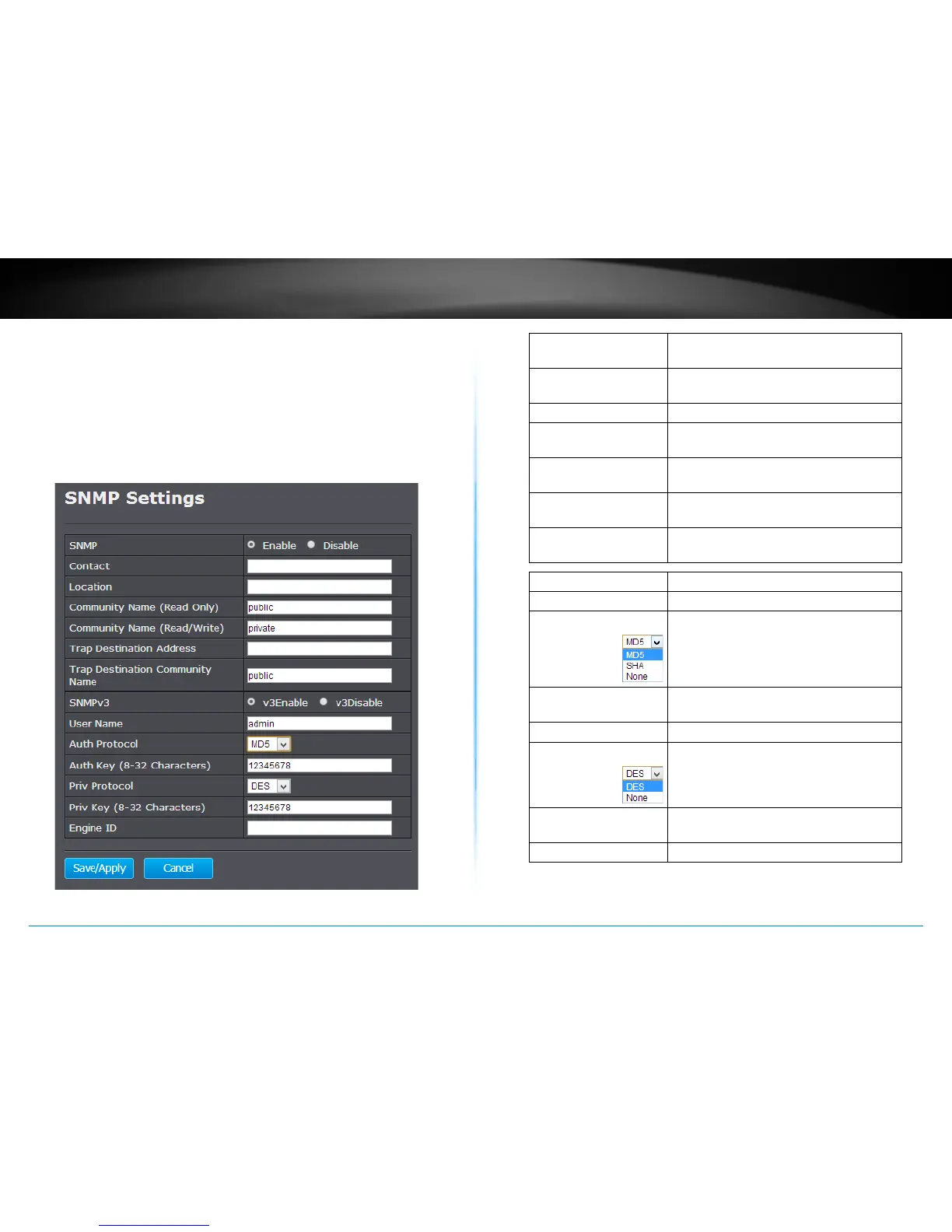
SNMP Sengs
SNMP Sengs allows you to assign the contact details, locaon,
community name and trap sengs for SNMP. This is a networking
management protocol used to monitor network-aached devices.
SNMP allows messages (called protocol data units) to be sent to various
parts of a network. Upon receiving these messages, SNMP-compable
devices (called agents) return data stored in their Management
Informaon Bases.
SNMP : Choose to enable or disable the SNMP
feature
Contact : Specify the contact details of the TEW-
753DAP
Locaon : Specify the locaon of the TEW-753DAP
Community Name
(Read Only) :
Specify the password for access the SNMP
community for read only access
Community Name
(Read/Write) :
Specify the password for access to the
SNMP community with read/write access
Trap Desnaon
Address :
Specify the IP address for the SNMP trap
community
Trap Desnaon
Community Name :
Specify the name of SNMP trap
community
SNMP v3 : Select enable or disable SNMP v3 protocol
User Name : SNMP v3 manager user name
Auth Protocol : Choose the authencaon method to
verify the source of informaon: MD5,
SHA, or None.
Auth Key : Specify the authencaon key between 8
to 32 leers.
SNMP Manager IP : Specify the SNMP manager IP address
Priv Protocol : Choose the privacy key to encrypt SNMP
messages: DES or None.
Priv Key : Specify the privacy key between 8 to 32
leers.
Engine ID : SNMPv3 engine ID
Save/Apply :
Click this buon to apply the changes.
Cancel :
Click this buon to cancel the change.















 To Next Page