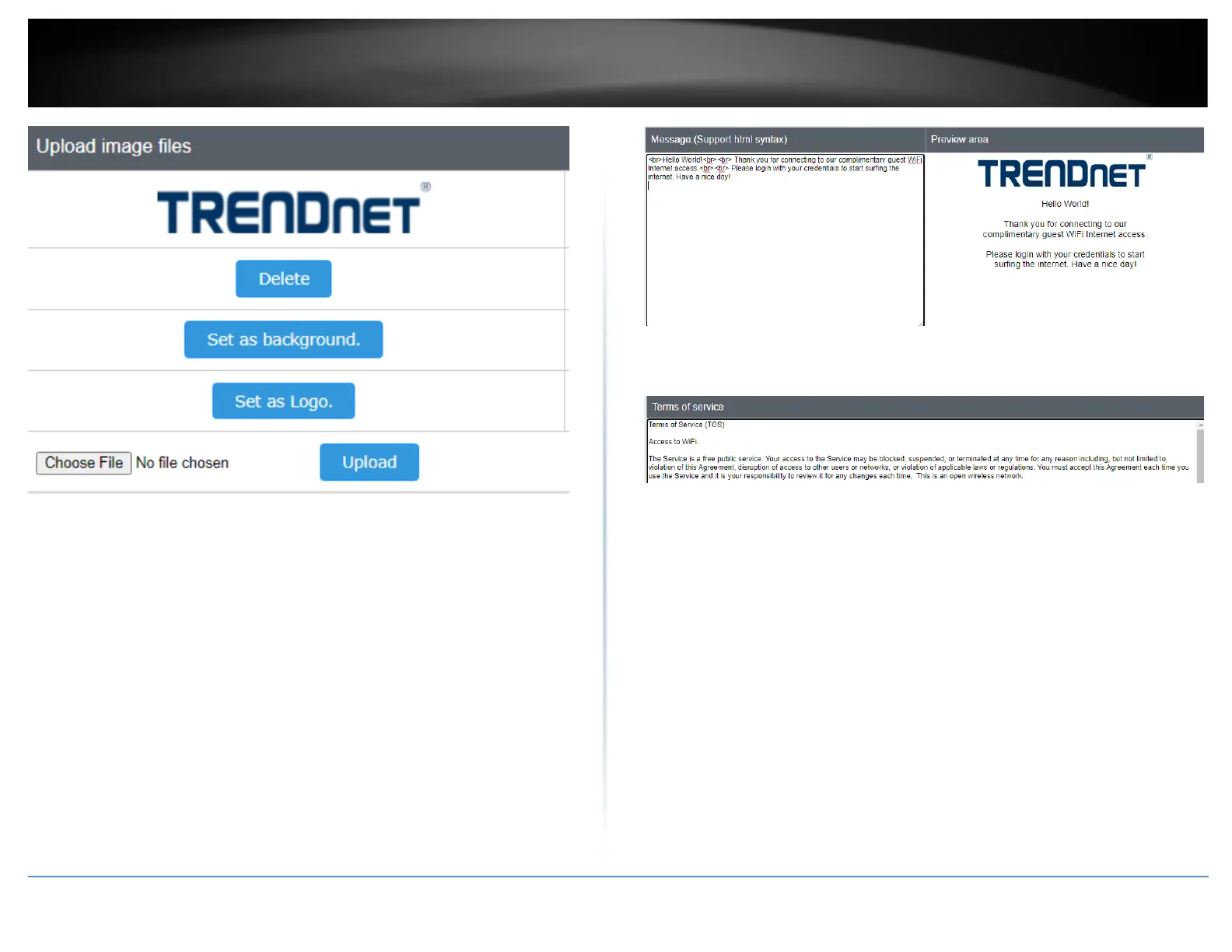
After you have uploaded your images, you can add a welcome or greeting message to
display to your guest users on the captive portal page. A preview of the page and text
will also be displayed. After you have finished entering your message, click Save at the
bottom of the page to save the settings.
Note: Aside from text, you can enter HTML tags for text formatting and styles.
Below is an example of a greeting message formatted in html.
<br><br><br>
<p style="color:white;font-family:verdana;text-align:center;">
Welcome to TRENDnet WiFi access!
Please enter your account information for Internet access. Happy surfing!
</p>
Additionally, you can modify the text displayed to your users for your terms of service.
By default, a generic terms of service statement is provided for reference.




 To Next Page