44
a group given the password. For example, if the User Name is
“Guest” and the User Password is “Guest”, anyone can
access the camera with these details used as a group of users
under the User Name “Guest”.
Delete User
Select the user you want to delete from the dropdown menu, and
then click Delete.
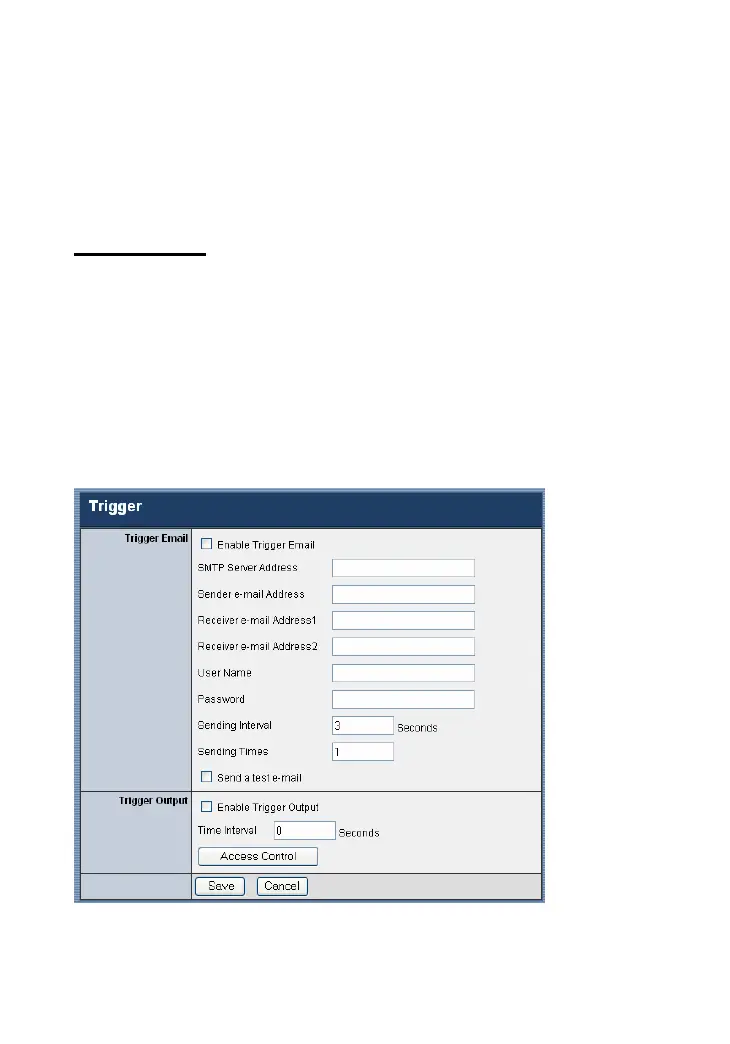
Trigger
The Trigger window contains the control settings for external
device through the I/O port, and the settings required for e-mail.










 To Next Page