70
Configuring the System
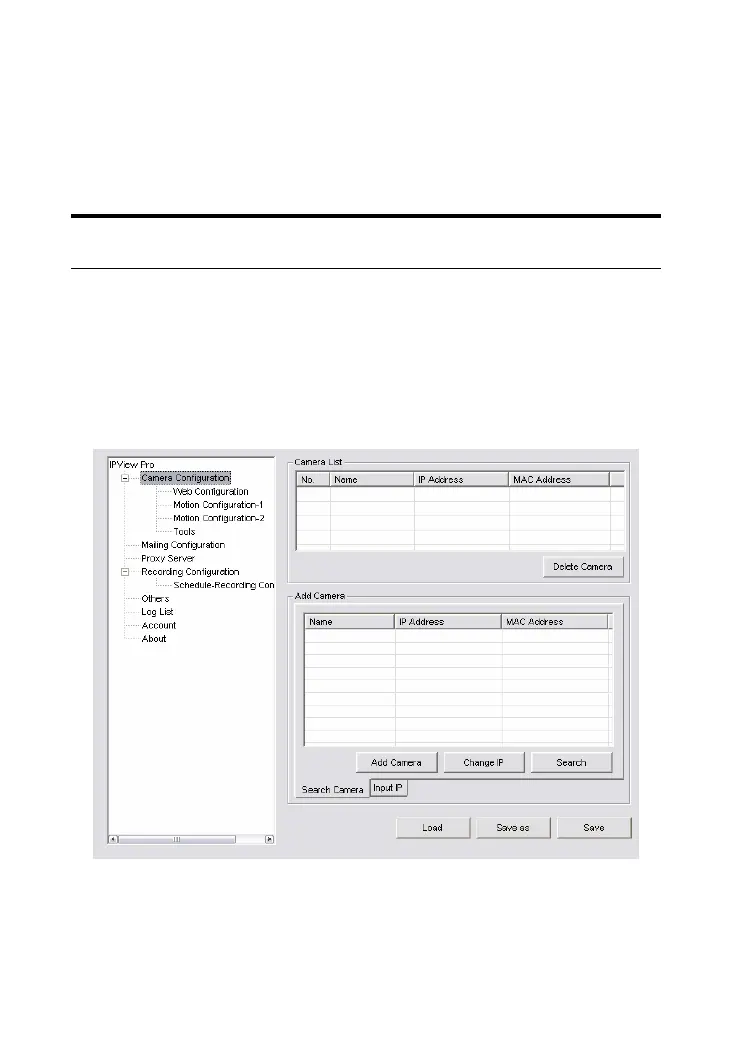
Clicking the System Configuration button on the panel allows you
to configure the system settings, and the System Configuration
Screen will appear in the View Window as shown below. Once
configured, click Save to save the settings, and then click the
System Configuration button again to exit configuration.
System Configuration Screen












 To Next Page