54
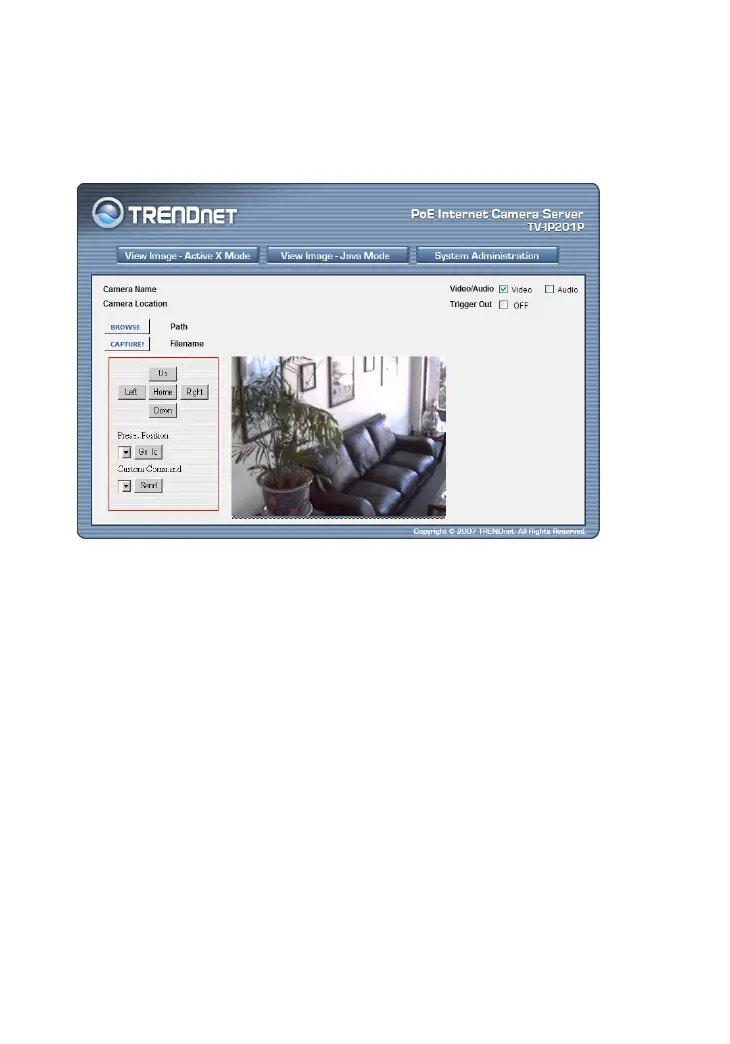
When you enable RS485 on the camera, the system will provide
additional control buttons on the screen (as show below).
You can use the Up, Down, Left, and Right buttons to move the
camera’s lens to your desired position. Click the Home button to
return to the default home position.
When you select popular protocol command setting in RS485
configuration window, you can use the Preset Position pull-down
menu to select one position, then click Go To to move the
camera’s lens to your desired position.
If you select Custom protocol setting in RS485 configuration
window, you can use the Custom Command pull-down menu to
select one position, then click Go To to move the camera’s lens to
your desired position.










 To Next Page