73
• Custom region – Click Add Region, and then use
mouse to draw an area in the view screen; when some
motion detected within the area, the camera starts
recording automatically. You can set multiple areas in
the view screen. Click Delete Region to remove the
area selected. Click Clear All Region to remove all
areas in the view screen.
-
Sensitivity Level: Move the slide bar to adjust the
sensitivity level for detecting motion to record video.
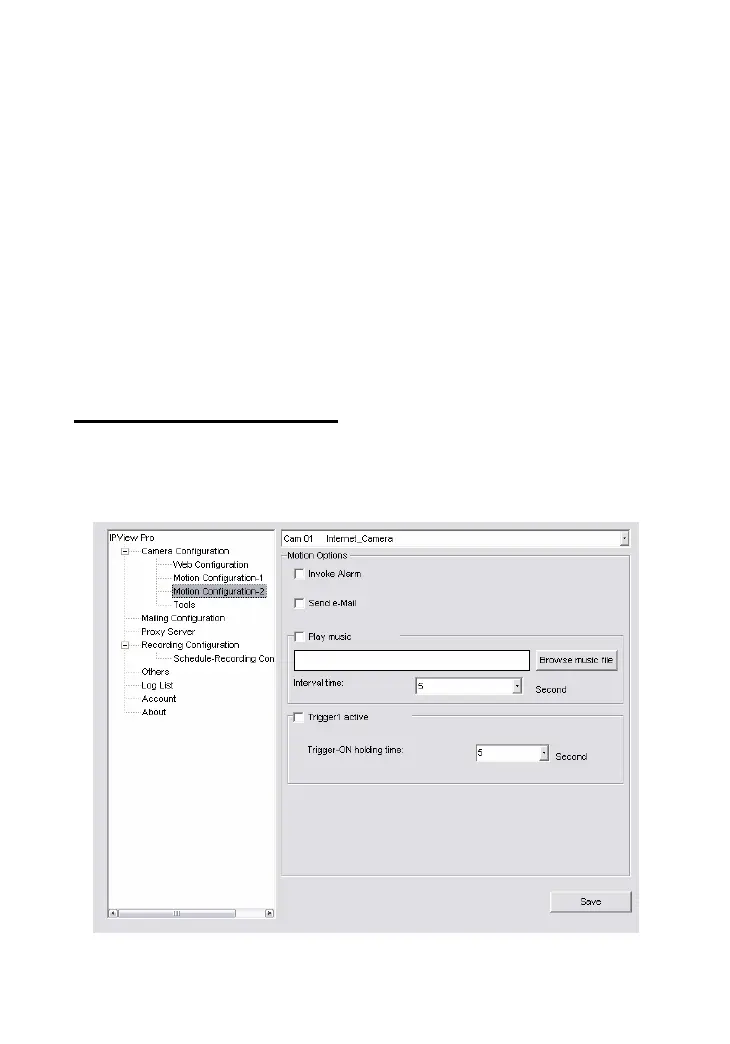
Motion Configuration-2
The Motion Configuration-2 item allows you to configure to the
alarm and e-mail setting.


 To Next Page
 Loading...