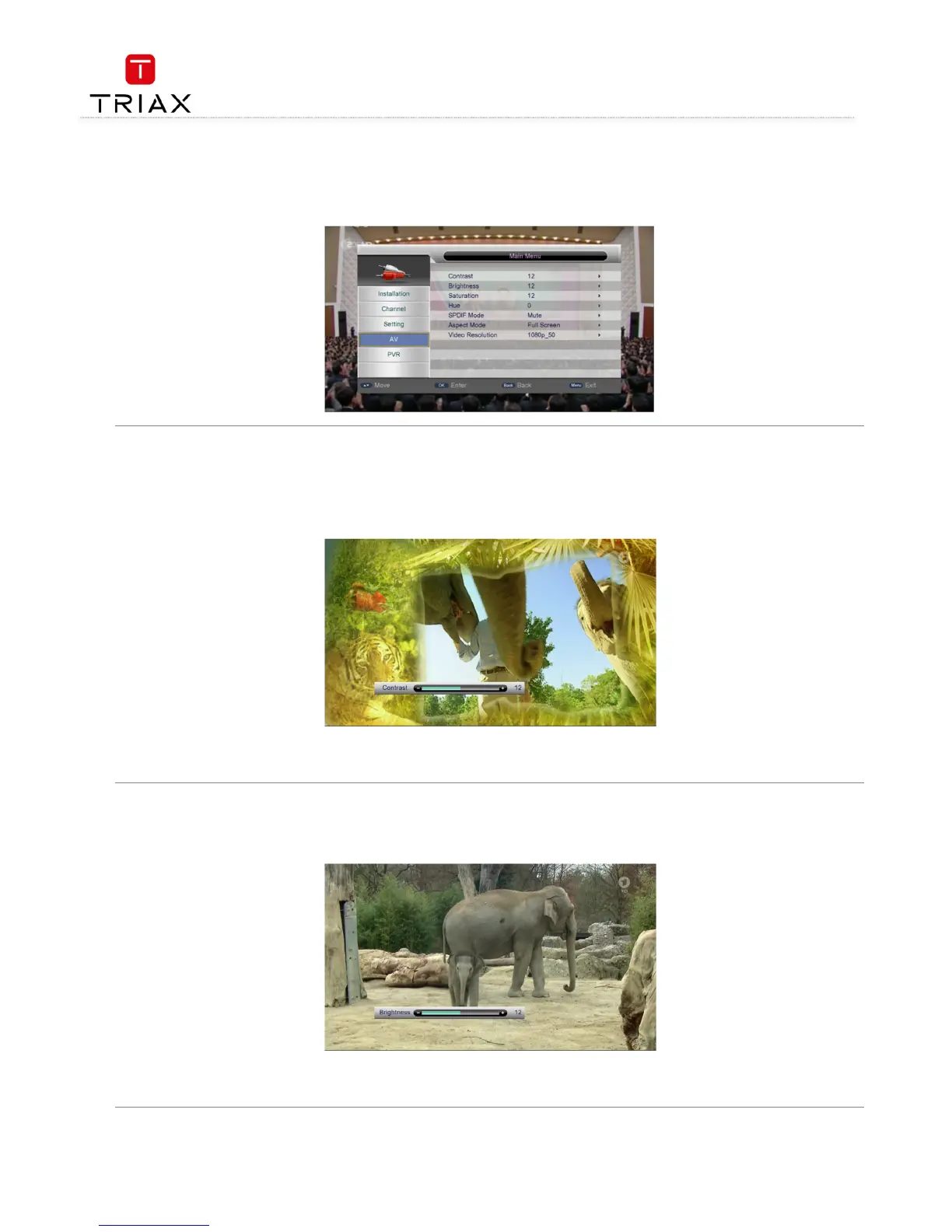
The AV menu is to carry out video output related settings such as brightness, resolution and output format. In the Main Menu, press CH+/
CH+/CH+/
CH+/-
--
- keys
to highlight the AV menu item and then press OK
OKOK
OK key to enter the AV menu. See the figure below:
4.5.1 Contrast
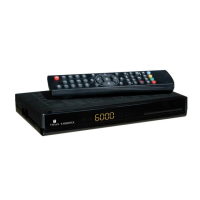
The Contrast item determines the contrast level of the system. After highlighting the Contrast item, press OK
OKOK
OK key to enter its setting interface,
see the figure below:
keys to adjust the contrast level from 0 to 24. After setting, press
key or just wait for 3 seconds to return to the AV menu. In
addition, in this interface pressing CH+/
CH+/CH+/
CH+/-
--
- keys can switch between the contrast setting and brightness setting interfaces.
4.5.2 Brightness
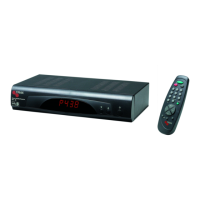
The Brightness item is to adjust the brightness level of the system. After highlighting the Brightness item, press OK
OKOK
OK key to enter its setting
interface, see the figure below:
keys to adjust the brightness level from 0 to 24. After setting, press
key or just wait for 3 seconds to return to the AV menu. In
addition, in this interface pressing CH+/
CH+/CH+/
CH+/-
--
- keys can switch between the contrast setting and brightness setting interfaces.


 To Next Page