37
EN
6. Upgrade
6.1 Upgrade by USB / OTA
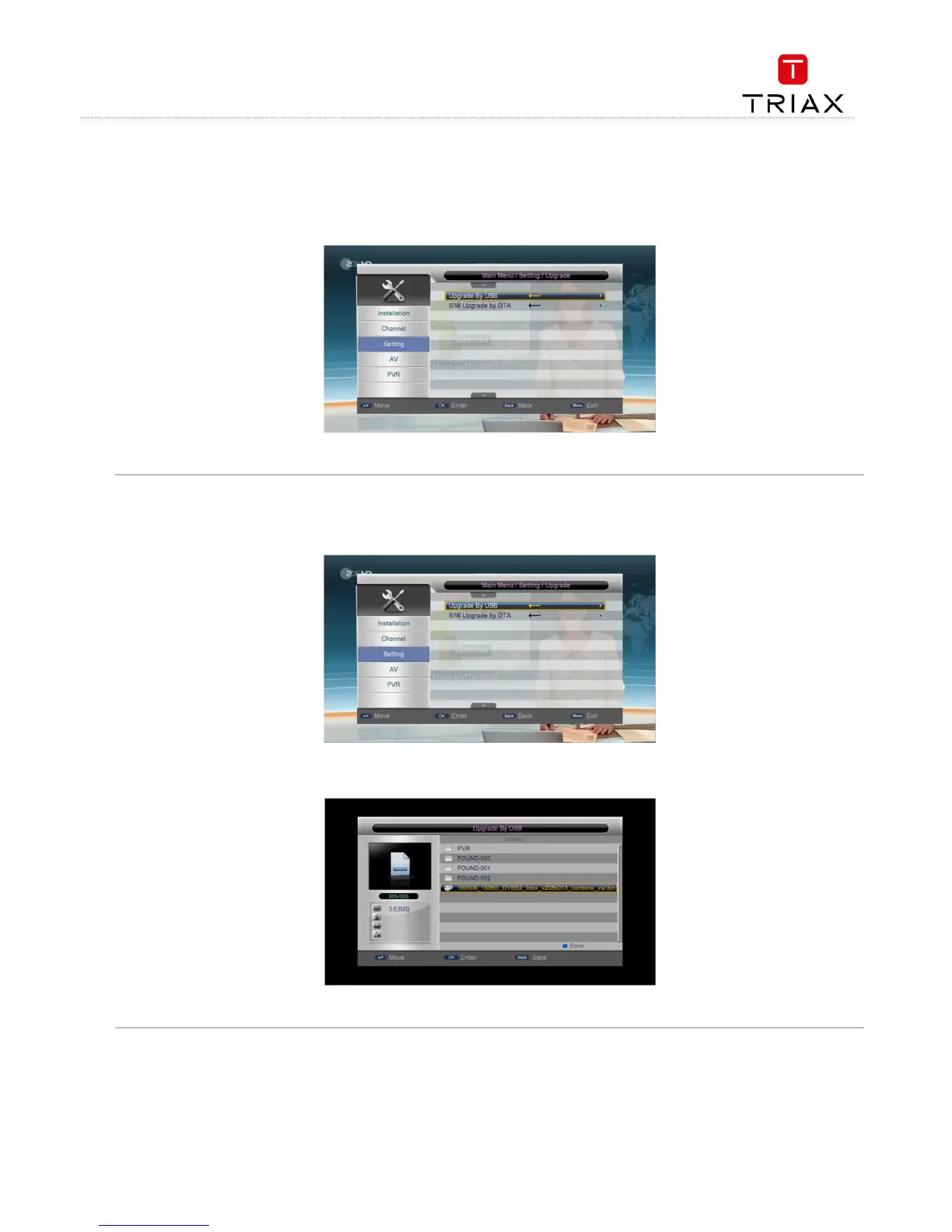
You can carry out system software upgrade through Main Menu
Main Menu Main Menu
Main Menu -
--
-> Setting
> Setting > Setting
> Setting -
--
-> Upgrade
> Upgrade> Upgrade
> Upgrade. See the figure below:
At present the system supports two methods to upgrade the system software: Upgrade
by USB and S/W Upgrade by OTA.
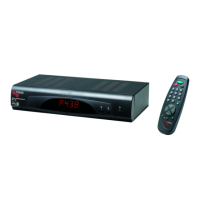
Highlight the Upgrade by USB item and then press OK
OKOK
OK key to enter the following USB Upgrade interface. If there is no USB device inserted,
corresponding prompt will appear.
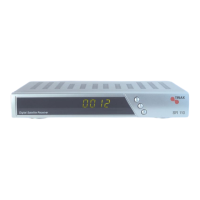
Select the partition in which rom.bin is stored, then press
key to enter a file list. From the file list, select rom.bin and then press
start the USB upgrade. The interface will be as below:
When the USB Upgrade completes, the system will


 To Next Page