35
EN
5. Record & Timeshift
5.1.1 Record
In full screen mode, if you want to record the being-played program, just press REC
RECREC
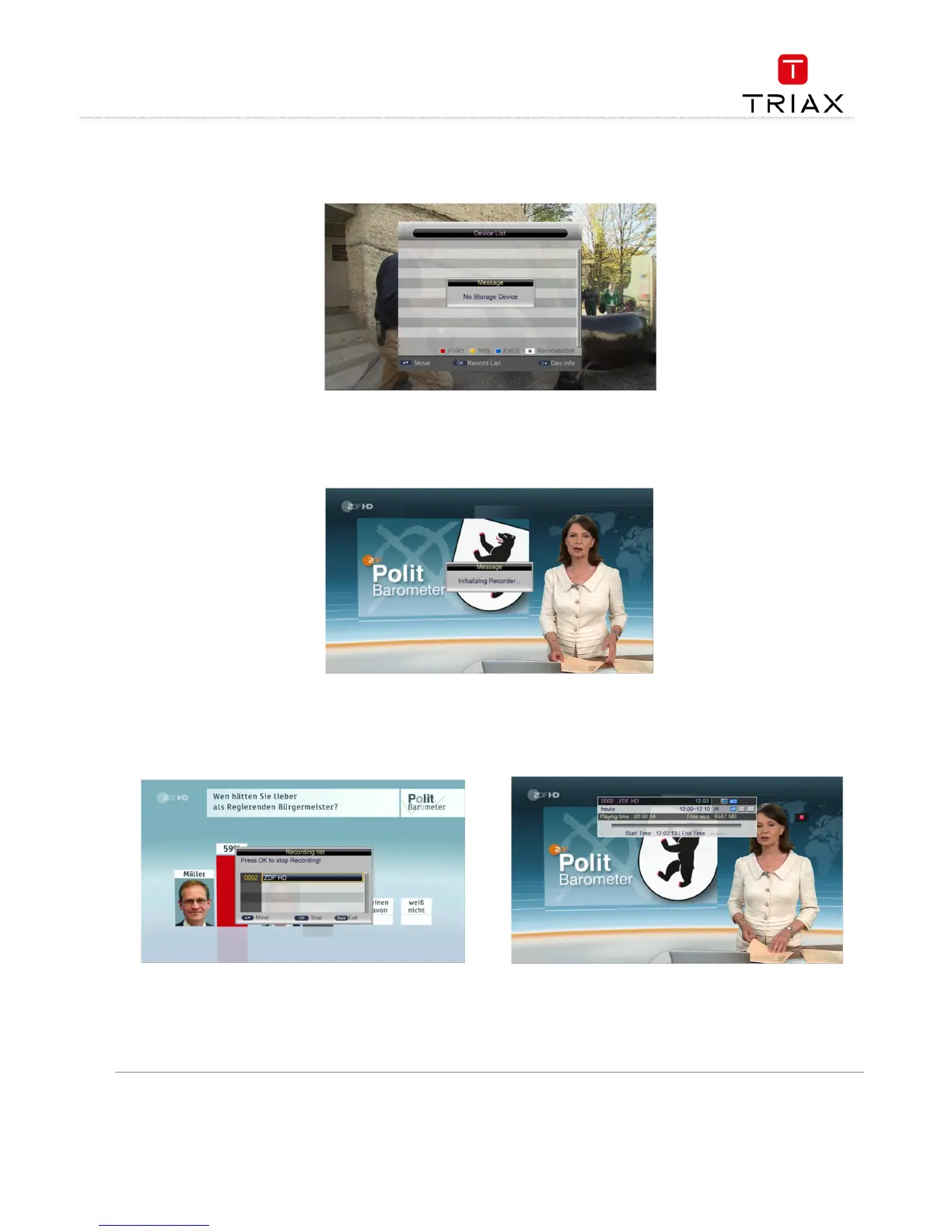
REC key. If there is no USB device inserted, corresponding
message will appear. See the figure below:
If there has been a USB device, the system will initialize the USB
device and then start to record. See the figure below.
During recording, to pause the recording, press
key. During recording, to stop recording, press
key. A confirmation dialog will appear.
During recording, pressing
key can show the recording information. Pressing
key again will show the record file list.
See the figure top right.



 To Next Page