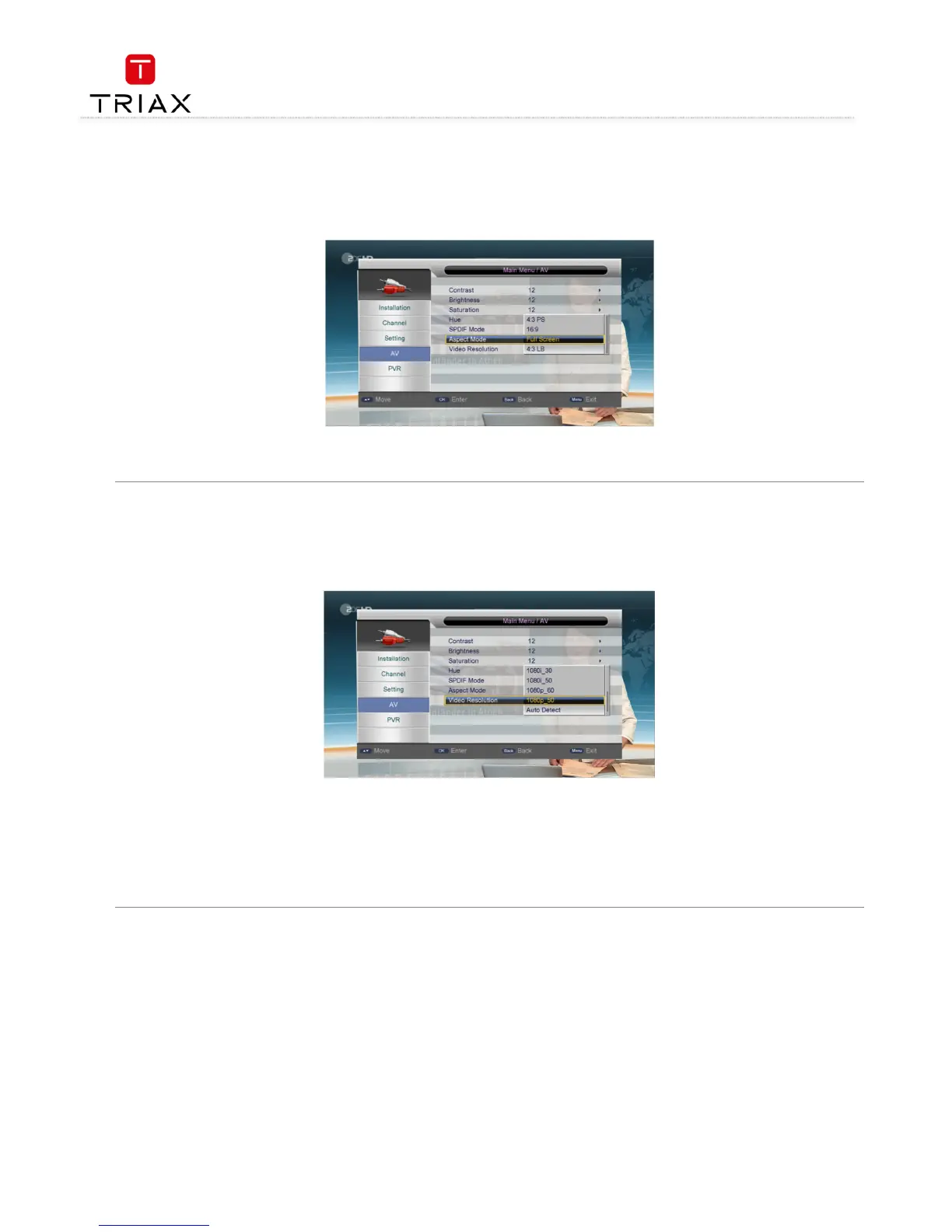
The Aspect mode item is to set the proportion between the length and width of output videos. After highlighting this item, press OK
OKOK
OK key to pop
out an option list, see the figure below:
has four options: 16: 9, Full Screen, 4: 3 LB (Letter Box) and 4: 3 PS (Pan Scan).
The list has three options: YUV, RGB and SVideo.
4.5.7 Aspect mode
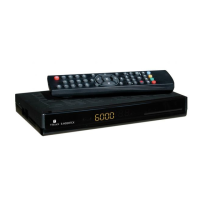
The Video Resolution item is to set the resolution (up to 1080p_60 (Full HD)) and refresh rate of video output. After highlighting this item, press
OK
OKOK
OK key to pop out an option list, see the figure below:
The list has following options (
i' indicates interlaced scan):
Auto Detect
• 480p_60, 480i_30
• 576p_50, 576i_25
• 720p_60, 720p_50
• 1080p_60, 1080p_50, 1080i_30, 1080i_50
.


 To Next Page