After power on, the system will enter the DVB mode. If there is no program data in the database, the following message will appear:
Method 5:
Method 5: Method 5:
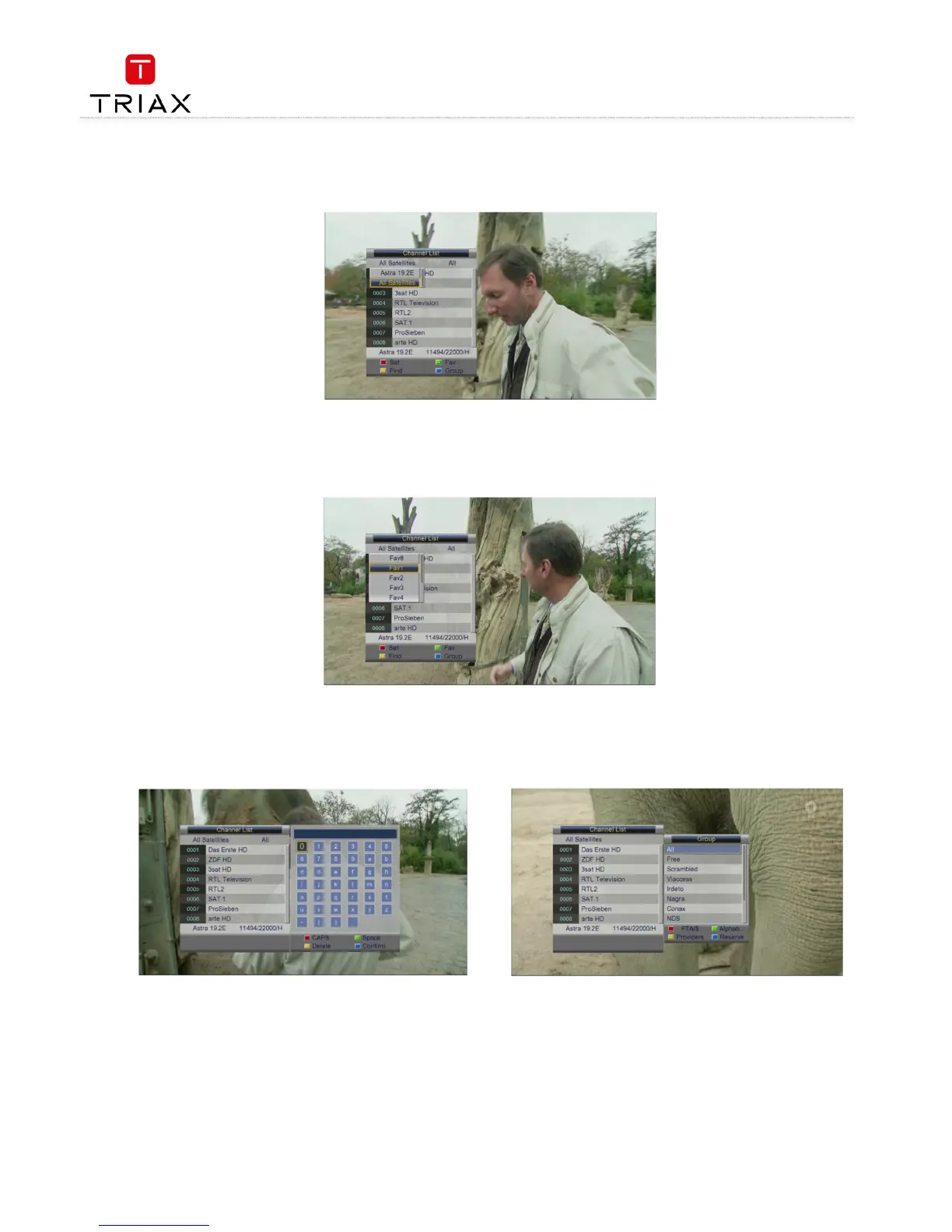
Method 5: If you have set favorite programs, press the green function key
green function keygreen function key
green function key and a Favorite list will appear (see the figure below). At this
point, you can press CH+/
CH+/CH+/
CH+/-
--
- keys to select a FAV item and then press OK
OKOK
OK key to enter its program list.
Pressing back exits the menu
• Method 6:
Method 6: Method 6:
Method 6: Press the yellow function key while in the state of Fejl! Henvisningskilde ikke fundet.
Fejl! Henvisningskilde ikke fundet.Fejl! Henvisningskilde ikke fundet.
Fejl! Henvisningskilde ikke fundet., and you can search for a channel by
name.
The figure below will appear:
Press CH+/
CH+/CH+/
CH+/-
--
-
/ V+/
/ V+// V+/
/ V+/-
--
- keys to select a character and then press OK
OKOK
OK key to input. When you have finished inputting a channel name, press the blue
blue blue
blue
function key
function keyfunction key
function key to confirm your input. (Pressing the red function key
red function keyred function key
red function key can change case. Number keys cannot be used to input numbers here.)
• Method 7
Method 7Method 7
Method 7: Press the blue function key while in the state of Fejl! Henvisningskilde ikke fundet.
Fejl! Henvisningskilde ikke fundet.Fejl! Henvisningskilde ikke fundet.
Fejl! Henvisningskilde ikke fundet., and the channel group list appears (see
the figure below), which includes free, scramble and so on.



 To Next Page