Seeker D User’s Guide
Document Num., Rev. 4 May 2018Page 40
Device Information & Settings
While testing for leaks, you will need to view the information shown by the Seeker’s display
modes.
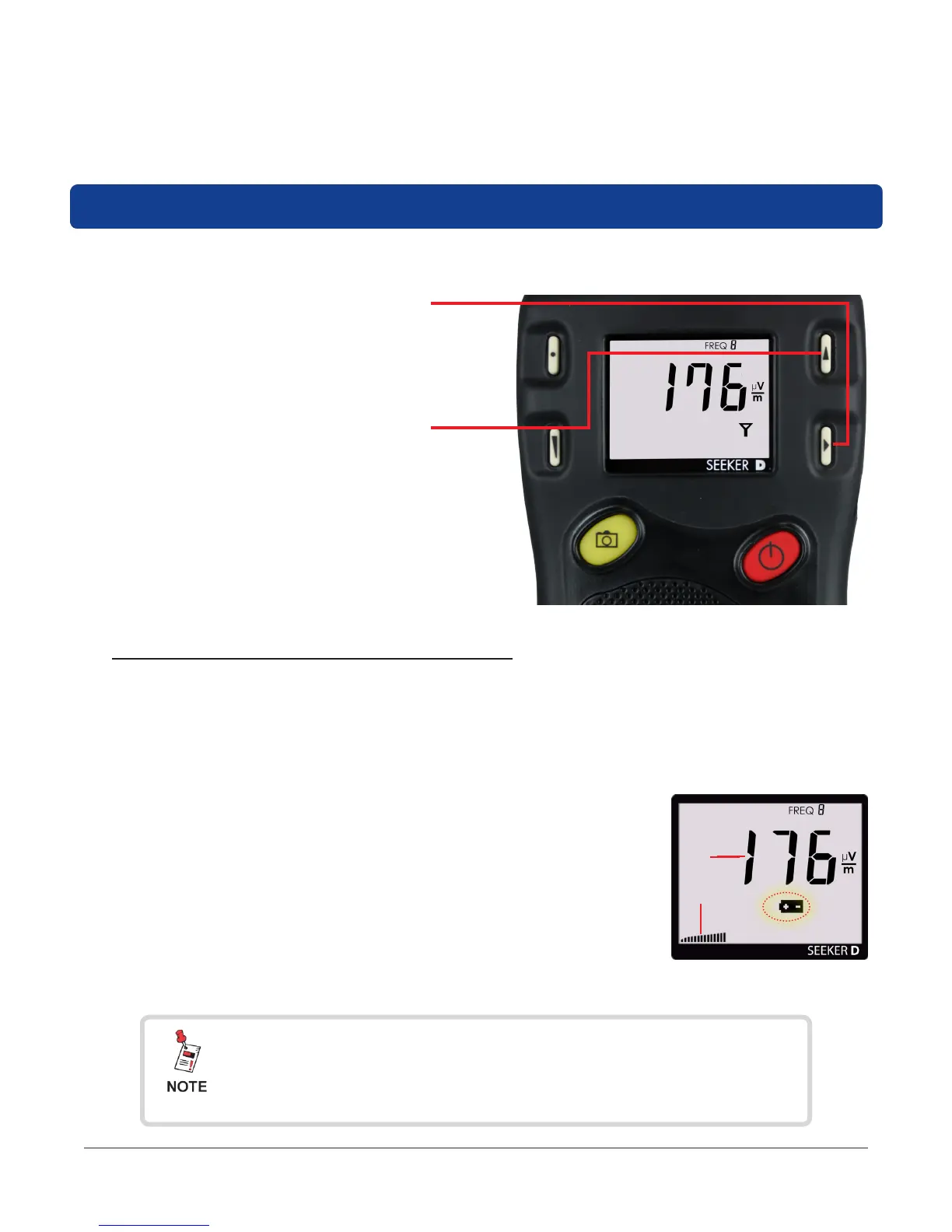
• Use the SELECT button to toggle
through its display modes. As you
toggle, the display modes will appear
in the same order in which they are
discussed in this section.
• Use the CHANGE button to adjust
the settings of some display modes.
Viewing the Battery Charge Level
To check the battery level, turn your Seeker D on and press the SELECT button once.
• When the Battery Charge Level display is selected, the Battery icon ashes as
indicated by the red circle in the following image.
• When this display is selected, the following will occur:
1. The bar graph will indicate the amount of battery
charge available. As long as there are at least a
few bars left, your Seeker D has enough charge to
operate. If the battery meter shows less than 50%,
the Seeker D should be charged.
2. The numerical display will continue to display the RF
signal level.
Battery Charge Level
1
2
After a few seconds in the Battery Charge Level display
without any action by the user, the display will revert to the
Signal Level display.


 To Next Page
 Loading...

