User’s Manual – Conventional Mode
94
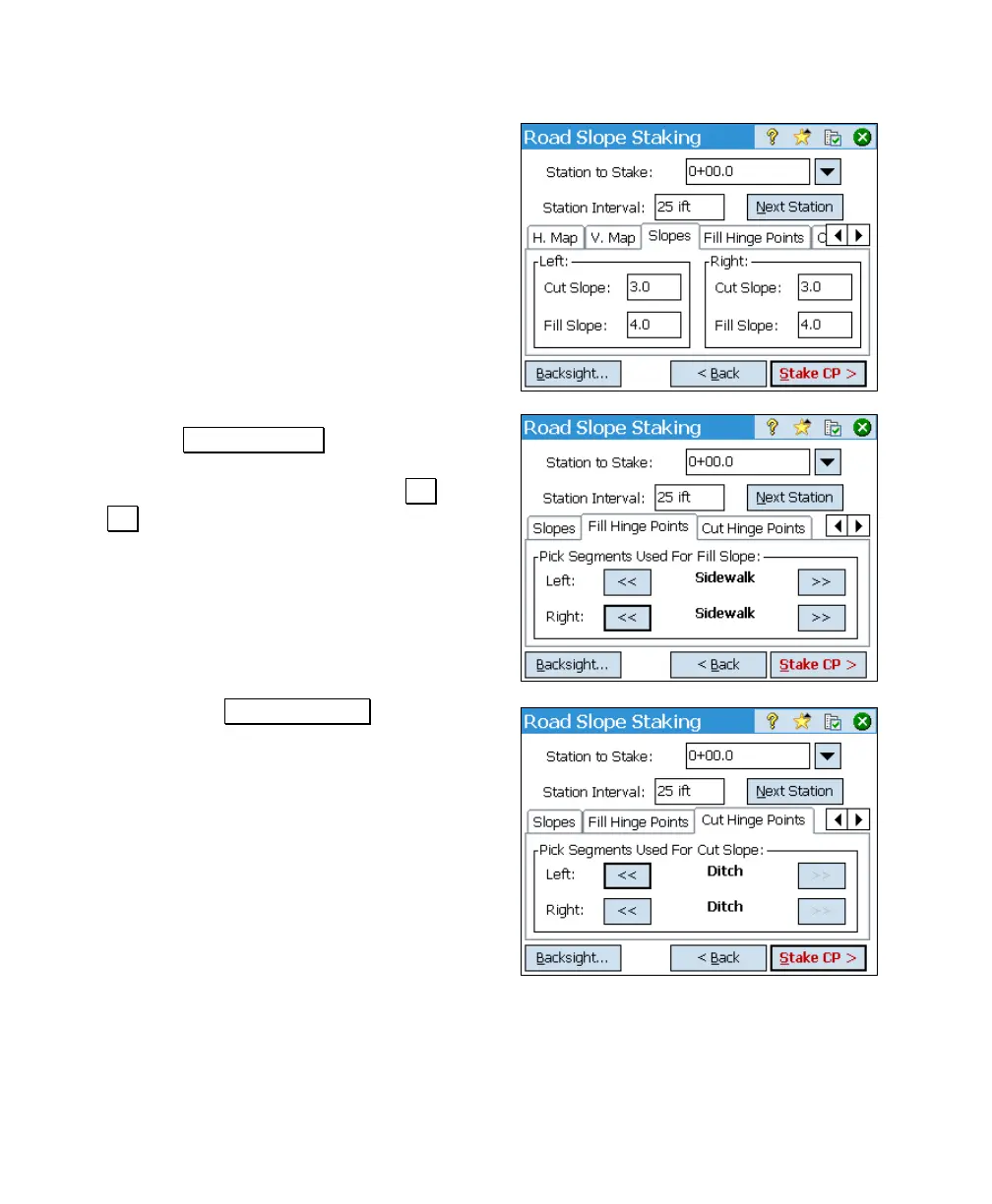
8. Four separate slopes can be defined for
situations requiring a cut or situations
requiring a fill, and can be different on the
right and left sides of the road. Fill in the
slopes that apply to your particular job.
(The fill slopes do not need to be entered as
negative values since Survey Pro knows
that these are negative slopes.)
9. Tap the Fill Hinge Points tab to define
where the hinge point will be computed in
areas that require a fill. Use the << and
>> buttons to select the desired segment.
(The hinge point will be computed at the
end of the selected segment.)
10. Now tap the Cut Hinge Points tab and
define where the hinge point will be
computed in areas that require a cut in the
same way as you did in the previous step.



 To Next Page