User’s Manual – Conventional Mode
70
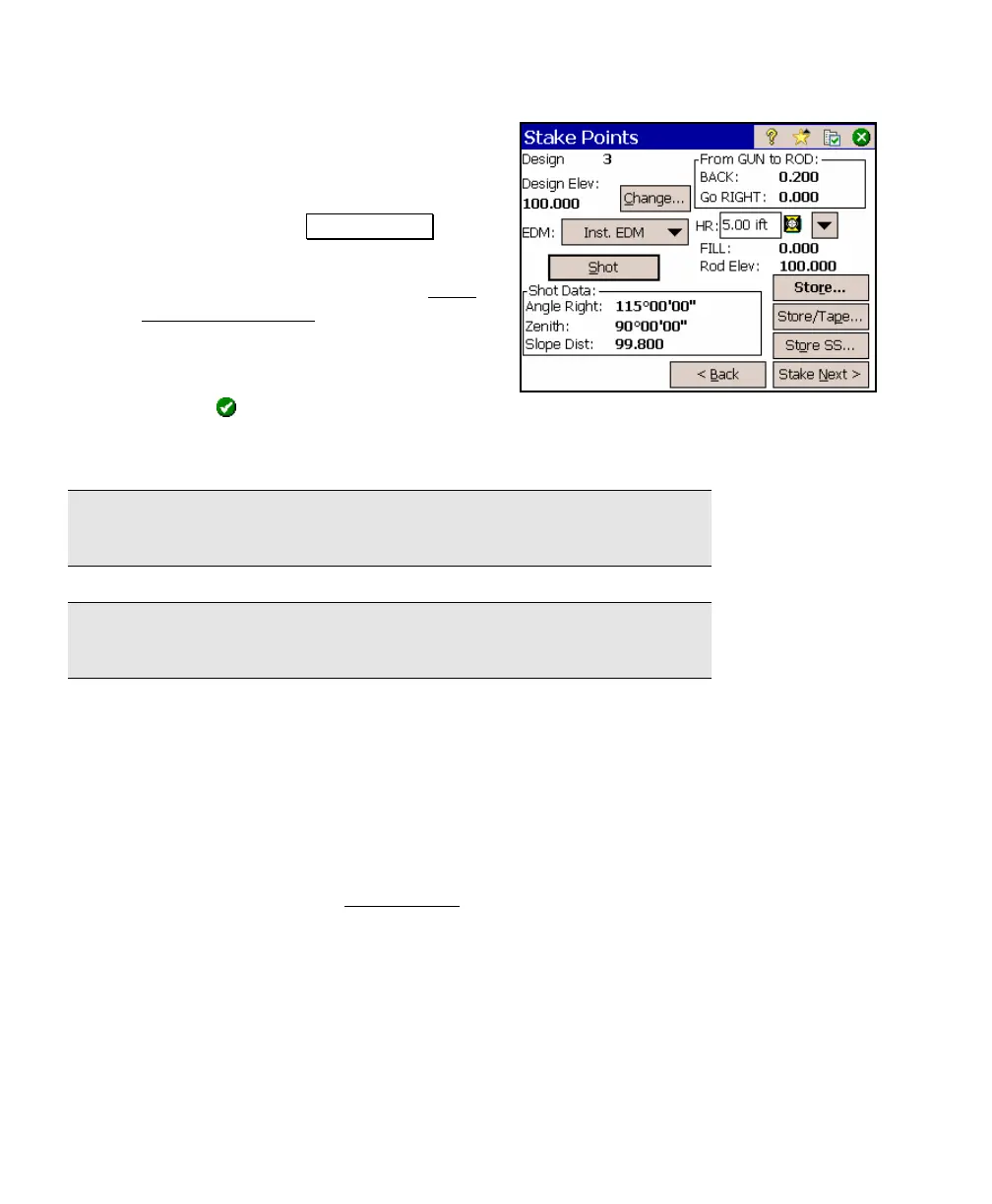
d. The rod needs to move back by 0.2 feet
to be over the design point. Rather
than take another shot, we will use a
tape measure and place a stake at that
location. Tap the .Store/Tape… button
to store the point.
e. Enter the following data in the Store
Point (Tape Offset) Dialog Box:
Point Name: 6
Description: Staked
Tape Out/Tape In (+/-): 0.2
and tap
. This will result in coordinates for the stored point
that are 0.2 feet further from the total station than the last
shot to the prism.
Note: The default value in the Tape Out/Tape In field should put you
directly over the design point, assuming you are on line.
Note: Negative Tape Out/Tape In values are toward the total station
and positive values are away from the total station.
Point Staking Summary
1. Open a job that contains the design points that you want to stake.
2. Check the job settings.
3. Setup a backsight.
4. Stake the points from the Stake Points
screen.



 To Next Page