Road Layout
83
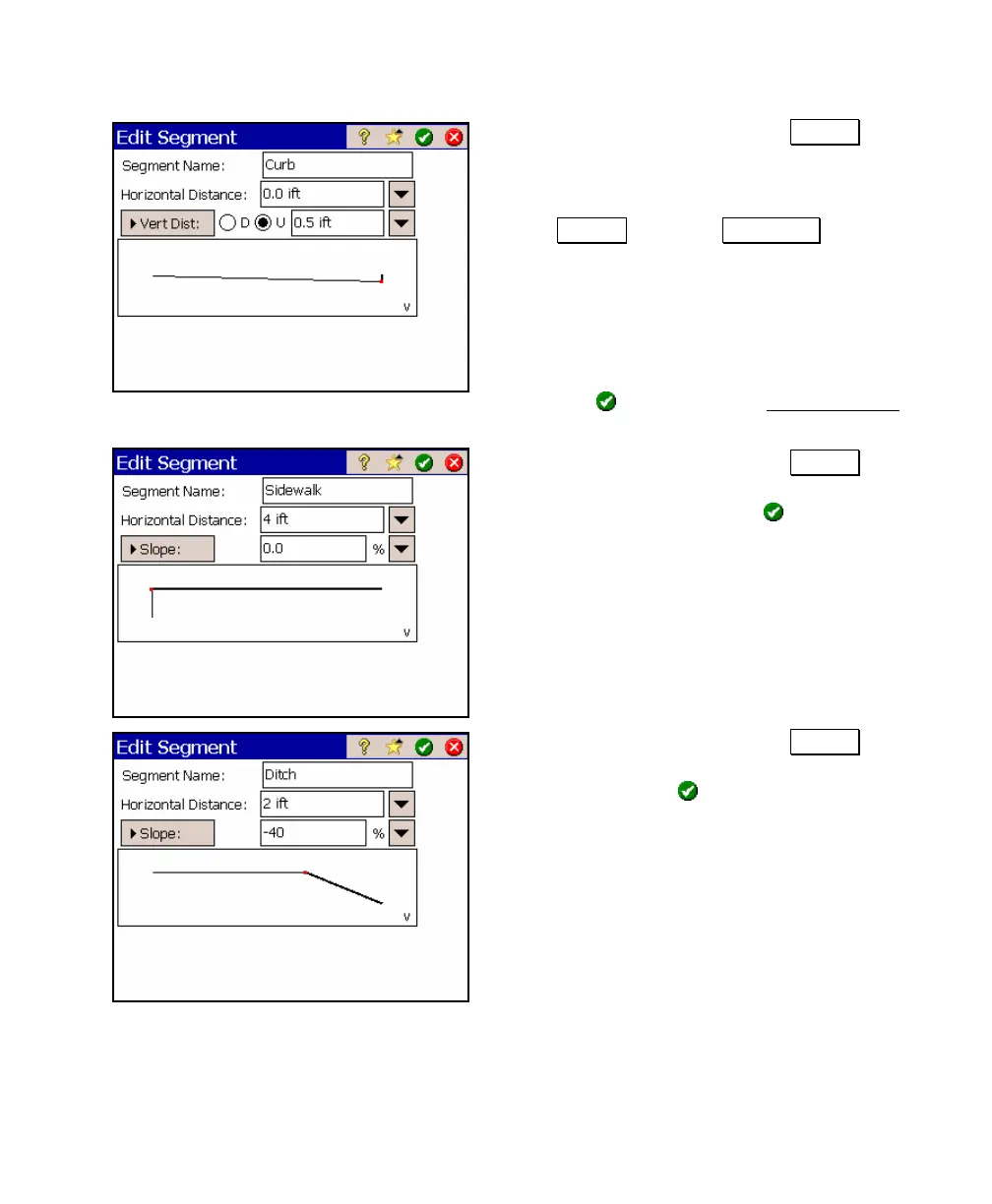
5. With <End> selected, tap Insert… and
enter the following data to add a new
segment that will describe the face of a
curb. Notice you need to toggle the
Slope button to V. Offset and select
the ~U radio button to specify that the
curb extends upward.
Segment Name: Curb
Horizontal Distance: 0
Vert Dist: ~U 0.5
6. Tap
to return to the New Template
screen where the new curb segment will appear.
7. With <End> selected, tap Insert… and
enter the following data to add a
sidewalk and then tap
.
Segment Name: Sidewalk
Horizontal Dist: 4
Slope: 0
8. With <End> selected, tap Insert… and
enter the following data to add a ditch
and then tap
.
Segment Name: Ditch
H. Offset: 2
Slope: -40



 To Next Page