EasyManua.ls Logo

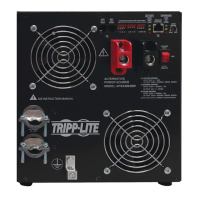
Tripp Lite APSX3024SW - User Manual

Tripp Lite APSX3024SW
56 pages
Print Icon
To Next Page IconTo Next Page
Loading...
1
Owner’s Manual
PowerVerter
®
APSX Pure Sine Wave
DC-to-AC Inverter/Charger
Model: APSX3024SW
1111 W. 35th Street, Chicago, IL 60609 USA • www.tripplite.com/support
Copyright © 2014 Tripp Lite. All trademarks are the sole property of their respective owners.
PROTECT YOUR INVESTMENT!
Register your product for quicker service and ultimate peace of mind.
You could also win an ISOBAR6ULTRA surge protector—a $50 value!
www.tripplite.com/warranty
Input Output
Invert: 24V DC 230V, 50/60 Hz AC
Charge: 230V, 50/60 Hz 24V DC
Contents
Introduction 2
Important Safety Instructions 3
Feature Identification 4
Operation 5
Configuration 7
Battery Selection 10
Battery Connection 11
AC Input/Output Connection 12
AC Generator Input 12
Service 13
Troubleshooting 13
Warranty and Product Registration 14
Español 15
Français 29
 43

Other manuals for Tripp Lite APSX3024SW

Questions and Answers

  • C
    Cynthia LeeAug 11, 2025
    What to do if the red “LOAD” operation indicator light is flashing on my Tripp Lite Inverter?
    • C
      Carrie ZamoraAug 11, 2025
      If the red “LOAD” operation indicator light is flashing on your Tripp Lite Inverter, it means the inverter is overloaded. To resolve this, reduce the load. Then, reset the unit by moving the Operating Mode Switch to “OFF,” wait one minute, and switch to “AUTO/REMOTE” or “CHARGE ONLY.”
  • J
    Jason WangAug 16, 2025
    Why is the red “LOW” battery indicator light flashing on my Tripp Lite Inverter?
    • D
      Derrick JonesAug 17, 2025
      If the red “LOW” battery indicator light is flashing on your Tripp Lite Inverter, it could be due to low battery voltage. Ensure AC power is present to recharge the batteries and reset by moving the Operating Mode Switch to “OFF” then to “AUTO/REMOTE” or “CHARGE ONLY.” It can also be a false reading if the DC cabling is undersized or insufficiently connected; use a sufficiently sized DC cable properly connected to the Inverter/Charger.
  • J
    Joseph WilliamsAug 22, 2025
    Why is my Tripp Lite Inverter battery not recharging when AC input is present?
    • S
      Sean JonesAug 22, 2025
      If your Tripp Lite Inverter battery is not recharging while AC input is present, the connected batteries may be dead; check and replace old batteries. Also, the battery fuse may be blown; check and replace the fuse. Loose battery cabling can also be the cause; check, tighten, or replace the cabling. The unit may have shut down due to battery overcharge. In that case, disconnect any auxiliary chargers. Reset by moving Operating Mode Switch to “OFF”, wait 1 minute, and switch to “AUTO/REMOTE” or “CHARGE ONLY”.
  • J
    Jessica JosephAug 28, 2025
    What does it mean when all three battery indicator lights are rapidly flashing on my Tripp Lite Inverter?
    • E
      Erin MccoyAug 28, 2025
      If all three battery indicator lights on your Tripp Lite Inverter are rapidly flashing (¼ second flashes), it indicates the battery is overcharged. The unit will shut down to prevent battery damage. This might be due to connected auxiliary chargers or the unit’s charger. Disconnect any auxiliary chargers. Reset by moving the Operating Mode Switch to “OFF”, wait 1 minute, and switch to “AUTO/REMOTE” or “CHARGE ONLY”.
  • D
    Dr. Michael LaneSep 4, 2025
    What does it mean when all three battery indicator lights are slowly flashing on my Tripp Lite Inverter?
    • S
      Shelby CurtisSep 4, 2025
      If all three battery indicator lights are slowly flashing (½ second flashes) on your Tripp Lite Inverter, it means the battery is excessively discharged. To resolve this, use an auxiliary charger to raise the battery voltage. Check external battery connections and the fuse. The unit will automatically reset when the condition is cleared.

Tripp Lite APSX3024SW Specifications

General IconGeneral
BrandTripp Lite
ModelAPSX3024SW
CategoryInverter
LanguageEnglish

Related product manuals