13
Basic Operation continued
Control Menu Options
Enable/Disable Alarm
Tap the buttonrepeatedlytoadvancetotheLCDdisplayfeaturingthe icon. Press the
buttontoselectONorOFFalarmmodesettings.Thelastoptiondisplayedbeforenavigatingaway
from this menu option will be the selected setting.
Note: Disabling the alarm via this control menu option will silence the alarm under all conditions, including low
battery conditions.
LCD Brightness
Tap the buttonrepeatedlytoadvancetotheLCDBrightnessdisplaymarked“LCD”.Pressthe
buttontoselectMediumBacklight(default),HighBacklightorDimBacklight.Thelastoption
displayed before navigating away from this menu option will be the selected setting.
Note: The default brightness is set at medium. Any time a button is pressed, the LCD will engage the high
brightness setting. After 2 minutes of inactivity, the backlight will revert to the selected setting until a button is
pressed.
Self-test
Tap the buttonrepeatedlytoadvancetotheTESTBATTdisplay.Pressthe button to initiate
thetest.Thetestwilllastapproximately10secondsastheUPSswitchestobatterytotestthe
capacitywithaload.Uponcompletionofthetest,thedisplaywillindicatePASorBAD(passor
bad)for20seconds,andthenreturntothehomescreen.Connectedequipmentcanremainon
duringthetest.DonotunplugyourUPStotestit;thiswillremovesafeelectricalgrounding.
Note: If the self-test result is BAD, it may be due to the batteries not being charged for 24 hours. Fully charge
the batteries and repeat the self-test. Please refer to the note under Step 3 on page 6.
AReplaceBatteryConditionwillresultintheReplaceBatteryandWarningiconsflashingevery
second and the audible alarm sounding repeatedly.
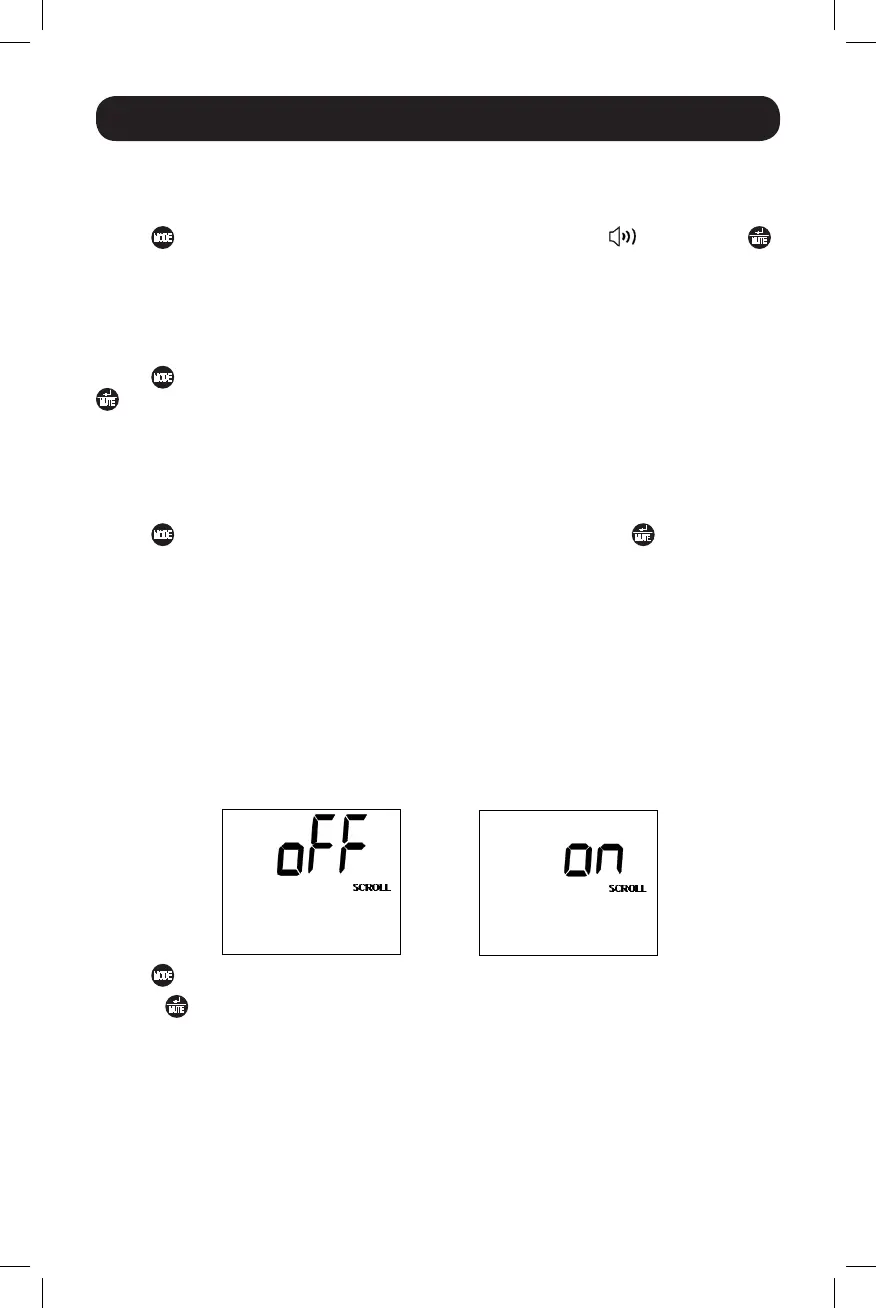
Scroll Control
This display option allows the user to select the option to automatically scroll each operating
conditionoftheUPS(suchasInputVoltage,OutputVoltageandRuntime)automatically.
Tap the button repeatedly to advance to the Scroll display as shown above.
Press the buttontoadvancetothenextavailableoption.Thelastoptiondisplayed,before
navigating away from this menu option, will be the selected setting.
Note:
1. Each condition is displayed in 2 second intervals.
2. If a button is pressed while Scroll Mode is enabled, the scroll function will pause for 10 seconds to allow the
user to manually make menu selections.
14-03-028-93-3088.indb 13 3/20/2014 4:08:47 PM




 To Next Page