Operation SeaKing & SeaPrince Imaging Sonars
0374-SOM-00001, Issue: 08 27 © Tritech International Ltd.
There are 4 sets of Markers that can be implemented; A-B, C-D, E-F, G-H. The operation of
each set is the same as A-B described above.
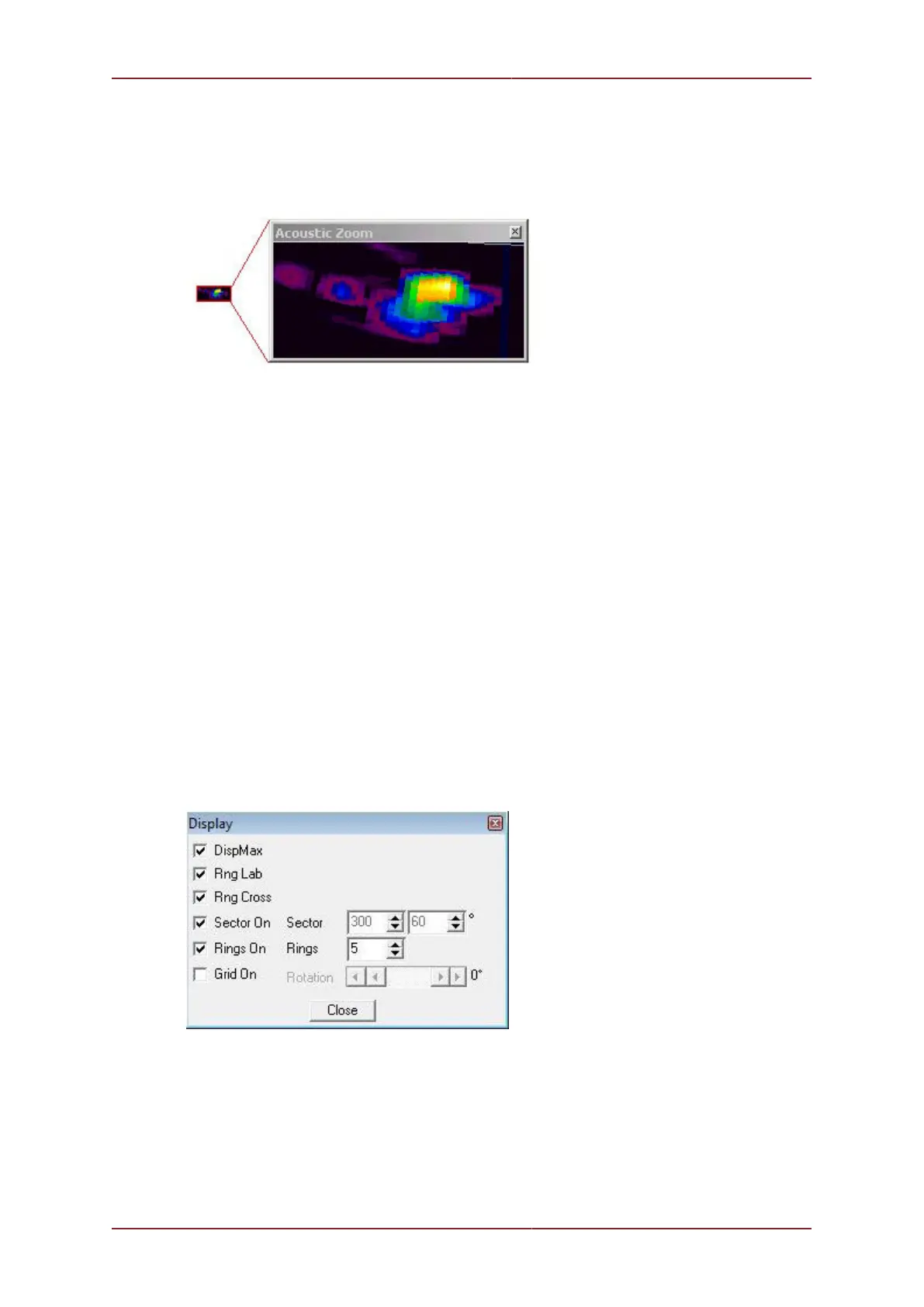
Acoustic Zoom
Figure 5.18.
True Sonar Zoom mode draws a zoom box on the display positioned by cursor. The sonar
will take more samples in the area of the zoom box for target magnification.
Zoom Setup sets the size and magnification factor of zoom box.
The Size shows the screen zoomed area (red outline) as a percentage of the Acoustic
Zoom display window.
The Factor shows the number of zoomed range bins for each normal range bin. For
instance, a Factor of 4 will take four times the number of samples within the zoomed area
than will be taken outside the zoomed area.
Position
Used to move and size the Sonar PPI display in its display window.
Centre X/Y - Adjust X & Y centre position of the display, Radius - Size the display.
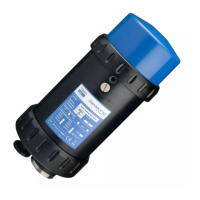
Display
Figure 5.19.
Sets up sonar display options.
DispMax – Tick to expand sonar display vertically to fit window. If un-ticked will expand
horizontally.
RngLab – Switch the Range Labels On / Off.


 To Next Page