SeaKing & SeaPrince Imaging Sonars
0374-SOM-00001, Issue: 08 49 © Tritech International Ltd.
Appendix F. Super SeaPrince External Reset
In the event of losing communications with the Super SeaPrince and being unable to re-
establish them it is possible to reset the unit to a preset standard.
Item changed Default value Item changed Default value
Main Port Comms RS232 Aux Port Comms RS232
Main Port Baud (Hi/Lo) 115200 / 9600 Aux Port Baud (Hi/Lo) 9600 / 9600
Main Port Parity (Hi/Lo) None Aux Port Parity (Hi/Lo) None
Main Port Data-bits (Hi/
Lo)
8 Aux Port Data-bits (Hi/
Lo)
8
ARCNET Baud (Hi/Lo) 156 / 78 Half-Duplex False
ARCNET Sens (Hi/Lo) Neutral Aux. Comms rate 1000ms
ARCNET Timeout 11 [Normal] (ET3) Disable AutoComms True
COMV6 Fitted True
Note
In the event of other items, such as the operating frequencies, being changed
contact Tritech International Ltd for further advice and instruction.
In order to complete the reset process, the following steps will apply:
1. Ensure an RS232 COM Port is available, has been enabled within Seanet Pro and is set
for 115200 Baud.
2. Using an appropriate test cable, connect the Sonar to a suitable power supply and topside
control unit but do not apply power yet.
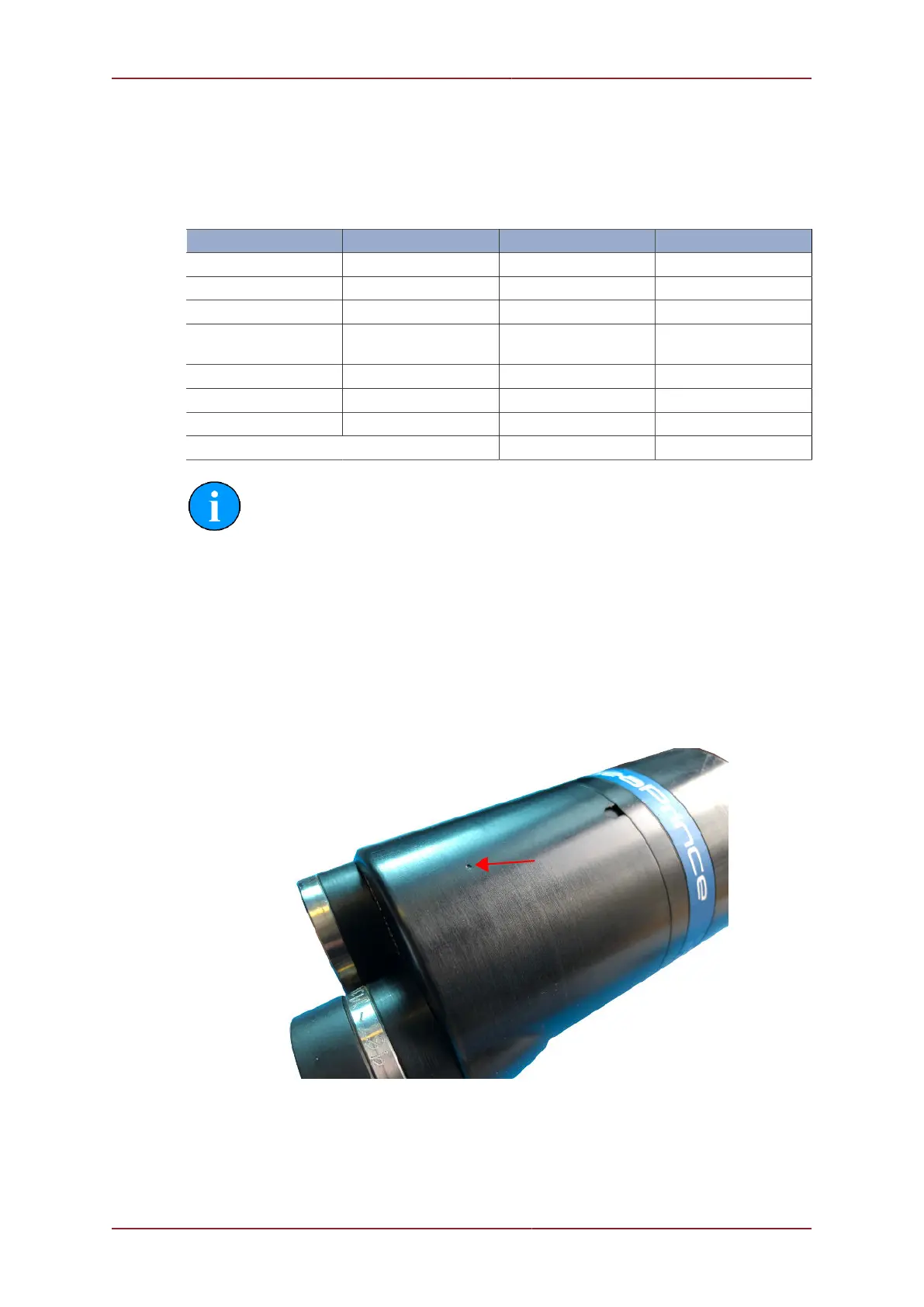
3. Locate the reset point on the body of the Super SeaPrince.
4. Place a magnet onto the reset point and apply power to the unit. Do not remove the magnet
until the unit has fully powered up for 5 seconds.


 To Next Page