Getting Started SeaKing & SeaPrince Imaging Sonars
0374-SOM-00001, Issue: 08 7 © Tritech International Ltd.
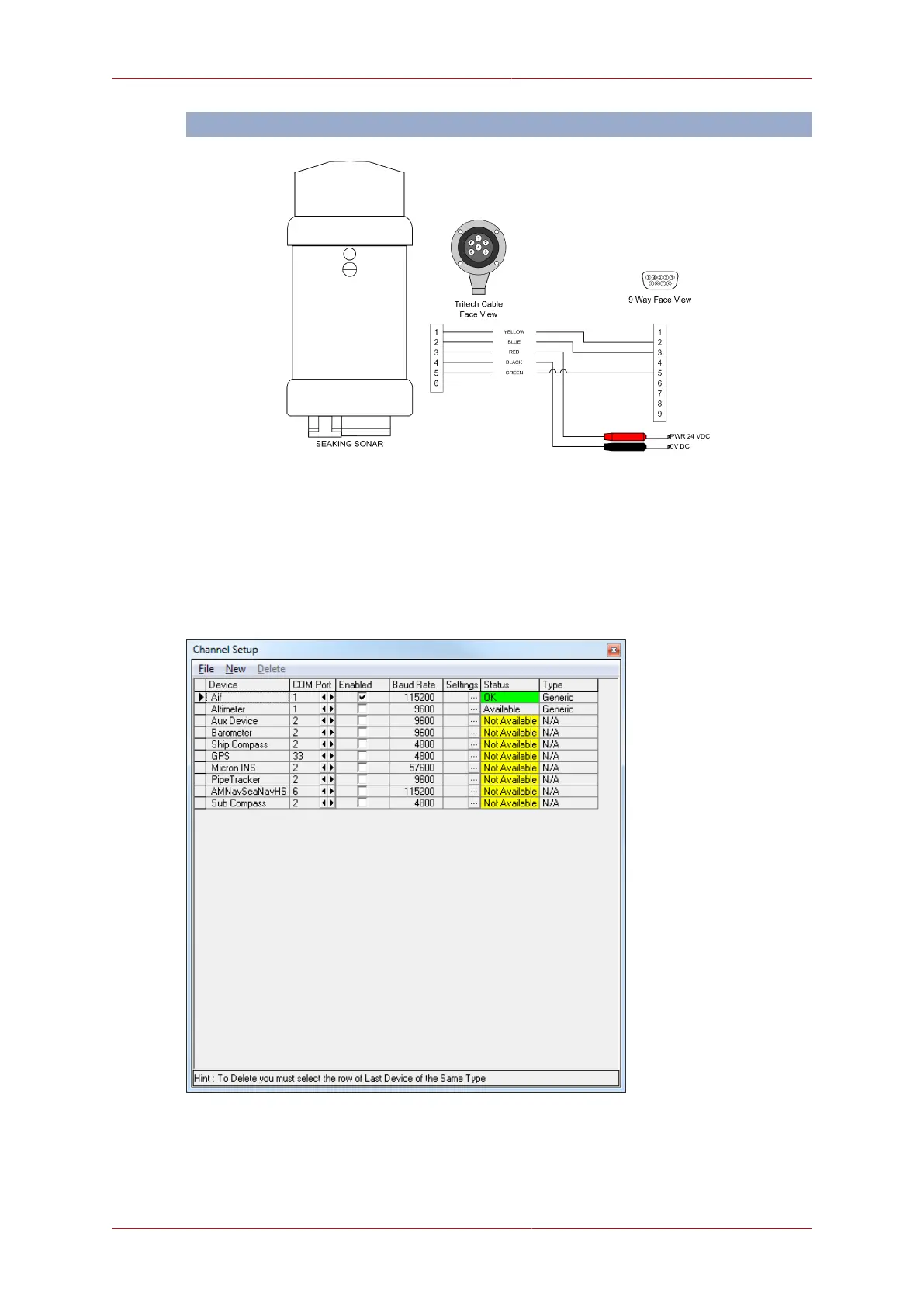
RS232 or RS485
Note: The wiring detailed above is for the SCU, SeaHub or MicronNav Hub. If using a third
party RS485 adapter please check the pin outs required as the RS485 A and RS485 B
pins may be configured differently.
Using the test cable, connect the Sonar unit to your surface controller. Your surface controller
can be a SCU, SeaHub, MicronNav Hub or a PC with a RS232 or RS485 port.
Run Seanet Pro and, if working over a serial interface, configure the serial ports using the
Utilities->Com Setup drop down menu option.
For the COM Port being used, ensure that an AIF device has been enabled.
Select the Applications->Setup drop down menu option.


 To Next Page