© Triton Electronics Ltd 2022 Doc. AMV35003_1.doc v1.04 PAGE 16 OF 52
To store the current configuration use the Save Configuration screen. Use the screen keypad to
enter a file name and description.
Press UPDATE to save the configuration and return to Configuration Screen
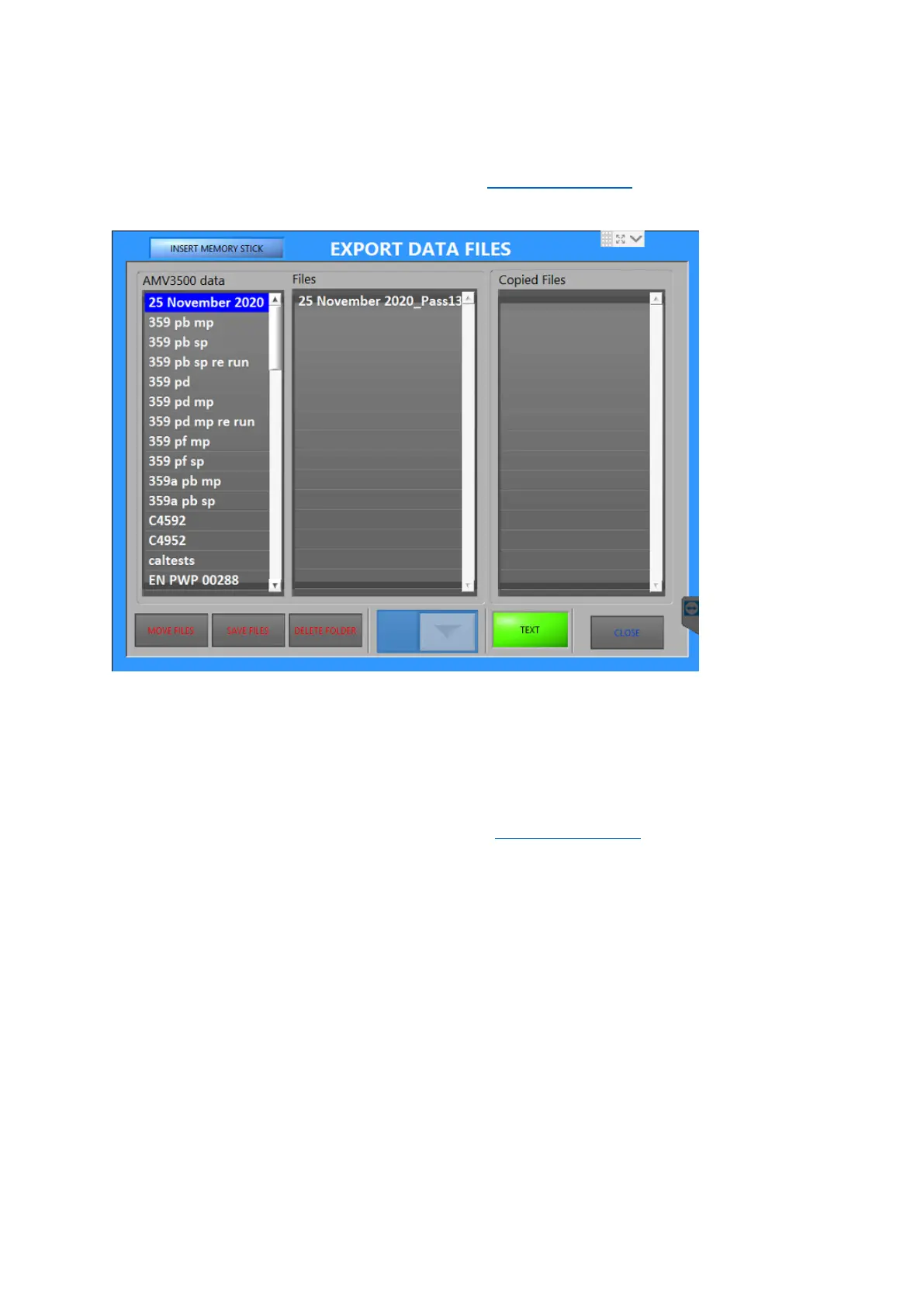
2.12 Data export
1. Select the procedure to be either copied or moved to a USB.
2. Make sure the USB has been detected and that the correct drive letter is selected.
3. Decide if TEXT or ALL data is required
4. Select to wither MOVE files or SAVE files. SAVE files copies the files to the USB stick,
MOVE removes them from the AMV and onto the USB stick.
5. To DELETE a folder ALL files must first have been moved to the USB stick.
6. Press CLOSE to complete and return to the Configuration Screen.



 To Next Page