© Triton Electronics Ltd 2022 Doc. AMV35003_1.doc v1.04 PAGE 40 OF 52
3.2 Setup to monitor an AC SAW procedure
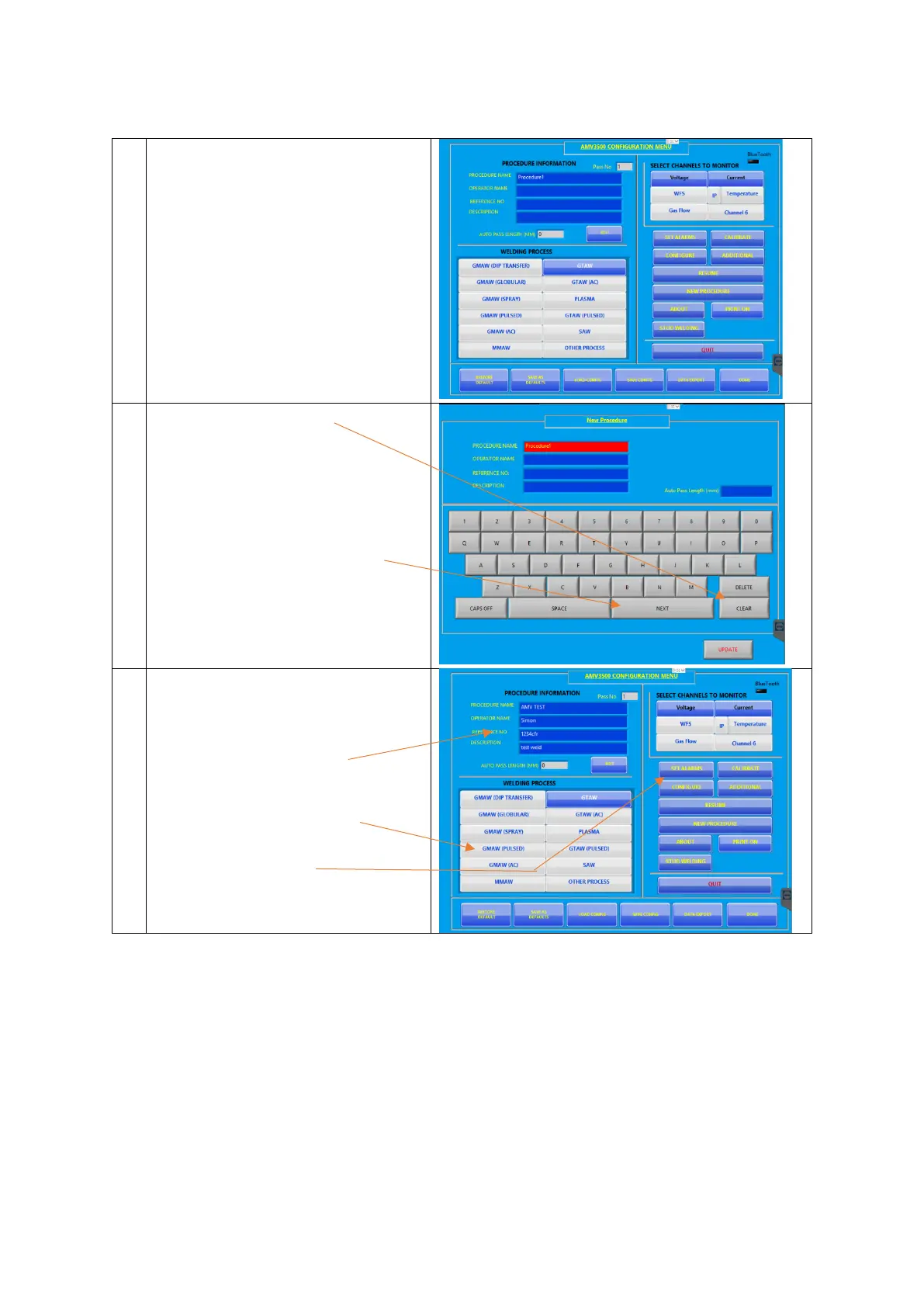
Turn on the AMV3500 should boot to
the configuration screen
Press NEW PROCEDURE
Press the CLEAR button
This clears the procedure name, now
use the keyboard to type in a new
procedure – this case AMVTEST
Press the NEXT button when happy to
move to the OPERATOR NAME
When happy press UPDATE to return
to the configuration screen
This time the new procedure
information is shown
Select GMAW (PULSED) from the
welding process options
Press SET ALARMS



 To Next Page