© Triton Electronics Ltd 2022 Doc. AMV35003_1.doc v1.04 PAGE 27 OF 52
2.16.2 Monitor screen
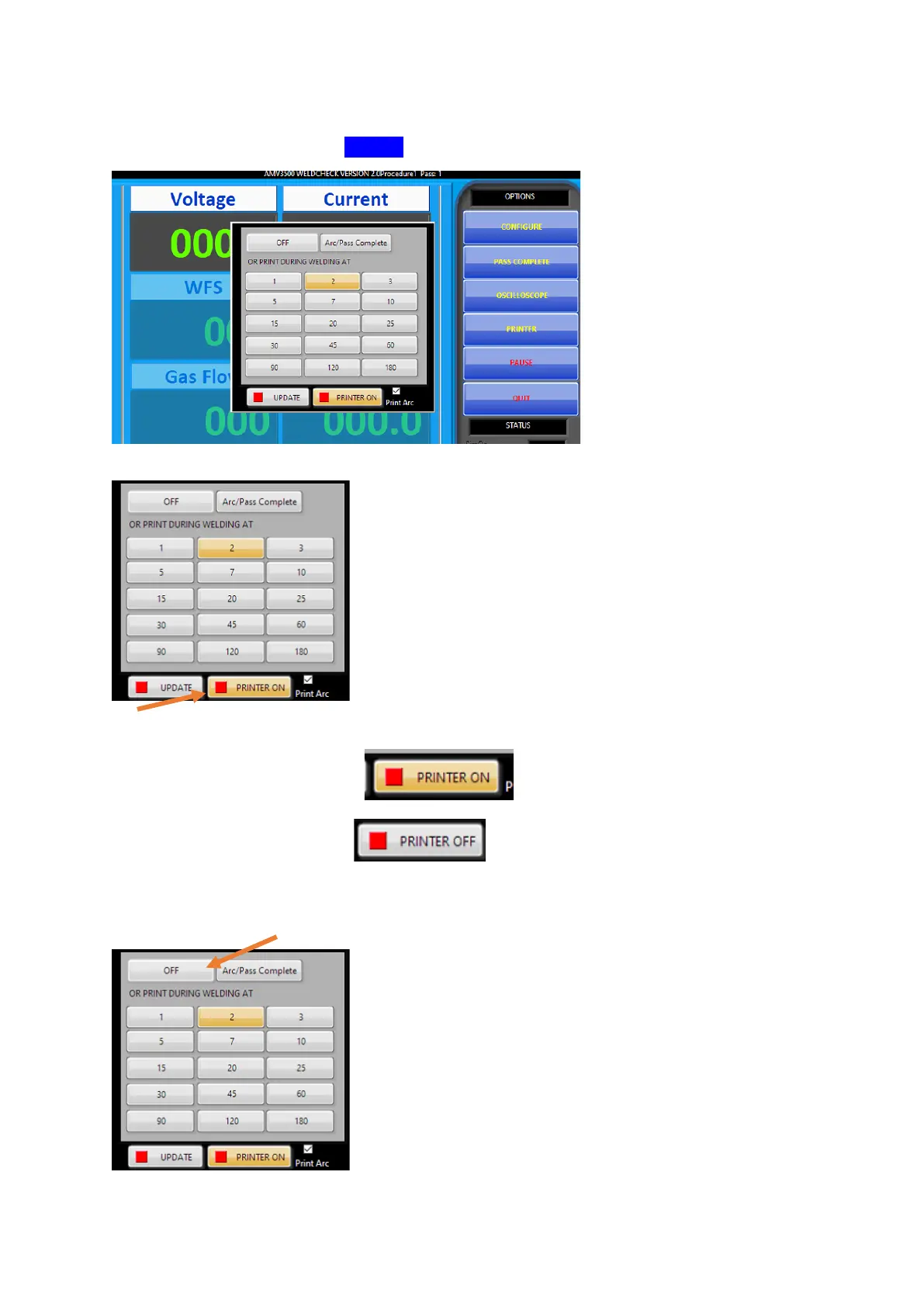
There are more options from the PRINTER button on the monitor screen:
2.16.2.1 Turn off all external printing
This button controls the printer on/off
On – output sent to external printer
Off – no output to external printer
If the printer is turned off a text file is still saved using the second interval outputs.
To turn off both saved text file and external printer use the OFF button:



 To Next Page