EasyManua.ls Logo

Triton Electronics AMV3500 - Page 41

Default Icon
52 pages
Print Icon
To Next Page IconTo Next Page
To Previous Page IconTo Previous Page
Loading...
© Triton Electronics Ltd 2022 Doc. AMV35003_1.doc v1.04 PAGE 41 OF 52
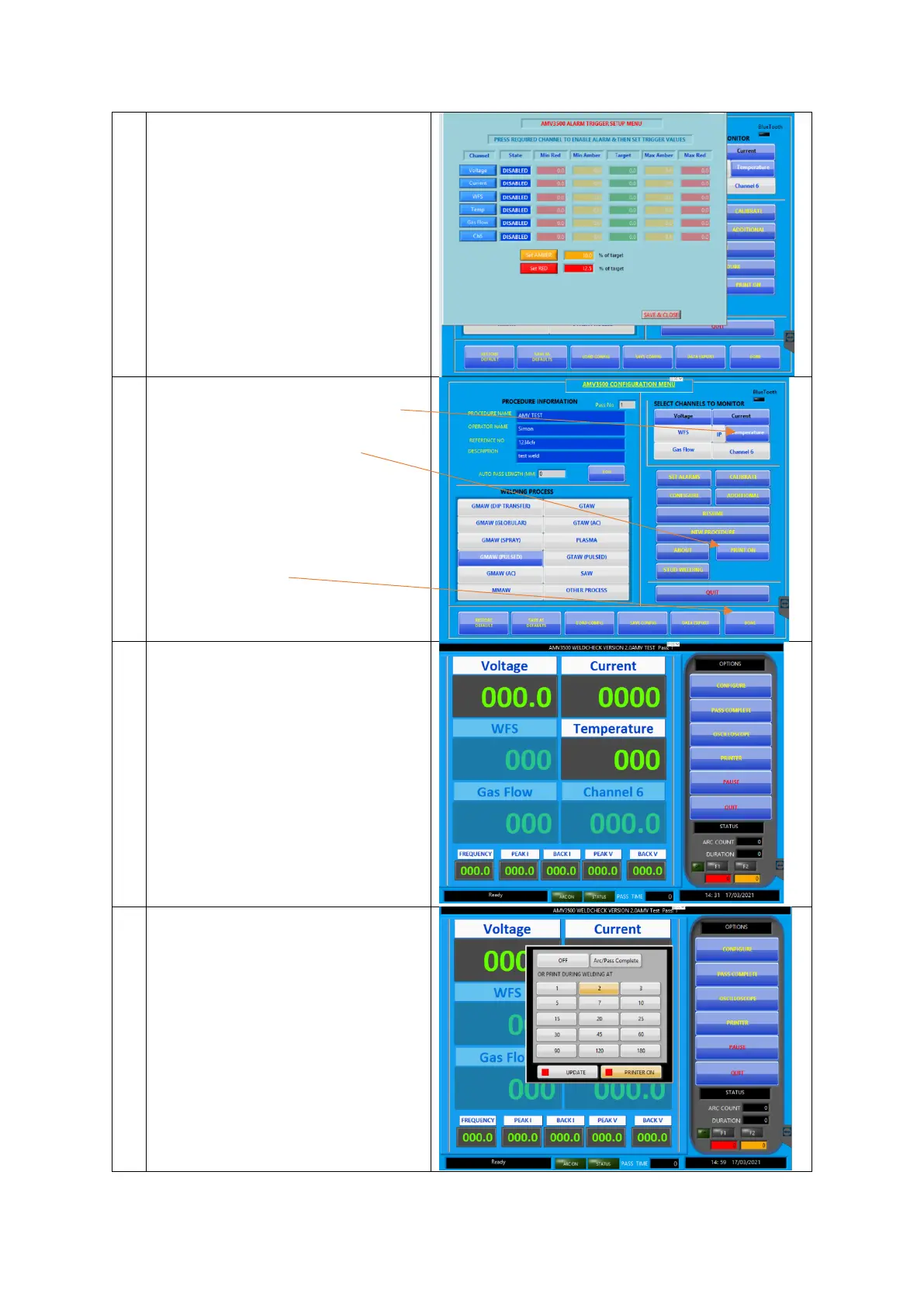
On the Alarms page make sure every
channel has an alarm that is either
ENABLED or DISABLED, if there is
nothing in the State box click on the
channel name until the correct state is
shown.
If there are no entries in the state box
the pulse determination will not work.
Press SAVE & CLOSE
From the configuration screen
Turn on the temperature channel
make sure the printer is ON
and press DONE

This brings up the wait screen.
The AMV is now waiting for an arc on
to be detected.
Set the print rate.
Press PRINTER
Then select 2 seconds
Press UPDATE