SWITCHES
AND
CONTROLS
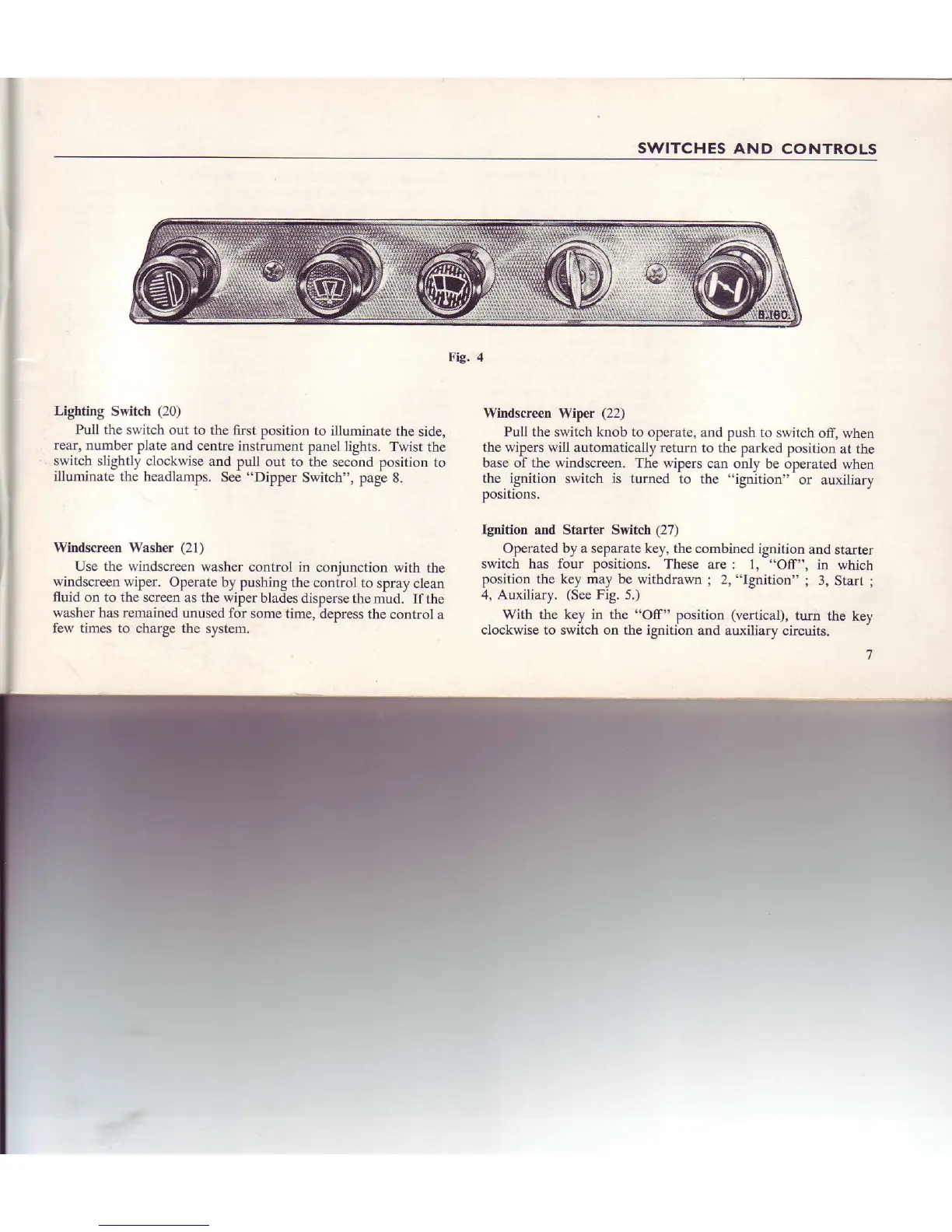
Lighting
S\titch
(20)
Pull
thc s\\ itch out to
the first
position
to
illuminate the
sidc,
rear, r1Lnnber
pli.lte and centre
instrument
pilnel
lights.
Twist
the
switch slightl) clockwise
and
pull out to the second
positiol.r to
illuminate the headlan'rps.
See
"Dipper
Switch",
page 8.
Windscreen \Yasher
(21)
Use the wiidscieen
washel control
in conjuiction
\\'ith
the
windscreen wiper. Operatc
by pushing
the control 1(]
spray ciean
fluid
on to the screcn as the rviper
blades
dispefse thc mud.
Ifthe
washer'has renained
unused lbr sonte
tiore, depress thc
co[tro]
a
few tines to charge the
systeol.
Fig.4
Windscreen Wiper
(22)
Pull the
switch
knob to
operate,
and push to s\.\itch
off, when
the wipers will automaticaliy
return to the
parked position
at tlle
base of the windscreen. The wjpers
can oniy
be operated when
the ignition
switch is turned to
thc
"ignirion" or auailiary
positions.
Ignition and Starter Switch (27)
Operated by a separate key,
the combined ignition
and
starter
switch has four positions. These
are : l,
"Off",
in which
posilion the key mav be withdrawn
;
2,
"Ignition"
;
3,
Starl
;
4, Auxiliary.
(See
Fig. 5.)
$ith lhe ke) in thc'Off"
position
(!erticJlr.
r{rrn
lhe ke)
clockwise to suitch on the ignilion
and auxiliary
circuirs.


 To Next Page