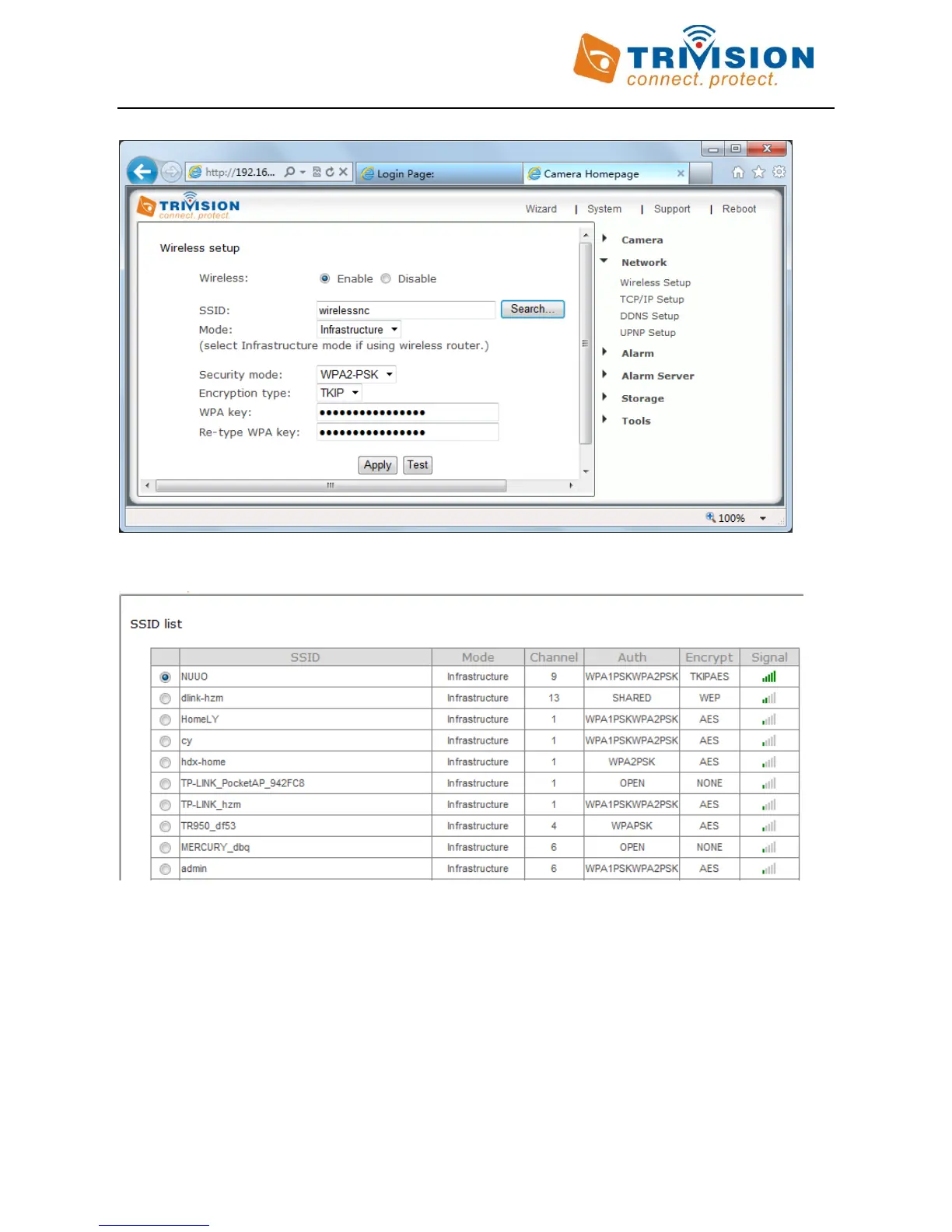
Click on “Network”, then click on “Wireless setup”, and you’ll get to this screen :
Do NOT type anything in the SSID field. Instead, just clicking on the “Search” button, your camera can tell you
which networks can see:
You may see a whole list of networks in your neighborhood. Select your network from this list, then click on
“Apply” tab, and check if your network name has now been filled into the SSID field. If nothing shows up, try
“Search” again, or un-hide your network name if your router is configured as a closed system.
Do NOT change any of the settings (SSID, Mode, security mode, Encryption type)
Type in “WPA key” (password, also known as wireless key), please note that both WPA and WPA2 keys, which are
setup on the wireless router, are case sensitive
Retype the “WPA Key”



 To Next Page