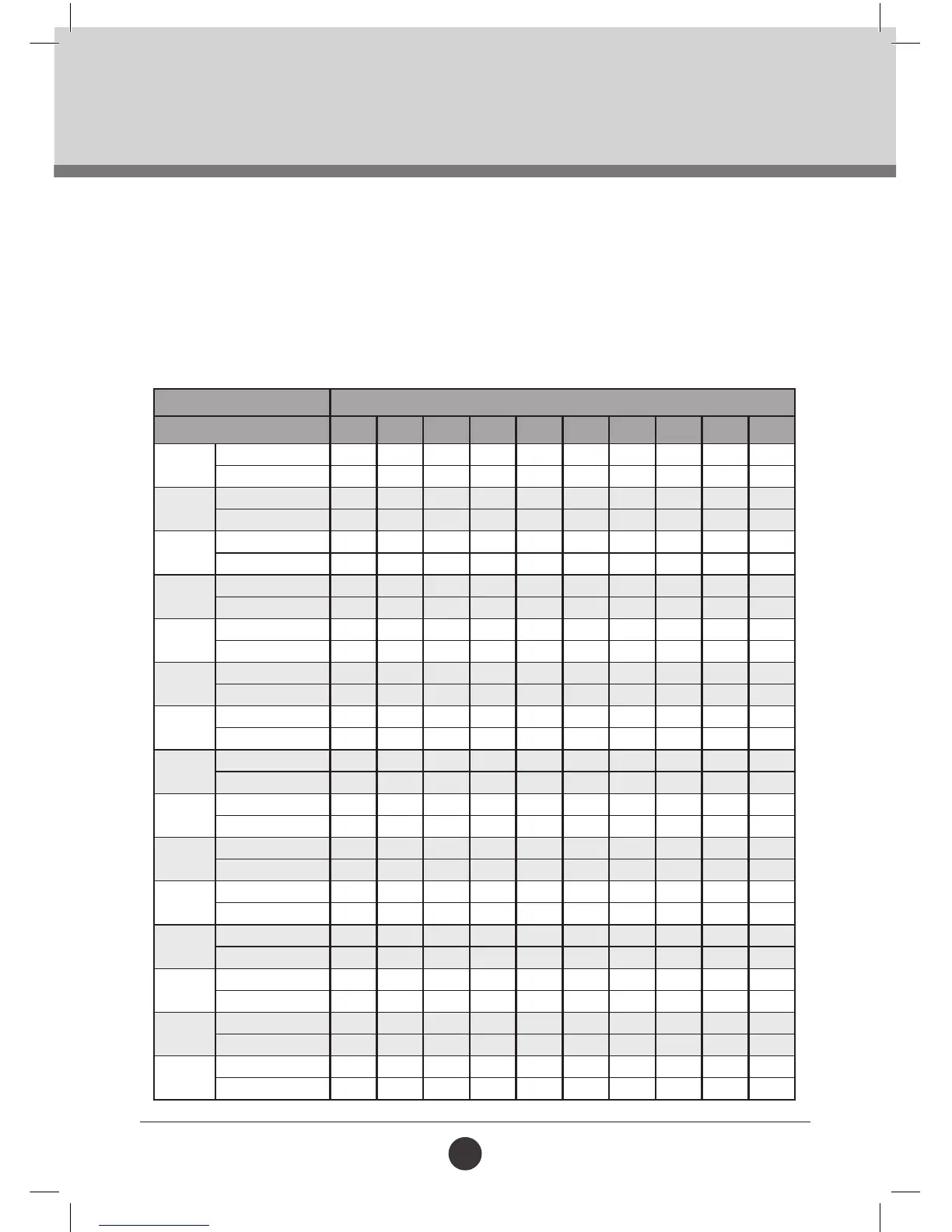
PRE-SET PROGRAM
Press the “PROGRAM” button to choose between the P1 - P15 programs. The default Time setting is 10:00.
Press “SPEED +/-” to adjust your desired workout time.
Press the “START” button to begin the pre-set program. The program is divided into 10 sections. Each
exercise split makes up 1/10th of the total exercise time. When the system enters into the next exercise
split, the console will beep and the speed will change. Press “SPEED +/-” to adjust your speed.
Note: The speed will return back to program speed at each split. Once you have completed the workout
program, the console will beep 3 times and will slow down and stop completely.
TIME INTERVAL = SETTING TIME/10
1 2 3 4 5 6 7 8 9 10
P1
SPEED 3 3 5 5 7 7 5 5 3 3
INCLINE 1 1 2 2 2 3 3 2 1 1
P2
SPEED 10 3 5 7 3 7 5 7 5 3
INCLINE 1 2 2 2 2 3 3 2 3 3
P3
SPEED 3 3 5 7 7 9 7 5 5 1
INCLINE 2 3 3 2 2 3 3 3 4 4
P4
SPEED 3 5 3 7 1 5 7 5 3 1
INCLINE 2 3 3 2 2 3 3 3 4 0
P5
SPEED 5 5 5 7 9 11 9 7 7 5
INCLINE 3 3 3 4 4 5 5 5 5 2
P6
SPEED 3 5 9 11 7 12 9 11 5 3
INCLINE 3 5 5 5 4 4 4 3 4 2
P7
SPEED 3 7 9 11 9 9 9 7 5 5
INCLINE 4 4 4 4 3 3 6 6 8 3
P8
SPEED 5 5 9 9 11 5 11 11 5 3
INCLINE 4 5 5 5 6 6 6 7 10 3
P9
SPEED 2 5 5 8 8 4 6 3 3 2
INCLINE 5 5 5 6 6 6 4 4 8 2
P10
SPEED 2 3 4 6 7 5 5 6 7 3
INCLINE 5 6 6 6 7 5 8 8 5 3
P11
SPEED 3 4 5 9 5 9 5 5 6 3
INCLINE 3 6 5 3 5 3 5 5 4 2
P12
SPEED 1 2 3 10 7 7 10 5 4 3
INCLINE 2 5 5 3 5 5 3 3 6 2
P13
SPEED 1 1 3 5 5 5 9 3 1 1
INCLINE 5 5 8 8 8 3 3 7 8 0
P14
SPEED 3 4 7 3 4 6 3 4 5 3
INCLINE 2 4 4 4 4 2 3 3 1 0
P15
SPEED 2 3 5 5 7 7 7 6 4 3
INCLINE 3 3 5 5 5 5 2 2 1 0







 To Next Page