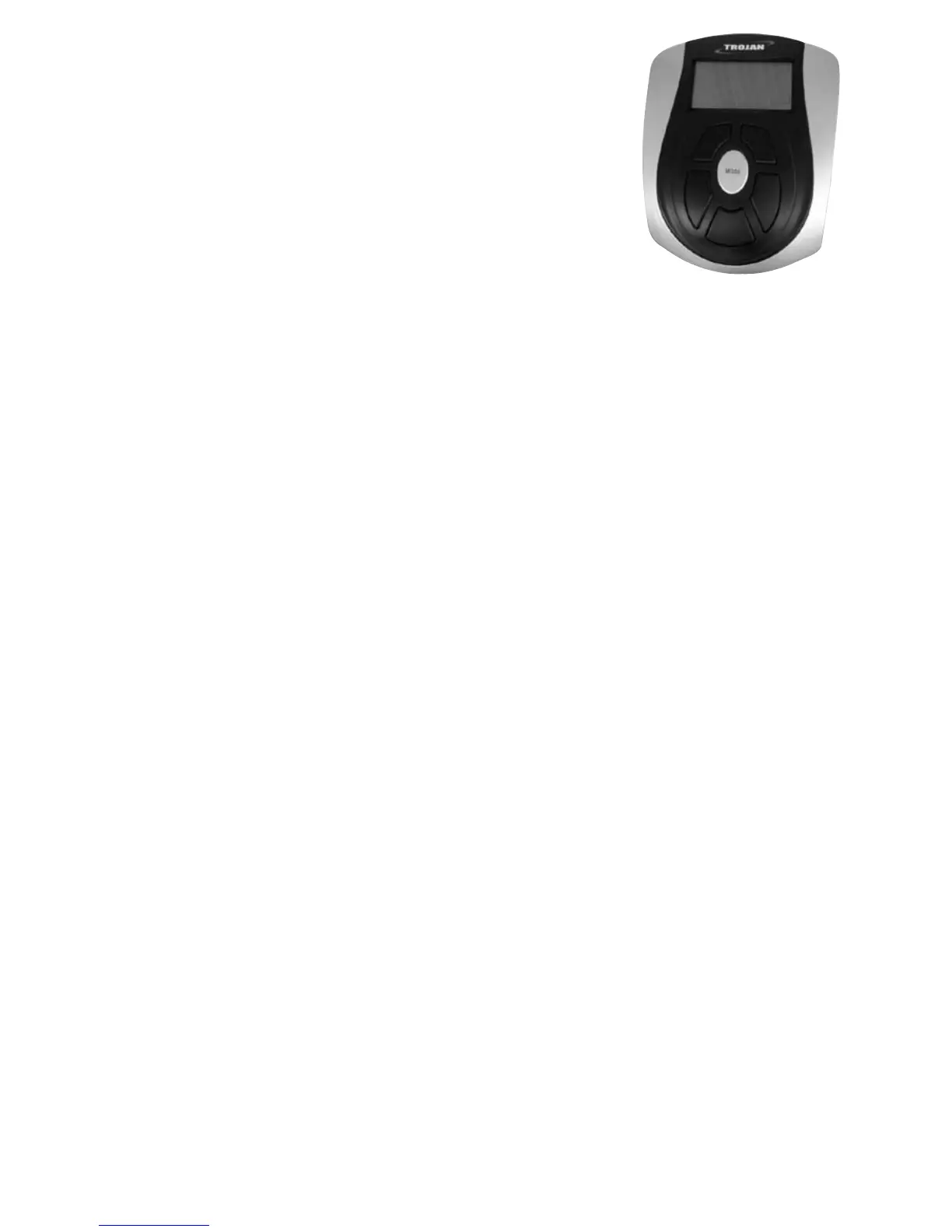
4. COMPUTER FUNCTIONS
Functions and Features:
1. SCAN: While exercising press the MODE key until SCAN appears
on the LCD. Each of the following functions will display for 6 seconds
before moving onto the next function .
TIME-SPEED-DISTANCE-CALORIE-RPM-PULSE
2. TIME: Shows your elapsed workout time in minutes and seconds. The computer will automatically
count up from 0:00 to 99:59 in one second intervals. You may also program your computer to
count down from a set value by using the UP and DOWN keys from 0:00 to 99:00. If you
continue exercising once the time has reached 0:00, the computer will begin beeping, and count
up from 0:00.
3. SPEED: Displays your workout speed value in KM per hour from 0.0 to 168.0.
4. DISTANCE: Displays the cumulative distance traveled during each workout up to a maximum of
168.0KM.
5. CALORIES: Your computer will estimate the cumulative calories burned at any given time during
your workout.
6. PULSE: Your computer displays your pulse rate in beats per minute during your workout. If there
is no pulse signal input, the computer will display 0 on the window. To measure your Heart Rate,
hold onto both silver touch points while exercising.
7. RPM: Your pedal cadence.
Key function:
There is only one button in the consol:
1. MODE key: a. Press the key to accept the setting values of TIME, DISTANCE and CALORIE.
b. When in STOP mode, hold this key for over two seconds and the computer
will re-set.
c. While exercising, you can press the MODE key to cycle through the functions
as below:
SCAN-TIME-SPEED-DISTANCE-CALORIES-RPM-PULSE.
SLEEP MODE:
The monitor will enter SLEEP mode (LCD off) when there is no signal input and no key has been
pressed for 4 minutes after you stop training.


 To Next Page