5000 Series Weigh Scale Indicator Quickstart Guide
8
8
Putting information on
You can transfer session files, animal lifetime data or favourite setups from a PC to
your indicator using Data Link.
If you haven't done so already, install Data Link on your PC. To do this,
insert the supplied USB flash drive into a USB port on your PC and follow
the instructions.
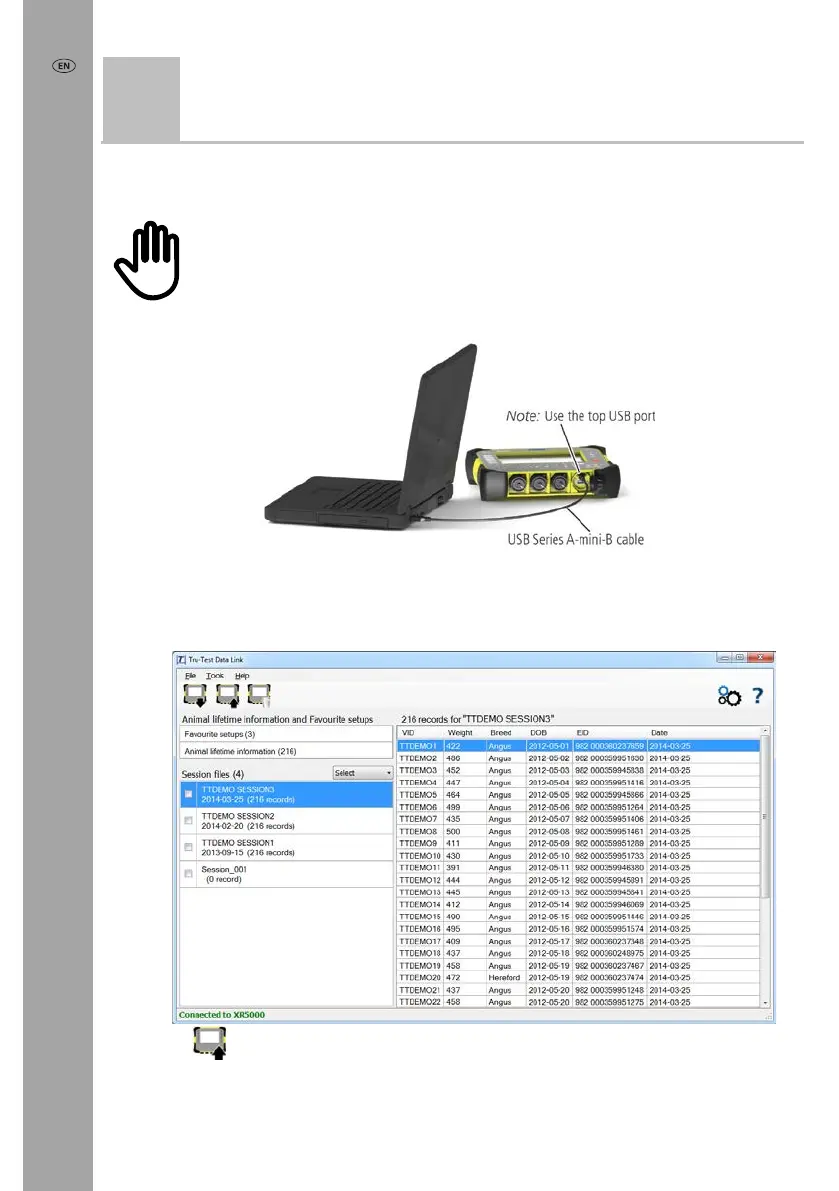
1 Connect the indicator to a PC using the cable supplied.
2 Launch Data Link on your PC.
3 Once Data Link has connected to the indicator, all the information on the
indicator will be displayed on Data Link.
4 Click
to transfer session files, animal lifetime data or favourite setups onto
the indicator.



 To Next Page