TR-36RBF INSTALL GUIDE
07/28/2021 Page 29 of 48TEC_TM_151 | REV. A | EN
ELECTRONIC CONTROL OPERATION
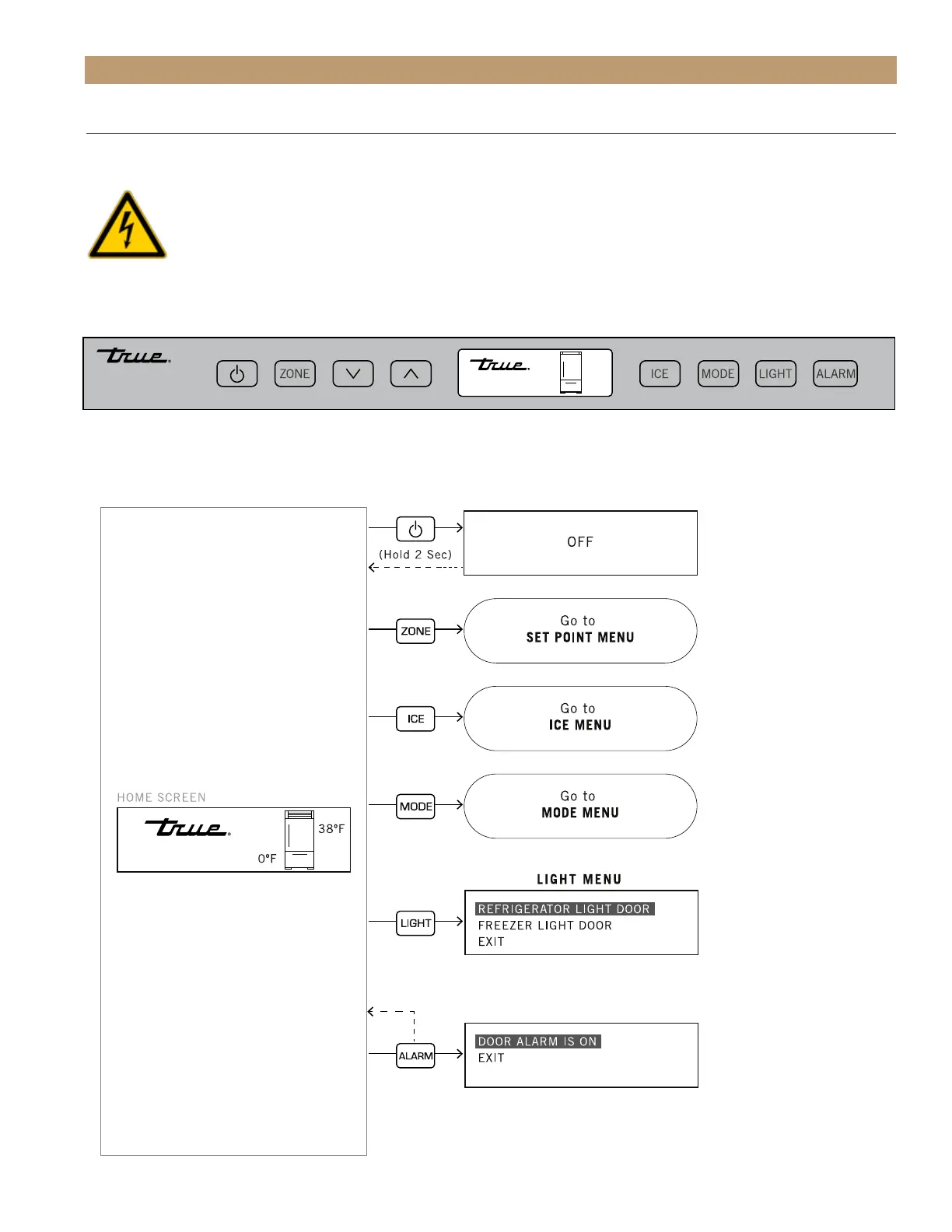
USER INTERFACE
All units are shipped in ON mode. During the initial startup, the unit runs a short power up diagnostic followed
by a single audible beep. The lights turn on and temperature readings appear on the display.
WARNING - Turning the unit off with the power button does not remove the power supply from the
control. Unplug the unit or turn off the power supply.
Please note that though the display can show either Fahrenheit or Celsius, in most cases the figures show
Fahrenheit. Please see the button functions in the diagram below.
• Unless otherwise stated, the shown button commands are “press and release”.
• Shutting the door exits the menu to the Home screen.
38º F
0º F




 To Next Page